



Quick Summary
- Three API styles cover almost everything: REST for everyday reads and writes, GraphQL when one page needs many related fields at once, and webhooks for anything event-driven.
- A working store combines around fifteen functional API types, from storefront and catalog through payments, inventory, shipping, search, tax, and ERP.
- Sourcing splits three ways: platform-native APIs are fastest but limited, unified APIs cut integration work at the price of a middleman, and a custom backend-for-frontend gives full control you then own forever.
- Back-office sync to ERP, OMS, and PIM is the hardest integration in commerce, because systems like SAP and NetSuite were never designed for live web traffic.
- Two habits matter most: make writes idempotent so a connection hiccup never charges a customer twice, and pin the API version so a provider’s change cannot break the store overnight.
Building an online store that sells across web, mobile, and marketplaces means connecting systems that were never designed to talk to each other, and an eCommerce API is what lets them talk. It moves product data, processes payments, syncs inventory, and pushes orders to fulfillment.
The hard part is choosing the right APIs, deciding between platform APIs, a unified API, or a custom layer, and making those integrations survive production traffic, rate limits, and breaking changes.
We work through these exact decisions on almost every commerce project we build, so we know where they get expensive and how to get them right.
In this guide, we will cover how eCommerce APIs work, the three architecture styles (REST, GraphQL, and webhooks), the functional API types, common use cases, how to source your APIs, the ones worth knowing, and the practices that separate a demo integration from a production one.
By the end, you will know which API types your store needs, which style and sourcing model fit your case, and how to integrate them so they hold up under load.
What Is an eCommerce API and How It Works
Before we get into types and best practices, let’s define the thing itself and follow a single call from request to response.
An eCommerce API (application programming interface) is a set of rules that allows one software system to request data or perform actions from another. When your storefront needs a product’s price, a payment needs to be processed, or an order needs to reach your warehouse, an API handles the request and returns a structured response.
Think of it like ordering from a catalog by item number instead of walking into the warehouse yourself. You send a specific request (“give me product 12345”), and the system hands back exactly that record in a format your code can read.
Most eCommerce APIs share the same request and response cycle. Your application, the client, sends a request to a specific URL called an endpoint. The server checks who you are, runs the operation, and sends back a response, usually as JSON.
That identity check is the authentication step. With every request, you include a credential, typically an API key or an OAuth token, and this authentication confirms you are allowed before the server returns anything.
Here is what a simple REST API call to fetch a product looks like:
GET /v1/products/12345
Authorization: Bearer sk_live_...

Response:
{
  "id": "12345",
  "title": "Merino Wool Sweater",
  "price": 129.00,
  "currency": "USD",
  "inventory": 42,
  "available": true
}
Chain enough of these together, and you can build an eCommerce store that pulls its catalog, prices, and stock from wherever they live and automates the flow between them.
This modular approach is the foundation of modern digital commerce, and it is exactly the work of building an eCommerce website from parts that talk to each other.
REST vs GraphQL vs Webhooks: Choosing an API Style
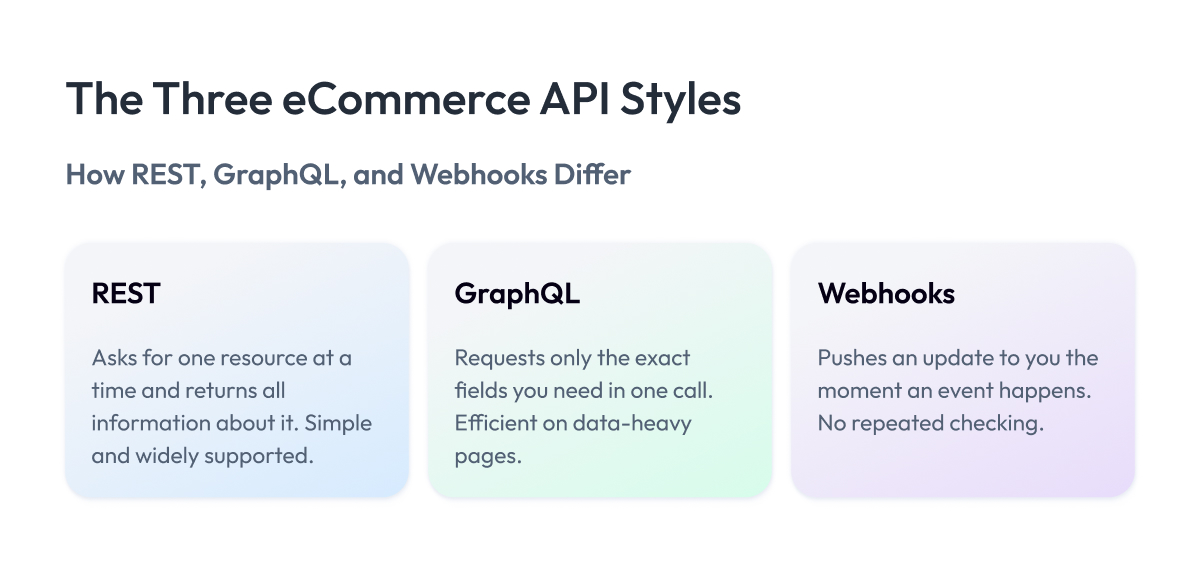
We just followed a single request from your app to a server and back. But APIs do not all handle that exchange the same way. The rules for how the request is shaped, what comes back, and when the conversation happens can differ, and that design choice is what people mean by an API style.
Think of it like the difference between phoning someone, texting them, or getting a notification when they arrive. Same goal of communicating, different mechanics, each better for certain situations. In eCommerce, three styles cover almost everything, and choosing the wrong one can show up later as slow pages, wasted data, or missed orders.
REST is the standard way APIs talk, and almost every platform supports it. You ask for one thing at a time, like a product or an order, and you get back everything about it. Its big upside is simplicity: it is easy to build, and the results are easy to store and reuse.
Its downside is that a single product page might need four or five separate requests to fill, which can slow things down. REST fits most everyday jobs, like reading a product or placing an order.
GraphQL was built to fix that slowness. Instead of asking several times, you send one request that lists the exact fields you want, and you get back only those. Its advantage is speed and efficiency, which matters most on mobile, where a page can load the product name, price, stock, and a few reviews in one trip.
Its disadvantage is that it takes more effort to set up and maintain. GraphQL is well-suited to data-heavy pages that would otherwise require many REST calls.
query {
  product(id: "12345") {
    title
    price
    reviews(first: 3) { rating body }
  }
}
Webhooks work the opposite way. REST and GraphQL wait for you to ask, but a webhook reaches out to you the moment something happens. Its upside is that you learn about events instantly without checking over and over.
Its downside is that you have to build a reliable way to receive these messages and confirm they are genuine. Webhooks can be triggered by events like a payment clearing, a shipment moving, or stock running low.
POST /webhooks/orders
{
  "event": "order.paid",
  "order_id": "A-5567",
  "amount": 129.00,
  "status": "paid"
}
Most online stores use all three together. You read and write with REST or GraphQL, and you react to events with webhooks. Our team relies on this same split when we build and integrate custom software for commerce clients.
How the Three API Styles Compare
| API Style | Best For | Main Upside | Main Downside |
| REST | Everyday reads and writes | Simple, widely supported | Many calls per page |
| GraphQL | Data-heavy storefront pages | One efficient request | More setup effort |
| Webhooks | Event-driven reactions | Instant, no polling | Needs reliable receiving |
A useful rule of thumb: use REST for straightforward reads and writes, GraphQL when a page needs many related fields at once, and webhooks for anything event-driven like payments, shipments, or stock changes.
Types of eCommerce APIs by Function
The three styles from the last section are how APIs talk. This section is about what they do. Most eCommerce APIs fall into functional categories, each owning one job in the buying journey, from showing a product to getting it delivered.
You rarely use just one. A typical store stitches together a handful of these, sometimes from different providers, so knowing the categories helps you see what your stack already covers and what is missing.
Here is the field, grouped by the job each type performs.
Main Types of eCommerce APIs
| API Type | What It Does | Typical Providers | When You Need It |
| Storefront | Powers the shopper-facing site | Shopify, commercetools, Saleor | Building a custom frontend |
| Catalog / Product | Serves product data and attributes | BigCommerce, Akeneo, Salsify | Managing large catalogs |
| Cart / Checkout | Handles carts and order placement | Shopify, Bold, Snipcart | Custom checkout flows |
| Payments | Processes charges and refunds | Stripe, PayPal, Adyen | Accepting any payment |
| Order / Fulfillment | Routes and tracks orders | ShipBob, Fulfil, Orderful | Coordinating fulfillment |
| Inventory | Syncs stock across channels | Cin7, Skubana, Zoho | Selling on many channels |
| Shipping / Logistics | Rates, labels, tracking | Shippo, EasyPost, Shippit | Automating shipping |
| Search / Discovery | Product search and filtering | Algolia, Elastic, Constructor | Improving findability |
| Customer / CRM | Customer relationship management records | Salesforce, HubSpot, Klaviyo | Unifying customer data |
| Tax / Compliance | Calculates tax by region | Avalara, TaxJar, Stripe Tax | Selling across regions |
| Content / CMS | Delivers editorial content | Contentful, Sanity, Storyblok | Running headless content |
| Marketing / Data | Feeds campaigns and events | Segment, Klaviyo, Bloomreach | Personalizing outreach |
| Analytics / Reporting | Reports sales and behavior | GA4, Amplitude, Mixpanel | Measuring performance |
| B2B | Quotes, accounts, bulk orders | commercetools, Pipe17, Nautical | Selling to businesses |
| PIM / ERP | Syncs master data and finance | Akeneo, NetSuite, SAP | Connecting back-office |
A few of these deserve a closer look, since they cause the most integration work in practice.
The product API is where most stores start. It fetches product data, titles, prices, images, and stock, so your store’s product pages always show what is actually available. When someone searches for an “ecommerce product api,” this is what they mean.
The payments API is the one you cannot get wrong. It processes the charge, handles refunds, and carries the heaviest compliance load, which is why we treat payment gateway integration as its own discipline rather than a checkout afterthought.
The shipping API removes a huge amount of manual work. Instead of copying addresses into a carrier website, it pulls live rates, prints labels, and returns tracking numbers automatically. High-volume stores lean on it heavily, which is why “shipping api for ecommerce” is one of the most searched terms in this space.
The search API decides whether shoppers find what they came for. A good eCommerce search API returns relevant results in milliseconds and handles typos and filters, while weak search quietly costs sales that never show up in any report.
The rest, from inventory to tax to CRM, follow the same logic. Each owns a slice of the store, and the art of integration is making them behave as one system. We handle that connective work as part of our application and integration services for enterprise commerce clients.
Common eCommerce API Use Cases
We now know the main types of APIs and roughly when each one is used. Let’s look where stores put these APIs to work, and what each one gives you in return.
Each case below combines multiple API types. That is normal. A working store is many APIs cooperating, and seeing them in context makes it obvious which ones you actually need.
Headless and composable storefronts
A headless store separates the site shoppers see from the commerce engine behind it, and the two communicate only through APIs. You can redesign the shopping experience whenever you want while payments and inventory keep running as they are.
The APIs that carry this setup:
- Storefront APIs serve the shopper-facing pages and content.
- Product APIs feed titles, prices, images, and stock to the frontend.
- Cart and checkout APIs manage the basket and place the order.
The main upside is design freedom. You rebuild the look or add a channel without touching the systems that take money and track stock. The trade-off is workload, because you wire many API calls together and maintain parts that an all-in-one platform would otherwise handle for you.
This setup suits teams that redesign often or sell across several channels, and for a small, stable shop it is more than you need. Many of these builds start from a headless or composable platform.
Multichannel and marketplace integration
A brand selling on its own site, on Amazon, and through social channels keeps stock counts in several places, and those numbers drift apart quickly.
The APIs that keep this in sync:
- Inventory management APIs sync stock data across every channel at once.
- Order APIs collect orders from each channel into one flow.
- Product APIs publish a single catalog out to every place you sell.
The gain is protection from overselling and far less manual updating. The difficulty climbs with each channel you add, because every marketplace has its own API rules, data formats, and rate limits, so the work stacks up instead of staying flat.
These APIs suit any store selling in more than one place, and they become essential the moment marketplace volume grows. Social commerce runs on the same wiring.
Back-office sync: ERP, OMS, and PIM
When an online order needs to reach finance, the warehouse, and your master catalog, handling it manually invites delays and typos.
The APIs that connect the pieces:
- ERP APIs pass orders and invoices into your finance system.
- Order management APIs route each order to the right warehouse.
- PIM APIs keep product master data consistent everywhere.
The value is accuracy and speed, since finance and fulfillment always match what the store shows. This is often the hardest integration in commerce, because systems like SAP or NetSuite are complex and were rarely built for live web traffic, so mapping data between them takes careful engineering.
This work suits growing stores where manual data entry has become a bottleneck or a source of errors. It sits at the center of most ERP and eCommerce integration projects.
Personalization and search
Two shoppers open your store, and each should find what suits them without digging through pages.
The APIs behind this experience:
- Personalization APIs read customer data to tailor what each visitor sees.
- Search APIs return relevant results instantly, handling typos and filters.
- Product APIs supply the catalog data for both ranking and display.
The payoff shows up in orders and in a better customer experience, because shoppers find products faster and abandon the site less often. When we built a real-time customer data pipeline for Zalando, that level of personalization unlocked €4.5M in additional GMV by processing 2.5 billion records a day to keep every recommendation current.
Mobile backends and B2B portals
Launching a mobile app or selling to business buyers puts new demands on the same commerce engine.
The APIs that power both:
- Storefront and product APIs let a mobile app reach the commerce engine.
- Cart, checkout, and payment APIs handle purchases inside the app.
- B2B APIs manage account pricing, bulk orders, and approval steps.
The gain is one engine serving everyday shoppers and business accounts at once, with no second system to run. A mobile app is moderate work if you already have an API layer. A B2B portal asks more because custom pricing and approval flows must be modeled with care.
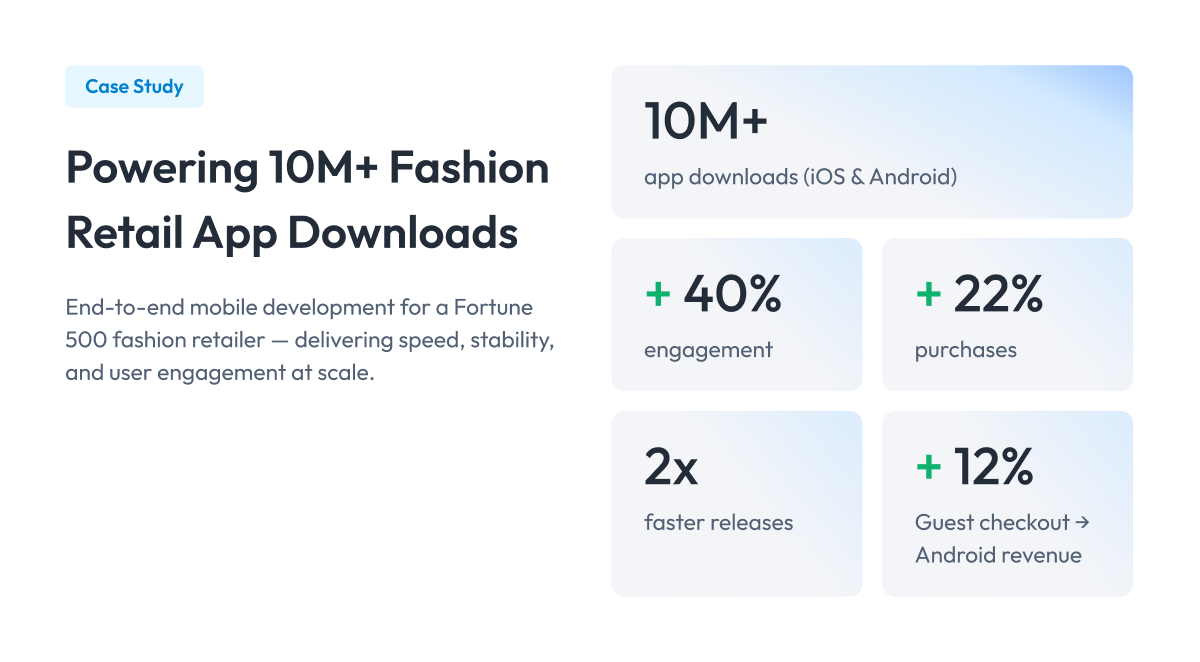
Mobile suits stores whose customers shop on phones, which is most of them now. A solid mobile API layer pays off fast. For a Fortune 500 retailer, rebuilding the mobile app on strong API foundations drove a 40% lift in engagement and 22% more purchases.
Product and market-data APIs
Tracking competitor prices or running product research means pulling data from outside your own store.
The APIs involved here:
- Market-data APIs supply pricing and product information under license.
- Reviews APIs aggregate ratings and feedback across sources.
- Analytics APIs turn that data into signals you can act on.
The benefit is up-to-date market signals for pricing and assortment decisions. Technically, these APIs are easy to call, so the work is mostly a sourcing question. Choose a licensed provider and stay inside its terms, rather than scraping sites in ways that break their rules.
Across all these cases, you rarely pick a single API. You combine several, and the effort depends far more on your back-office systems than on the storefront itself. Match the APIs to the situation you are actually in, and the build stays proportional to what you need.
Build vs Buy: How to Source Your eCommerce APIs
You know which API types your store needs. The next question is where they come from. You can buy a ready-made eCommerce solution, connect existing APIs, or build your own. Most stores do a mix, and picking the wrong one here is where budgets quietly disappear.
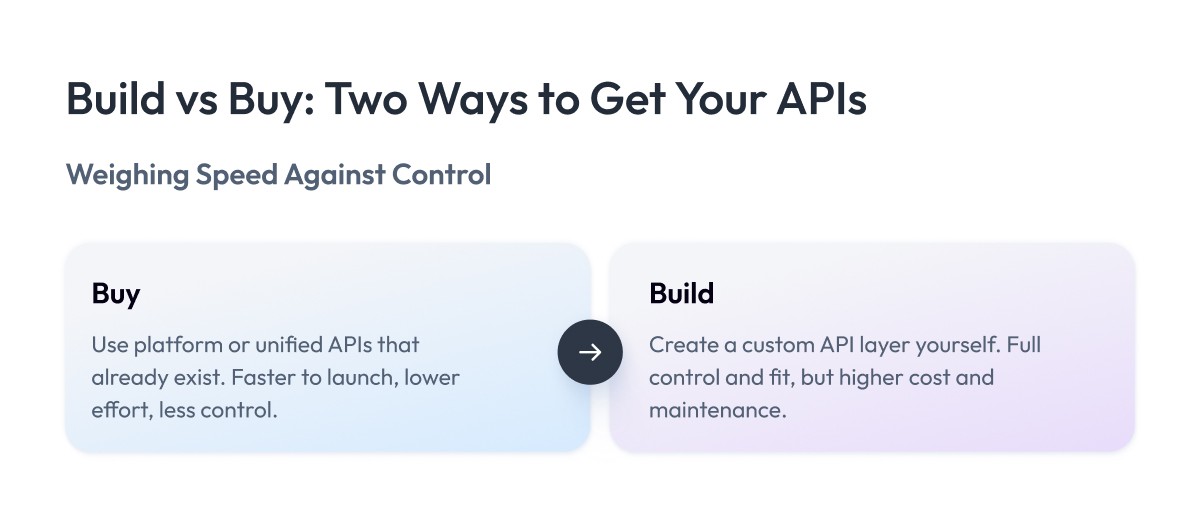
There are three ways to get the APIs you need, and they trade off convenience against control.
Platform, unified, or custom: the three sourcing models
Platform-native APIs come built into the store platform you already use. If you run Shopify or BigCommerce, their APIs are right there, documented and maintained for you. You connect and go. The upside is speed and low effort. The limit is that you get what the platform offers, and no more.
Unified APIs sit on top of many other APIs and give you one connection instead of ten. Say you want to sell through five shipping carriers. Instead of integrating each one, you integrate one unified API that talks to all of them for you. The upside is far less integration work. The downside is another company in the middle, another cost, and less control over the details.
Custom APIs are ones you build yourself, usually as a layer that sits between your storefront and everything behind it. Developers call this a backend-for-frontend, or BFF, because it shapes data exactly the way your frontend needs it. The upside is total control. The downside is that you own it forever, including every bug and upgrade.
Here is how the three compare on the things that decide the choice.
Three Ways to Source Your eCommerce APIs
| Sourcing Model | Setup Effort | Control | Best For |
| Platform-native | Lowest | Limited | Standard stores on one platform |
| Unified / aggregator | Low | Medium | Connecting many similar services |
| Custom / BFF | Highest | Full | Unique needs, large scale |
Should you build your own API?
This is the question we get most, so here is a straight answer. Build your own only when what you need does not exist off the shelf, or when the integration is core to how your business competes.
Build when:
- Your workflow is unusual, and no existing API matches it.
- You operate at a scale where per-call fees on a unified API get expensive.
- The integration is a competitive advantage you do not want to rent.
Buy or use existing when:
- A platform or unified API already covers the job well.
- You want to launch quickly with a small team.
- Owning and maintaining more code would slow you down.
For most stores, the right answer is to buy what is common and build custom solutions only for the few pieces that make you different. That keeps your team focused on the parts customers actually notice.
When those custom pieces need to hold up in production, that engineering is exactly what our software development team takes on for commerce clients.
Choosing your sourcing model early saves the most money, because switching from bought to built later means redoing integrations you already paid for. Decide based on how unusual your needs are and how much you can maintain, then revisit only when your scale changes.
eCommerce APIs to Know by Category
You do not need to memorize hundreds of APIs. You need to know the few that matter in each category, and when to reach for them. Below are the ones worth knowing, grouped by the job they do, with a note on who each fits best.
We stay vendor-neutral here. The goal is to help you match an API to your situation.
eCommerce APIs Worth Knowing, by Category
| Category | APIs Worth Knowing | Best For |
| Platform | Shopify, BigCommerce, commercetools | Running a full store on one system |
| Payments | Stripe, PayPal, Adyen | Accepting cards and digital wallets |
| Search | Algolia, Constructor, Elastic | Fast product search on large catalogs |
| Shipping | Shippo, EasyPost, Shippit | Live rates, labels, and tracking |
| Tax | Avalara, TaxJar, Stripe Tax | Selling across many tax regions |
| Data | Segment, Klaviyo, market-data APIs | Unifying customer and product data |
A few notes to help you choose.
For payments, Stripe suits developer-led teams that want deep control, while PayPal and Adyen fit stores that need broad global coverage out of the box.
For search, Algolia and Constructor are hosted services you plug in quickly, and Elastic gives you more control if you have the engineering time to run it yourself.
If you want a store engine you can host and shape, open-source options like WooCommerce, Medusa, Saleor, and Vendure give you a working foundation with built-in APIs and SDKs that speed up integration, so the data exchange between systems is handled for you. And to prototype before committing, free mock APIs like FakeStoreAPI and DummyJSON return sample product data so your team can build the frontend early.
The best ecommerce API for you is rarely the most powerful one. It is the one that covers your needs, has solid documentation, and fits the time your team can spend maintaining it.
Best Practices for eCommerce API Integration
We integrate APIs on almost every commerce project we take on, and over the years we have seen both sides of it. Some integrations run for years without a hiccup. Others look fine in testing and then fall over the first time traffic spikes or a provider changes something.
The difference almost always comes down to a handful of habits, and to sound eCommerce API design underneath them. We pulled them together here for developers building API integrations or planning to do so, so yours run smoothly and stay up when it matters. None of this is fancy. It is the groundwork good teams simply do not skip.
1. Check who is calling
Make every request prove who it is, with an API key or a login token. Give each integration only the access it truly needs. That way, if the key for your shipping tool leaks, it still cannot touch your customer data. Keep those keys hidden, never inside your code.
2. Do not flood the API
APIs limit how often you can call them, which is one reason a unified API can simplify things when you have many to manage. Either way, do not fire off requests all at once. If you get a warning that you are going too fast, ease off. And when you need thousands of products, ask for them a page at a time instead of in one giant grab.
3. Never charge someone twice
Build your orders and payments so that repeating the same request changes nothing. If a charge runs twice, the second one should do nothing. This single habit prevents a customer from being billed twice when the connection hiccups.
4. Lock your API version
Tie your integration to one specific version of the API. Providers change things with little warning, and locking the version prevents a surprise change from breaking your store overnight. Watch for notices that a version is retiring, so you upgrade on your own schedule.
5. Expect calls to fail
Assume any outside API will go down sometimes, and plan for it. When a call fails, wait a moment and try again, with a longer pause each time instead of spamming the server. Set a limit on tries, so one broken service does not drag your whole store into a spin.
6. Trust webhooks only after checking
A webhook is a message another system sends you when something happens. Always confirm it really came from that provider before you act on it by checking its signature. If you cannot process one right away, save it, so nothing quietly slips through.
7. Try it in a safe space first
Most providers give you a sandbox, a copy of their API for testing. Run your whole flow there before you go live. Save copies of data that rarely changes, like product details, so you are not asking for the same thing over and over. And log every call, so when something breaks, you can see exactly what happened.
eCommerce API Integration Checklist
| Practice | Why It Matters |
| Least-privilege access | Limits damage from a leaked key |
| Rate-limit handling | Prevents blocked requests under load |
| Idempotent writes | Stops duplicate orders and charges |
| Version pinning | Avoids breakage from provider changes |
| Retries with backoff | Recovers from temporary failures |
| Webhook signatures | Confirms events are genuine |
| Caching | Cuts load and speeds up pages |
| Sandbox testing | Catches errors before customers do |
If you remember two things from this section, make it these. Treat every outside API as something that will fail, so build in retries and safe repeats. And lock your version from day one, because breaking changes will eventually come.
A short integration roadmap example
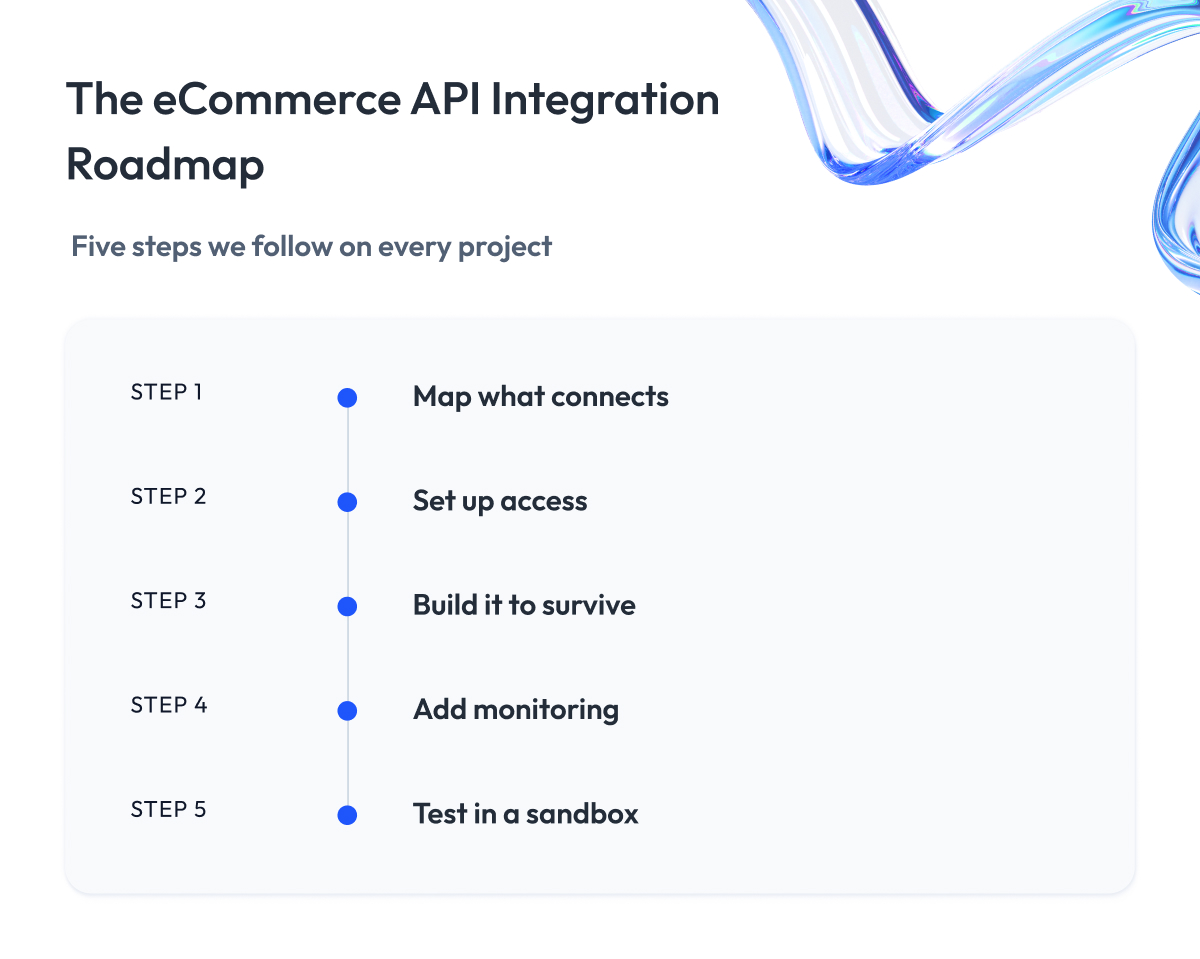
When we take on an integration for a client, the order of work stays roughly the same, whatever the API. It is worth following even on a small project.
- Step 1 – Map what connects. List every system the integration touches and what data moves between them.
- Step 2 – Set up access. Get the keys working with the least access needed before anything else.
- Step 3 – Build it to survive. Add retries and safe repeats from the start.
- Step 4 – Make it visible. Log calls and set alerts so failures show up fast.
- Step 5 – Test in the sandbox. Run the full flow against test data before touching live traffic.
This sequence is the backbone of how our team approaches API integration for commerce platforms, and it is why the integrations we ship hold up when volume spikes.
Security and Compliance for eCommerce APIs
Every API you connect is another door into your store, and some of those doors lead straight to money and customer data. Working with APIs carries security risks you need to know about, because attackers look for exactly these openings.
The good news is that the main risks are well understood, and each one has a straightforward way to shut it down.
Here is what to watch for, and what to do about it.
- Let a provider handle card data. Payment APIs carry the heaviest rules. If your store handles card data, you fall under PCI DSS, the security standard the card industry enforces.
Let a provider like Stripe or Adyen handle the card details, so the sensitive data never sits on your servers. - Hold as little personal data as you can. Names, addresses, and order history are all things a customer trusted you with. Send them only over encrypted connections, and store only what you actually use. The less personal data you hold, the less you can lose in a breach.
- Guard keys and tokens like passwords. That is what they are. Rotate them on a schedule, so an old leaked key stops working. A self-hosted password manager can also support cleaner rotation workflows by keeping updated credentials in one controlled location. Give each one the narrowest access it needs, so a single stolen token cannot open your whole store.
- Encrypt everything in transit. Every API call should travel over TLS, the same lock that puts the padlock in your browser bar. It stops anyone in the middle from reading the data as it moves between systems.
None of this is optional at enterprise scale, and it is a major reason companies bring in a partner for eCommerce security and compliance work rather than piecing it together in-house.
How to Choose the Right E-commerce API
With the risks in mind, choosing an API becomes simpler. A good choice is one you will not regret in a year, when your store is bigger, and switching would be painful. So look past the feature list and ask the questions that predict how the API behaves once it is deep inside your store.
Here is the checklist we run through before committing a client to any API.
| What to Check | Why It Matters |
| Coverage | Handles your cases without workarounds |
| Reliability and SLA | Stays up when your store is busiest |
| Rate limits | Keeps pace with your peak traffic |
| Documentation quality | Cuts integration time and guesswork |
| Versioning policy | Warns you before breaking changes land |
| Pricing model | Stays affordable as call volume grows |
| Security posture | Protects payments and customer data |
Two of these decide more than the rest.
API documentation is the one people underrate. Good docs, with working examples and honest error descriptions, streamline a two-week integration into a two-day one. The same goes for API management and customization: the easier a provider makes both, the less your team fights the tools later.
When you evaluate an API, read its docs first, because that is where your developers will live.
Pricing is what surprises people later. Many APIs charge per call, so an integration that is cheap at launch can get expensive as you grow. Check how the cost scales with volume before you build on it, not after the invoice arrives.
The best eCommerce API for your store is the one that fits your cases today and will not box you in tomorrow. When the choice is high-stakes or the integration sits at the core of your business, that is the kind of decision our engineering team helps commerce clients make before a line of code gets written.
Final Word
If you have read this far, you already know that eCommerce APIs are what hold a modern store together. The real work now is deciding which ones you need and getting them to work together well.
That takes some thinking, and it is easy to feel stuck between all the options. Do you buy something ready-made, or build your own? Which providers do you trust with your payments and your customers? These are not small questions.
But the time you spend here pays you back. Choosing well early means your store keeps running smoothly as it grows, and you avoid the painful, expensive job of tearing things out and starting over later.
So take it one step at a time. Buy the pieces that everyone needs anyway, build only the few that make your store special, and pick partners you can rely on for the rest. That is usually all it takes to get this right.
And when the stakes are high, or you would rather not figure out the hard parts alone, we are always happy to look at your setup and help you choose the right path for your store.
Questions You May Have
What is an eCommerce API?
An eCommerce API is a set of rules that lets one system request data or actions from another, so your store can share data about products, orders, and payments across the tools that run it.
What are the main types of eCommerce APIs?
The main types of APIs cover storefront, product and catalog, cart and checkout, payments, order and fulfillment, inventory, shipping, search, customer and CRM, tax, content, marketing, analytics, B2B, and PIM or ERP.
REST vs GraphQL, which is better for eCommerce?
Use REST for everyday reads and writes and GraphQL when a single page needs many related fields at once, since most stores run both alongside webhooks for events.
Is there an open-source or free eCommerce API?
Yes, open-source platforms like WooCommerce, Medusa, Saleor, and Vendure give you a functional eCommerce solution with built-in APIs, and free mock APIs like FakeStoreAPI and DummyJSON let you prototype before committing.
Should I use a platform API, a unified API, or build my own?
Use a platform or unified API for common jobs and build a custom API only for the few pieces that make your eCommerce business different, which keeps cost and maintenance proportional to your needs.
What is a good API to get product data or a mock API for testing?
For a mock API to get product data during testing, use FakeStoreAPI or DummyJSON, and for live eCommerce data from popular eCommerce platforms, use their native product APIs or a licensed market-data provider.
How do you integrate an eCommerce API reliably?
Integrate it by authenticating every request, respecting rate limits, making writes idempotent, retrying failures with backoff, verifying webhooks, and testing in a sandbox before going live.
How do you secure an eCommerce API and stay compliant?
Secure it by letting a payment provider handle card data under PCI DSS, encrypting everything over TLS, holding as little personal data as possible, and guarding keys and tokens with least-privilege access.