



Quick Summary
- Application migration moves one app with its data, configuration, and integrations, while cloud migration is the company-wide programme that moves the whole portfolio.
- Seven routes exist, rehost, replatform, repurchase, refactor, retire, retain, plus relocate for VMware estates, and the faster the route the less cloud value it unlocks.
- Score each app on business importance, cloud fit, technical debt, connected systems, and timeline, then choose an R per application rather than one strategy for the entire portfolio.
- Move the data first and the app second, because cutting over before the data is fully transferred and verified is the most common cause of information loss.
- What actually breaks is the undocumented layer around the app: hard-coded IP addresses, forgotten cron jobs, integration credentials with no owner, and missing firewall rules.
Application migration to the cloud means moving one app from your own servers (or another cloud) to cloud infrastructure. The hardest part of this migration is deciding which strategy fits your app, how to move the data without losing any part of it, and how to migrate without taking the business offline.
We migrate applications to the cloud for enterprises every day, and we wrote this guide to help you make those crucial choices easier and safer.
It compares the six strategies (the 6 R’s) side by side, gives you a way to pick the right one for your app, walks you through the migration step by step, and shows what quietly breaks once you are in production.
By the end, you will be able to choose the perfect strategy for your case, understand the exact order to run a migration safely, and know how to migrate major business systems without breaking it.
What Is Application Migration to the Cloud?
The one-line definition from the intro works when you need to explain the project to a stakeholder. To actually plan the work, you need to see everything that line covers, because the term’s scope determines the scope of your project. So here is the full picture.
Application migration to the cloud is the process of moving an application that runs in one environment, usually your own data center, to cloud infrastructure such as AWS, Azure, or Google Cloud.
Along with the app itself, you move its data, its configuration, and every connection it has to other systems. The same process applies when you move an app between two clouds or run an application migration to a private cloud.
Those connections deserve the most attention because an application usually depends on databases, queues, internal services, and third-party APIs that must all continue to work after the move.
Teams that treat migrating applications to the cloud as a simple copy operation often discover these dependencies in production, which is why a proper migration spends most of its time understanding the app before anything is transferred.
Application migration vs. cloud migration
These two terms get mixed up constantly among clients, so it’s important to make it clear. Application migration moves a specific app along with its data, configuration, and integrations.
Cloud migration is a company-wide program to move the entire portfolio of applications, shared infrastructure, and all corporate data out of the data center. In other words, a cloud migration consists of many application migrations, plus everything those apps run on.
| Aspect | Application Migration | Cloud Migration |
| Scope | One application and its dependencies | Data, apps, infrastructure |
| Typical Goal | Move a workload safely | Change the whole operating model |
| Timeframe | Weeks to months per app | Quarters to years |
| Team | App owners plus a migration team | Company-wide program |
Reasons to Migrate Applications to the Cloud
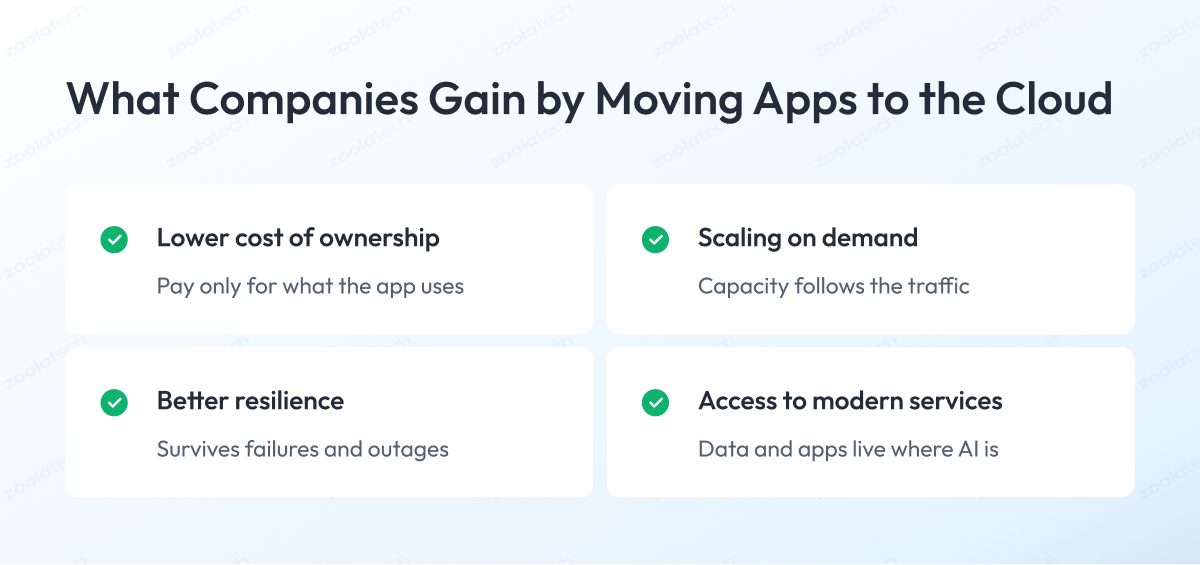
Companies usually name four main reasons for moving applications to the cloud:
- Lower total cost of ownership
- The ability to scale on demand
- Better resilience
- Access to modern services such as AI tooling
Each of them solves a specific problem that stays unsolved in a data center, so let’s look at them one by one.
1. Lower total cost of ownership
When an app runs in your own data center, you pay for servers sized for the busiest day of the year, and most of that capacity sits idle the rest of the time.
On top of the servers themselves, you pay for new hardware every few years, for power and cooling, and for the people who maintain the machines.
In the cloud, you pay only for the capacity the app actually uses. Instead of large upfront purchases, infrastructure becomes a monthly bill that you can track for each application.
2. Scaling on demand
Your own data center gives you a fixed amount of capacity. When traffic grows, you have two options:
- Let the app slow down.
- Buy extra hardware months in advance and hope you guessed the demand right.
The cloud removes this problem. It gives the app more capacity as demand grows and takes it back as demand drops, so you pay only for what the app uses.
Apps with seasonal or unpredictable load benefit the most. A retail system during holiday sales is a typical example.
3. Better resilience
Cloud providers operate multiple data centers in each region. That means an app can survive a hardware failure or even a full site outage without a separate disaster-recovery setup that you would otherwise build, host, and test yourself.
Backup and failover stop being months-long projects and become features you simply enable and configure.
4. Access to modern services
This reason has become the most common trigger lately. Managed databases, analytics platforms, and AI services integrate easily with apps that already run in the cloud, whereas accessing them from a data center is slow and expensive.
For many companies, migration to the cloud is the first step in the AI roadmap because data and apps have to live where AI services are.
The 6 R’s of Application Migration to the Cloud (7 With Relocate)
Every application you migrate takes one of six routes, known as the 6 R’s.
- Rehost.
- Replatform.
- Repurchase.
- Refactor.
- Retire.
- Retain.
In 2021, AWS added a seventh, relocate, to cover VMware environments that move to the cloud as a whole, without touching individual apps.
The rule behind the framework is easy to remember.
The faster the route, the less it changes in the app and the less cloud value you get. The more the route changes, the longer it takes and the more value it unlocks.
Here is what each one means.
1. Rehost (lift and shift)
You move the app to the cloud as it is, with no changes to the code. This is the fastest and cheapest option, and the most common one for a first migration.
The app runs the same way it did before, just on cloud servers, so you get the infrastructure savings but none of the deeper cloud benefits.
2. Replatform
You move the app with a few small upgrades along the way. The most common form of migration to cloud services is switching a self-managed database to a managed cloud one. The code stays mostly untouched, but the app sheds some of its maintenance burden.
3. Repurchase
You drop the app and buy a SaaS product that does the same job. This makes sense for standard functions such as CRM, HR, or email, where a ready product covers your needs and maintaining your own version brings no advantage.
4. Refactor (rearchitect)
Refactoring is a full application transformation to cloud-native architecture. You rebuild the app, for example by splitting a monolith into services or moving to serverless. This is the most expensive and slowest route, and the one that unlocks the full value of the cloud.
It pays off for apps that are core to the business and will continue to evolve for years.
5. Retire
You switch the app off because nobody needs it anymore. Portfolio assessments regularly find apps that run and cost money with no users left. Retiring them is the quickest way to save in the whole project.
6. Retain
You leave the app where it is, for now. Some apps have compliance restrictions, some depend on hardware, and some are close to end of life, so migrating them makes no sense at the moment.
Retain is a decision, so it should have a review date, or the app just gets forgotten.
7. Relocate
You move a whole group of servers to the cloud at the hypervisor level, without touching the apps at all. In practice, this applies to VMware environments moving to cloud-hosted VMware. It is the fastest route for large portfolios, and it changes the least.
| Strategy | Effort | Cost | Risk | Cloud Value | When to Use |
| Rehost | Low | Low | Low | Low | Fast exit from a data center |
| Replatform | Medium | Medium | Low | Medium | Quick wins without code rewrite |
| Repurchase | Low | Medium | Medium | Medium | Standard functions covered by SaaS |
| Refactor | High | High | High | High | Core apps that keep evolving |
| Retire | Low | None | Low | Savings only | Apps without users |
| Retain | None | None | Low | None | Compliance or end-of-life apps |
| Relocate | Low | Medium | Low | Low | Large VMware estates |
Most portfolios end up using several R’s at once, and choosing the right application migration approach per app is the next question.
Which R for Which App? The R-Selector
To pick the right application migration strategy, score each application on five factors:
- Business importance: How much the company depends on this app and whether it will continue to evolve.
- Cloud fit: How well the current code runs on cloud infrastructure without changes.
- Technical debt: How outdated the code is and how hard it is to maintain.
- Connected systems: How many databases, services, and APIs the app talks to.
- Timeline: How much time you have before the migration deadline.
The answers point to one R, and here is how to read them.
You do not need a complex scoring model. A simple high, medium, low rating for each factor works, and here is how to read the results.
Business importance and technical debt matter the most, because together they answer the main question: whether the app deserves investment or just a transfer.
Cloud fit tells you how expensive that transfer will be. An app that runs on a standard stack moves easily, while an app tied to specific hardware or an old OS version needs work before it can move at all.
Connected systems define the risk. The more integrations the app has, the more things can break during the move, so heavily connected apps need more testing time regardless of which R you choose.
Timeline acts as the final constraint. A strategy you cannot finish before the deadline is the wrong strategy, whatever the other factors say.
With the ratings in hand, find your combination in this table:
| Business Importance | Cloud Fit | Technical Debt | Connected Systems | Timeline | Recommended R |
| Low | High | Low | Any | Any | Rehost |
| Low | Medium | Low or medium | Any | Any | Replatform |
| Low | Low | High | Any | Any | Rehost, revisit later |
| High | High | Low | Low or medium | Any | Rehost or replatform |
| High | Medium | Medium | Any | Comfortable | Replatform |
| High | Any | High | Any | Comfortable | Refactor |
| High | Low | Any | Any | Comfortable | Refactor |
| High | Any | Any | High | Any | Add a testing stage to any R |
| High | Any | High | Any | Tight | Rehost now, refactor later |
Three cases sit outside the table.
An app nobody uses gets retired.
An app with a compliance, hardware, or end-of-life blocker gets retained with a review date.
And if the app performs a standard function such as CRM, HR, or email, and a SaaS product covers your requirements, repurchase it.
The Application Migration Playbook (Step by Step)
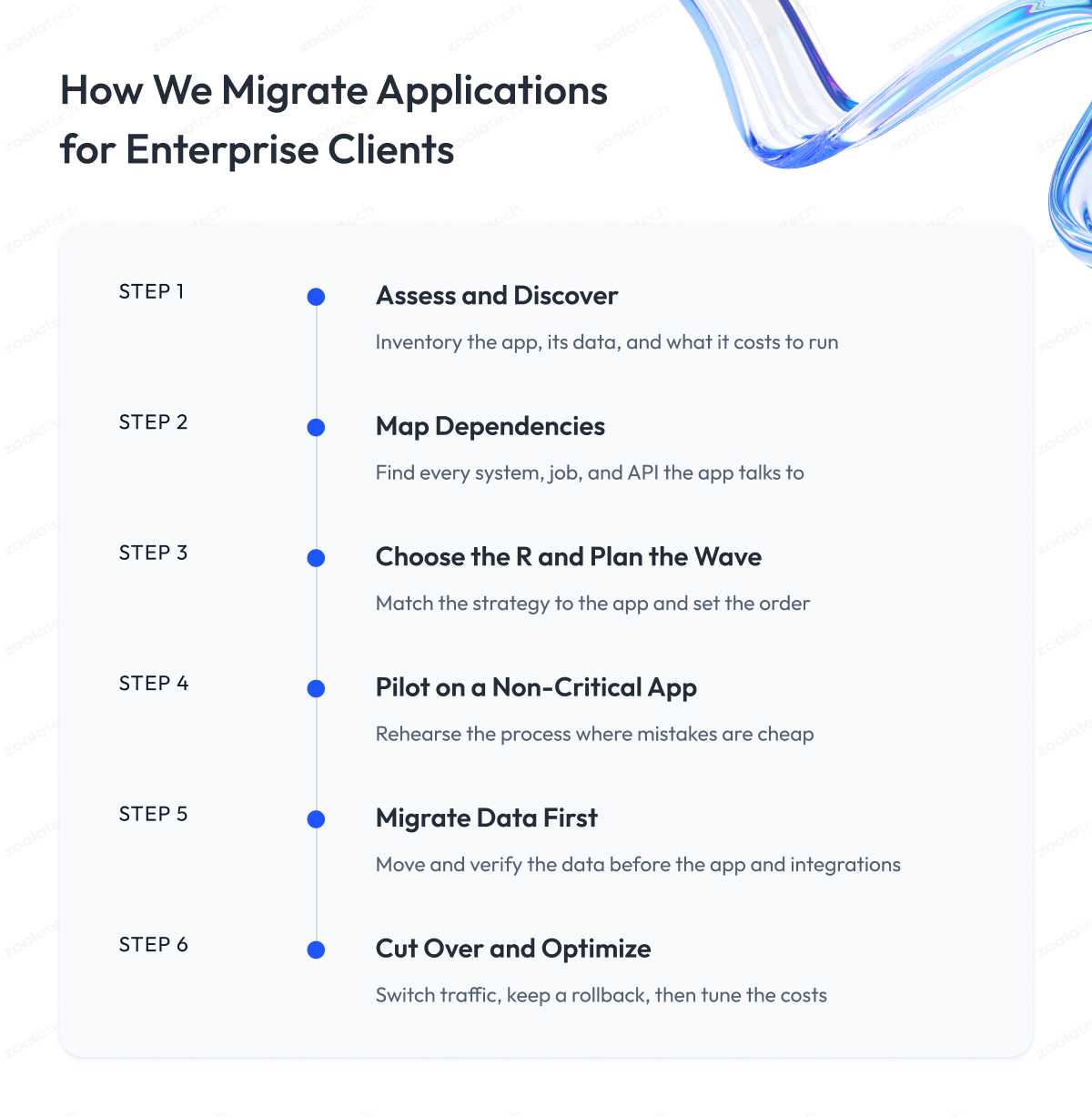
Here is the cloud migration process we follow when we migrate applications for enterprise clients, laid out step by step. Here is each one in detail.
Step 1 – We assess the application and run discovery
We build a list of everything the app consists of and everything it needs to run. Servers, databases, storage, OS versions, licenses, and current load.
At this stage, we also collect the facts for the R decision, so by the end of discovery we know what the app is, who uses it, and what it costs to run.
Step 2 – We map the dependencies
We find every system the app talks to. Databases, internal services, third-party APIs, scheduled jobs, and file transfers. Automated tools such as AWS Application Discovery Service or Azure Migrate catch most connections, but some only live in people’s heads, so we interview the engineers who support the app.
The connections nobody documented are the ones that break after the move.
Step 3 – We choose the R and plan the wave
We run the app through the R-Selector from the previous section and decide when it moves. Apps that share dependencies go in the same wave, so tightly connected systems move together.
The schedule starts with low-risk apps and leaves the critical ones for later waves, when the team has practice.
Step 4 – We pilot on a non-critical app
We migrate one small app end-to-end before touching anything important. The pilot proves the tooling, shows the actual time per step, and surfaces process gaps while the cost of a mistake is still low.
We treat it as a rehearsal and write down everything that surprised us.
Step 5 – We migrate the data first, then the app and integrations
We move the data before we move the application. Cutting the app over before its data is fully transferred and verified is the most common cause of information loss during migrations.
We sync the data, check the counts and integrity, move the app, and reconnect the integrations one by one, testing each.
Step 6 – We cut over and optimize
We switch production traffic to the cloud version, keep the old environment on standby as a rollback option, and watch the app closely for the first weeks.
After the app runs stably, we start optimization. We right-size the servers, remove unused resources, and review the bill because the initial configuration is almost never the cheapest.
What Breaks During Application Migration and a Readiness Checklist
Most application cloud migrations technically succeed, and then small things start to break in production. The app runs, the data is in place, and still the orders stop coming through, because some part of the system around the app never made the trip. After enough projects, the list of usual suspects becomes predictable, so here is what to look for.
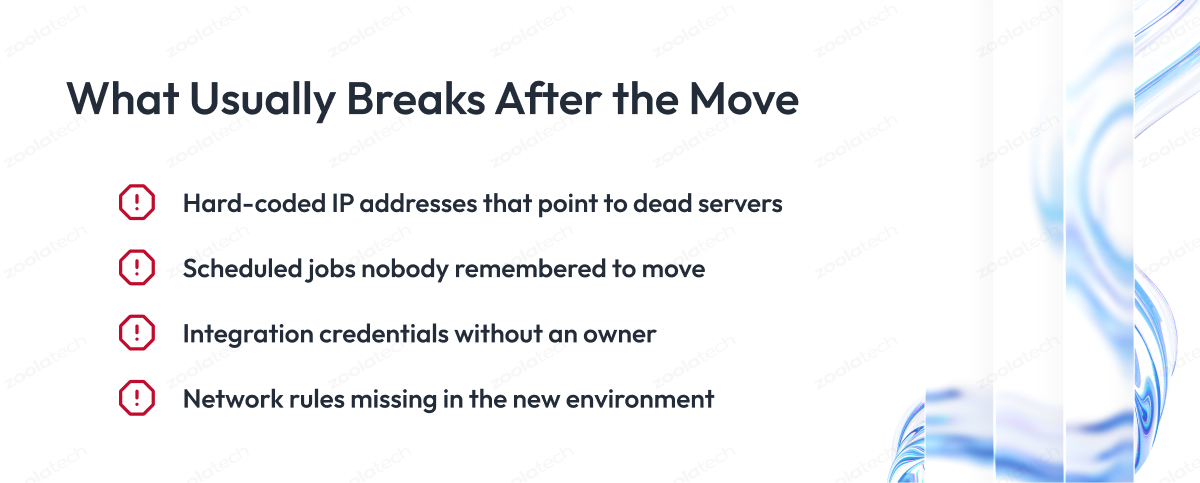
1. Hard-coded IP addresses
Somewhere in the code or configuration, the app calls another system by its exact address instead of a name. The old address died with the data center, and the call quietly fails.
2. Scheduled jobs
Cron jobs and scripts that ran on the old servers for years, sending reports, cleaning tables, syncing files. Nobody put them in the migration plan because nobody remembered they existed, and their absence shows up days later.
3. Integration credentials
API keys, certificates, and service passwords that lived on the old machines or, worse, in one engineer’s head. The new environment needs all of them, and finding an owner for a five-year-old certificate takes longer than the migration itself.
4. Firewall and network rules
The old environment accumulated years of allow rules that let systems talk to each other, and the new environment starts from a blank page. Every partner and every internal service that connected to the app needs a working path to its new home.
The pattern behind all four is the same. The undocumented things around the application break far more often than the application itself. A pre-flight checklist catches most of them before cutover.
| Check | What to Verify |
| Dependencies | Every connected system found and mapped |
| Hard-coded values | IPs, hostnames, paths replaced with configuration |
| Scheduled jobs | All cron jobs and scripts moved and tested |
| Credentials | Keys, certificates, passwords collected with owners |
| Network rules | Access paths open for every partner and service |
| Data | Counts and integrity verified after sync |
| Rollback | Old environment ready to take traffic back |
| Downtime window | Cutover time agreed with the business |
Run this application migration to the cloud checklist before every cutover, even for small apps.
How to Migrate Without Stopping the Business
For an app the business cannot lose for even an hour, the safest approach is to run the old and the new systems at the same time. You keep the old version serving users, start the cloud version alongside it, and switch traffic only after the cloud version has proven itself on production data.
The technique is called a parallel run, and it is the standard approach for migrating enterprise applications to the cloud.
Parallel run and shadow mode
In shadow mode, the cloud version operates on production data while users continue to use the old system. It works in four steps:
- Start the cloud version next to the old one.
- Send it a copy of the production traffic.
- Let it process the traffic and write results to its own side.
- Compare the outputs of both versions daily.
If the cloud version produces the same orders, totals, and reports as the old one, it is ready. Every mismatch points to a bug you just caught before it reached a single user.
When the outputs match over a few weeks, you gradually shift production traffic. Move a small share of users first, monitor the metrics, and increase the share step by step, with the old system ready to revert everything until the last user moves.
Migrate the portfolio in waves
The same thinking applies at the portfolio level. Moving everything in one weekend concentrates all the risk in one place, so enterprise migrations run in waves.
Each wave is a group of apps that moves together. Apps that share dependencies go in the same wave, so connected systems never end up split between the data center and the cloud.
Early waves take the simple, low-risk apps, while business-critical systems move last, when the team has tooling and practice.
A typical wave plan for a mid-size portfolio looks like this:
| Wave | What Moves | Why This Order |
| 1 | Pilot app, internal tools | Low risk, team learns the process |
| 2 | Standalone apps with few integrations | Volume without complexity |
| 3 | Connected app groups | Shared dependencies move together |
| 4 | Business-critical systems | Parallel run, full team experience |
Cost, Risk, and Technology-Specific Paths
The cost and risk of a migration grow with the amount of change. Retiring unused apps and rehosting simple ones brings the fastest savings at the lowest risk. Refactoring costs the most and takes the longest. That logic covers most of the portfolio, but three technology paths deserve their own notes because each has its own patterns.
Java application migration to AWS
Java apps are usually the easiest candidates for application migration from on-premises to AWS because Java runs the same way on cloud servers as it does in data centers.
A typical Java application migration to the AWS cloud starts with a rehost, and the quick wins come right after. Moving the database to a managed AWS database service removes the maintenance burden, and packaging the app in containers simplifies deployments.
Apps that run on an old version of Java often need an upgrade before cloud services will accept them. The same sequence applies to .NET apps and application migration to the Azure cloud, where the managed services differ but the order of steps stays the same.
Mainframe application migration to the cloud
Migrating mainframe applications to the cloud is the hardest case of legacy application migration.
In practice, you have three options. You can move the workload to a cloud service that imitates the mainframe, rewrite the old code in a modern language, or replace the function with a ready SaaS product. These projects run for years, so they get planned as legacy modernization programs instead of simple migrations.
Database migration
The database deserves separate planning in any migration, because it holds the data that everything else depends on. You can keep the same database type in the cloud, or switch to a different one along the way, for example to stop paying expensive license fees.
A switch multiplies the work because parts of the code written for the old database need to be rewritten and tested. Cloud providers offer migration tools that copy data and keep the old and new databases in sync, shortening the final switch to minutes.
| Path | Typical Strategy | Main Risk | Time Scale |
| Java to AWS | Rehost, then improve | Outdated Java version | Weeks to months |
| Mainframe to cloud | Rewrite or replace | Lost knowledge, old formats | Years |
| Database | Managed cloud database | Code rewrite for a new database | Weeks to months |
Final Word
Application migration to the cloud takes patience. You have to inventory the portfolio, score every app, argue about strategies, chase the owners of forgotten scripts and certificates, and test more than anyone wants to. None of this work is glamorous, and all of it is why some migrations end with a quiet cutover, and others end with a war room.
The effort pays for itself. A migration done in the right order gives you apps that cost less to run, scale when the business grows, and connect to the services your roadmap needs. A migration done in a hurry gives you the same apps with the same problems, running on someone else’s servers, plus a few new outages to explain.
So treat the sequence in this guide as the minimum bar. Assess before you choose a strategy, pick the R per app instead of per portfolio, pilot before you commit, and move the data before the app. If a step feels skippable, it is usually the step that would have caught the problem.
And if you want an experienced team next to yours, we are ready to help. Our cloud migration engineers can review your portfolio, pressure-test your migration plan, and take on the moves your team would rather not carry alone.
Questions You May Have
What is application migration to the cloud?
Application migration to the cloud is the process of moving an application, together with its data, configuration, and integrations, from your own servers or another cloud to cloud infrastructure.
What is the difference between application migration and cloud migration?
Application migration moves one specific app between environments, and cloud migration is the company-wide program that moves the entire portfolio of apps, infrastructure, and data.
What are the 6 R's of migration?
The 6 R’s are rehost, replatform, repurchase, refactor, retire, and retain, with relocate as the seventh strategy AWS added for VMware environments.
How do you migrate an application to the cloud?
You assess the app, map its dependencies, choose a migration strategy, test the approach on a pilot, move the data first, and only then switch production traffic to the cloud version.
How do you migrate an application with zero downtime?
You run the old and new systems in parallel, validate the cloud version against a copy of production traffic in shadow mode, and gradually shift users once the outputs match.
What usually breaks during a migration?
Hard-coded IP addresses, forgotten scheduled jobs, undocumented integration credentials, and missing network rules break far more often than the application itself.
How long does application migration take?
A simple rehost takes weeks, a replatform takes months, and a refactor or mainframe migration can run for a year or more, so the strategy defines the timeline.
Should we rehost or refactor?
Rehost when the app is stable and speed matters, and refactor when the app is core to the business, carries heavy technical debt, and will keep evolving for years.
What are the main application migration to cloud steps?
The main steps are assessment and discovery, dependency mapping, strategy selection and wave planning, a pilot, data migration, and cutover with optimization.
Is worry-free application migration to the cloud possible?
A migration becomes worry-free when you pilot the process first, move the data before the app, keep a rollback path, and use a parallel run for business-critical systems.
When does it make sense to use application migration to cloud consulting?
Consulting pays off when the portfolio is large, the team has no migration experience, or the apps are too critical to learn on, because an outside team brings tested playbooks and tooling.
Is migrating a web application to the cloud easier than other types?
Usually, yes, because most web applications run on standard stacks with few hardware dependencies, making them natural candidates for a rehost or replatform.