







Quick Summary
- An AI router is software that decides which AI model handles each piece of development work, while the selected model does the work itself.
- In our four-feature evaluation, about three-quarters of the router’s work went to a lower-cost model, and model charges fell by about 51%, from $86.95 to $42.79.
- Both approaches delivered all four features, and every automated test and code check passed in all 8 working sessions.
- Switching models mid-session has a hidden cost, as handovers made up 41% of the router’s model charges but less than 3% of the text processed.
- Lower-cost models suited documentation, specifications, and routine work, while premium models checked more of their work and are worth the cost for security reviews and release sign-off.
An AI router is software that decides which AI model should handle each piece of work. In software development, that work can be anything from writing documentation to fixing a failing test.
For every request, our router looks at three things:
- What is being asked. The engineer’s instruction and the project material around it.
- How demanding the work is. Routine tasks and high-risk tasks need different levels of capability.
- Which model should do it. A lower-cost model or a premium one.
This choice matters because AI models differ widely in price. Premium models cost several times more to use than lower-cost ones, and the gap adds up over a full project.
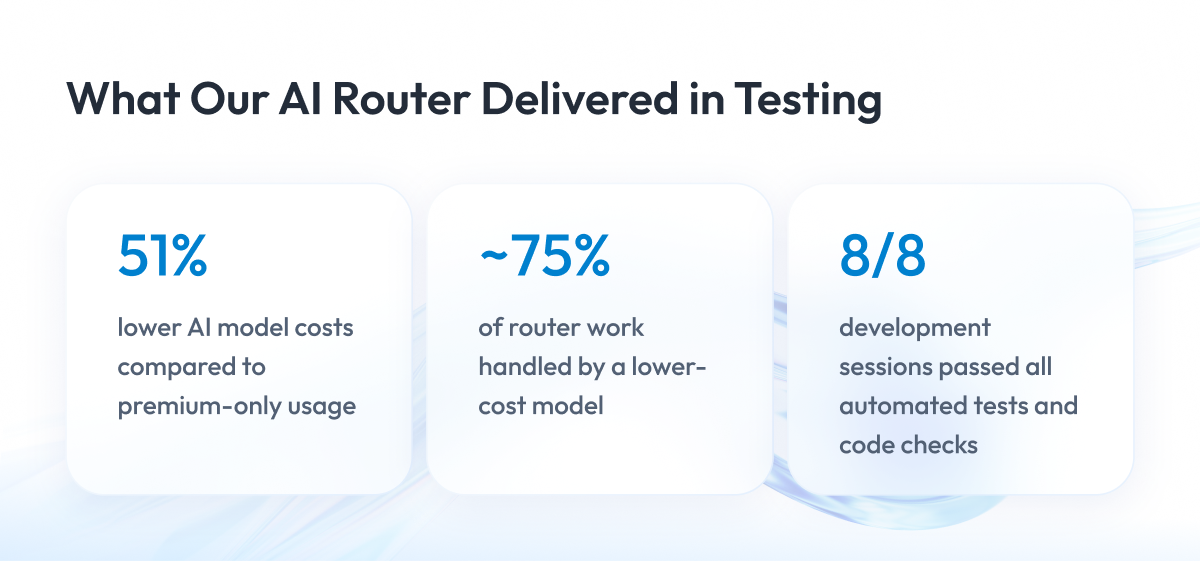
We tested this on our own work. We built four complete software features twice, once with a premium model doing all the work and once through our router. About three-quarters of the router’s work went to the lower-cost model, and both approaches delivered all four features with every automated check passing.
The savings were real, but the more useful lessons came from how the router made its choices. Switching between models had a hidden cost, and the two approaches checked their own work in different ways.
That is why we wrote this article. We follow one request from instruction to model choice, explain what makes a model the right fit, and share what our tests showed about cost and quality. By the end, you will know which questions to ask before you use AI routing in your own development process.
What Is an AI Router in Software Development?
An AI router sits between the engineer and the AI models. The engineer gives an instruction, the router picks a model, and the selected model does the work.
Two roles are easy to mix up here. The router only makes the choice, while the model reads the code, makes changes, runs tests, and reports back.
The table below shows how the work is split, so you can see what each part is responsible for.
| Role | AI Router | AI Model |
| Main job | Chooses which model handles the work | Does the work itself |
| What it looks at | The instruction and the project material | The code, documents, and test results |
| What it produces | A model choice | A finished change or a clarifying question |
Both rely on what is called context. Context is all the material the model can see while it works, such as the relevant code, earlier instructions, and the conversation so far.
AI models measure this material in tokens. One token is roughly three-quarters of a word, and both the price of a model and the amount it can read at once are counted in tokens.
How a Request Moves Through Our AI Router
Every request follows the same basic path. The steps below are a simplified view, so they show the logic of the decision rather than every part of the system.
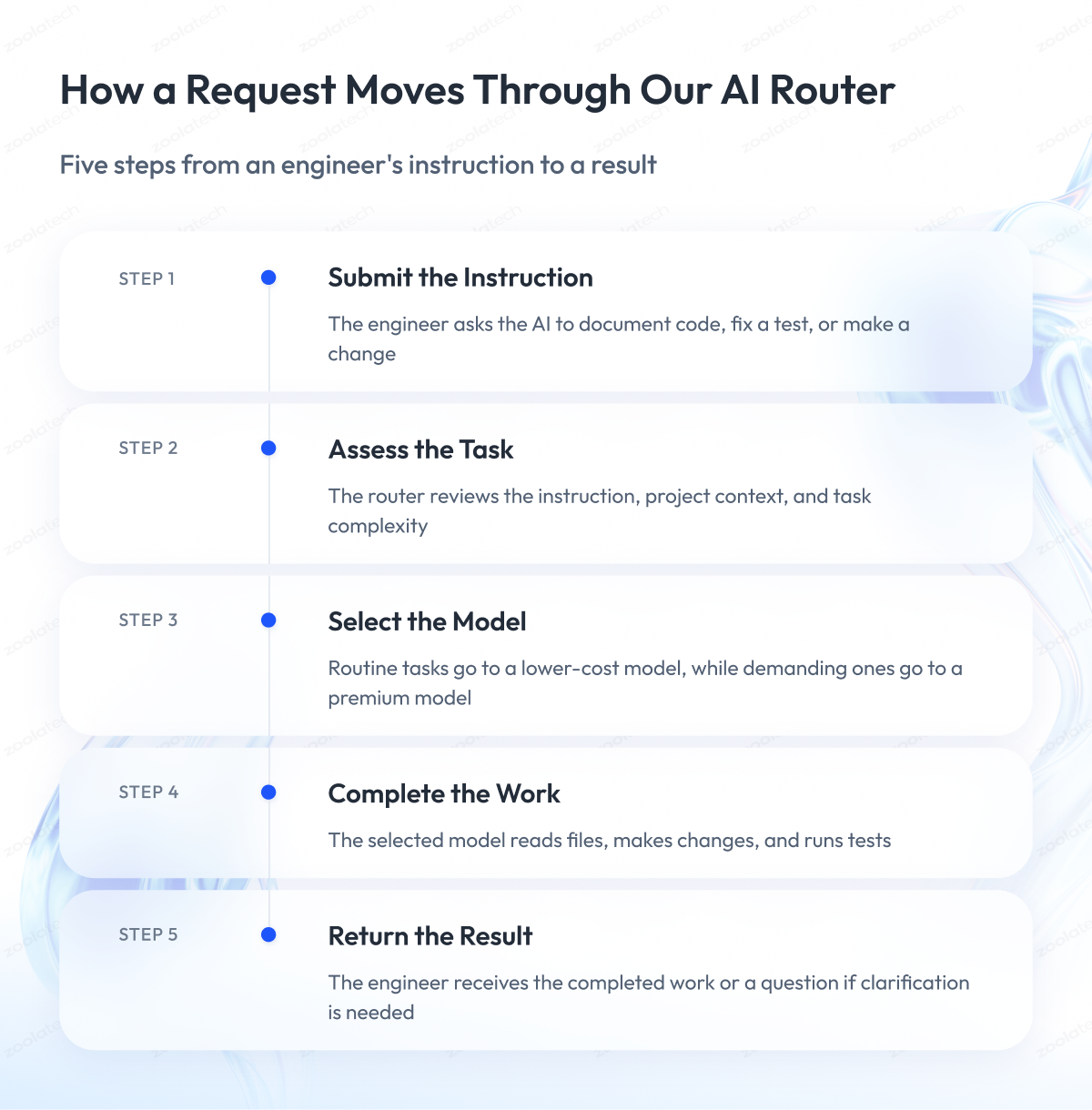
1. The engineer gives an instruction
For example, “document this part of the code” or “fix this failing test.”
2. The router reviews the request and its context
It looks at what is being asked and how demanding the work is.
3. The router selects a model
Routine work can go to a lower-cost model, and more demanding work to a premium one.
4. The model does the work
It reads files, makes changes, and runs tests, usually in several separate steps.
5. The engineer gets a result or a question
If the instruction can be read more than one way, the model asks for clarification instead of guessing.
One instruction rarely means one request to the model. Each step, such as opening a file or running a test, is a separate request. The table shows how this looked in our evaluation.
| Four-Feature Evaluation | Premium Model Only | With the Router |
| Instructions from engineers | 100 | 99 |
| Requests sent to AI models | 761 | 631 |
The router doesn’t always pick the model we would have picked. In an earlier test, some tasks went to a different model level than we expected, which is why we check results against the code instead of trusting the choice.
What Makes One AI Model a Better Fit Than Another
There is no single best model for development work. In our view, the right choice depends on three factors that you have to weigh together.
Each factor answers a different question about the task:
- Capability. Can the model do the work well and check its own results?
- Amount and type of material. How much code and documentation does the task involve, and does it include images?
- Cost. What will this task cost, and what will the rest of the working session cost?
The last point is easy to miss, and we come back to it in the section on switching models.
AI models we researched
The models below show why these factors have to be weighed together. Each row is one model, and the columns show what its developer publishes and where it stands in our testing.
| Model | What Its Developer Publishes | Status in Our Testing |
| GLM-5.2 | Reads about 1 million tokens at once | Lower-cost model in our early router test |
| Kimi K2.6 | Reads about 256,000 tokens at once, accepts images and, on some setups, video | Researched, not tested in our router |
| MiniMax M3 | Reads up to 1 million tokens at once, accepts images and video | Researched, not tested in our router |
| Qwen3.6-35B-A3B | Compact design using about 3 of its 35 billion parameters at a time, reads about 262,000 tokens | Researched, not tested in our router |
Only GLM-5.2 has been part of our recorded router tests. A model that accepts images or video doesn’t mean our router accepts them, because these are the developers’ published capabilities, not features of our setup.
What published specs don’t tell you
Published specs are a useful starting point, but they leave the most important questions open. The table shows what each spec tells you and what you still need to test, so you know where to focus.
| Spec | What It Tells You | What You Still Need to Test |
| How much it can read at once | How much material fits | How well the model uses that material |
| Price per token | The cost of each unit of work | The cost of a full working session |
| Image or video support | What the model can accept | Whether your setup can send it |
Example From Our Testing: A Documentation Task
This example comes from an early test of our router. In that run, the router could choose between GLM-5.2, a lower-cost model, and Claude Opus 4.8, a premium model.
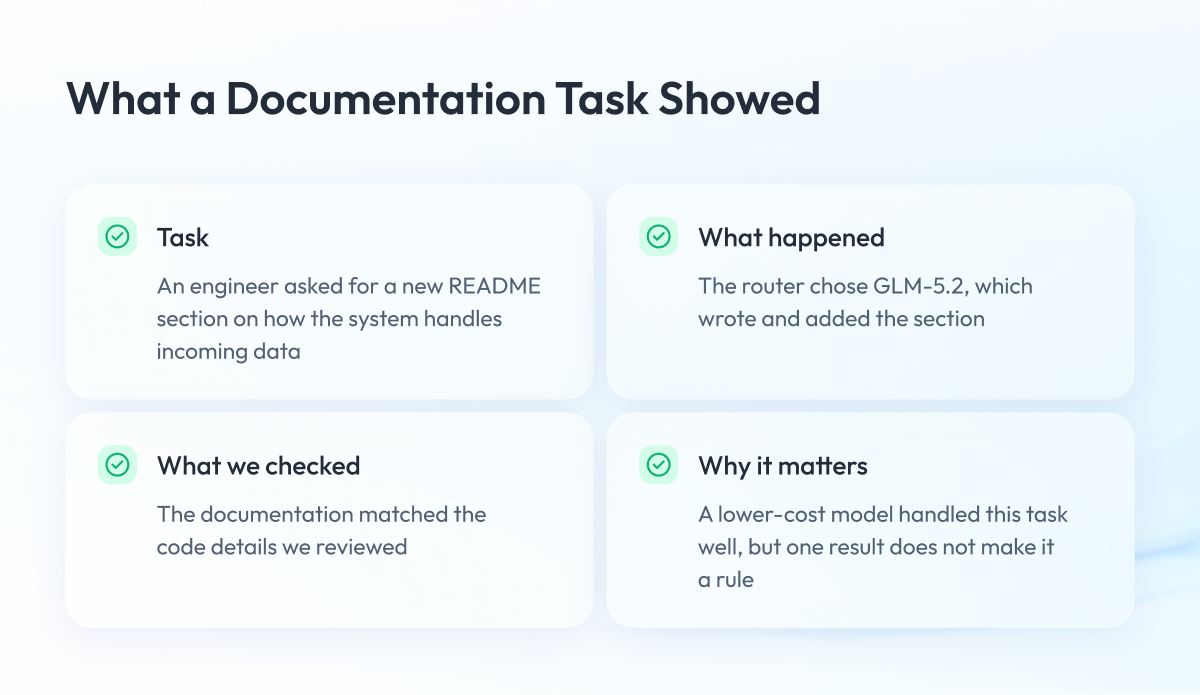
Task. An engineer asked for a new section in the project’s README, the main guide file that explains how the code works. The section had to describe how one part of the system handles incoming data.
What happened. The router sent the task to GLM-5.2, the model we expected it to choose. The model wrote the section and added it to the file.
What we checked. We compared the new documentation with the code itself. Every detail we checked matched, from the number of update steps to how input is separated, shortened, and limited in length.
Why it matters. Documentation that doesn’t match the code misleads the next person who reads it. Here, a lower-cost model produced documentation the team could rely on.
One good result doesn’t prove that every documentation task belongs on a lower-cost model. The table shows what this example does and doesn’t tell you.
| What This Example Shows | What It Doesn’t Show |
| A lower-cost model handled this documentation task well | Every documentation task belongs on a lower-cost model |
| The result matched how the code actually works | A fixed rule for all similar tasks |
Why Switching AI Models Can Cost More Than It Saves
When a team works with an AI model, the conversation grows with every instruction. Each new request carries everything said so far, so late in a session the model rereads a lot of material.
A model that has already seen the conversation can reread it at a lower price. A new model has never seen it, so it has to read everything from the start, and that first read is charged.
In practice, a handover between models works like this:
- The session runs on one model and builds up a long history.
- The router moves the next task to a different model.
- The new model reads the whole history from the beginning.
- That first full read adds a large one-time charge.
In our four-feature evaluation, these handovers had an outsized effect. The table compares their share of the bill with their share of the work, so you can see the gap.
| Model Handovers in Our Evaluation | Share |
| Share of the router’s model charges | 41% |
| Share of all text processed | Less than 3% |
Keep these limits in mind when you read the 41%:
- It is a total. It covers all recorded router sessions, not the cost of each switch.
- It is specific to our test. Other routers and other projects will show different numbers.
- It is not a reason to never switch. Some tasks need a stronger model, and the switch is worth paying for.
This is why comparing the price of single requests can mislead you. What matters is the cost of the whole working session.
In our results, the session that stayed on one model saved the most, and a feature that switched models more often saved the least. Cutting unnecessary switches is the biggest remaining saving we found, and it depends on how the router is set up.
What Our Evaluation Showed About Cost and Quality
We built four complete software features twice, with about 25 instructions per feature. The work covered everything from reading existing code and writing specifications to testing, documentation, and review.
Cost
The table shows the model charges for both approaches. These are the fees paid to use the AI models, so they don’t include engineers’ time or infrastructure.
| Four-Feature Evaluation | Premium Model Only | With the Router |
| Model charges | $86.95 | $42.79 |
| Features completed | 4 | 4 |
| Automated tests and code checks | Passed in all sessions | Passed in all sessions |
The router’s model charges were $44.16 lower, or about 51%. On the two features where both sides received word-for-word identical instructions, the saving was 45%.
Delivery
Both approaches delivered every feature, but not every instruction ended the same way. The table shows the outcome of each instruction.
| Outcome | Premium Model Only | With the Router |
| Instructions given | 100 | 99 |
| Ended in a change to the software or its documentation | 100 | 96 |
| Ended in a clarifying question | 0 | 3 |
The three questions came from instructions that could reasonably be read in more than one way. In those cases, asking was the right result.
Quality checks
The biggest difference was how carefully each approach checked its own work. Both explained their reasoning equally well, but they proved their conclusions in different ways.
| Quality Check | Premium Model Only | With the Router |
| Automated tests kept in the project | About four times as many | Fewer |
| How conclusions were checked | More often by running the code | More often by reading the code |
| Quality of the written reasoning | Comparable | Comparable |
For example, the premium sessions sometimes broke their own code on purpose to confirm that a test would catch the problem. The router sessions more often reached the same conclusion by reasoning it through.
Where each approach fits
Based on these results, we see a practical split:
- Lower-cost models work well for specifications, explanations, documentation, and routine building work, where the two approaches were close to interchangeable.
- Premium models are worth the extra cost for work where a mistake is expensive, such as security reviews and final sign-off before a release.
We treat this as guidance for setting up routing and quality checks together, not as a fixed rule.
How to Apply These Findings to Your Team
Before you add AI routing to your development process, look at the work itself. These questions help you decide where a lower-cost model fits and where you need extra checks.
- What kind of work is it? Documentation and routine changes suit lower-cost models better than security reviews.
- How much material does the model need? Large codebases call for models that can read more at once.
- What does a mistake cost? The higher the cost, the more you should verify by running the code.
- How long are your working sessions? Long sessions make each switch between models more expensive.
- How will you check the results? Decide in advance what counts as an acceptable result.
Final Word
Choosing an AI model is one decision inside a larger workflow. The cost and reliability of the result also depend on the material the model sees, how the work is checked, and how often the session switches models.
Our router gives us a practical way to study these decisions with real cost records and checked results. We bring the same approach to our enterprise AI development work.
If you plan to use AI in your development process, start with one real task. Bring the task, the material a model would need, and your criteria for a good result, and our AI and machine learning team will help you find where model selection can improve the workflow and where stronger checks should stay.
Questions You May Have
What is an AI router in software development?
An AI router is software that decides which AI model handles each piece of development work, based on how demanding the task is.
Does using a lower-cost AI model lower the quality of the work?
In our evaluation, both approaches delivered every feature with all tests passing, but the premium model kept about four times as many automated tests and checked more conclusions by running code.
Why can switching between AI models increase costs?
A new model has to read the whole conversation from the start, and in our evaluation these handovers made up 41% of the router’s model charges but less than 3% of the text processed.
Which development tasks suit lower-cost AI models?
Our evaluation found lower-cost models close to interchangeable with premium ones for documentation, specifications, explanations, and routine building work.
When is a premium AI model worth the extra cost?
A premium model is worth paying for when a mistake is expensive, such as in security reviews and final sign-off before a release.
How much did the AI router save in Zoolatech’s evaluation?
The router cut model charges by about 51%, from $86.95 to $42.79 across four features, a figure that excludes engineers’ time and infrastructure.