



Quick Summary
- Only about 30% of large transformations succeed, and replatforming failures trace back to planning rather than technology.
- Replatforming, migration, refactoring, and rehosting are different jobs: replatforming changes platform and architecture while migration only moves data and content.
- SEO is where the revenue actually leaks, so crawl the old site, build a one-to-one 301 map, and validate it in staging before anything else ships.
- Budget by segment: $20k-100k over 2-4 months for SMB, $100k-750k across 4-8 months for mid-market, and $750k-$5M+ over 6-18 months at enterprise scale.
- De-risk the cutover with blue-green deployment, a DNS TTL lowered days ahead, a soft launch on a slice of traffic, and a rollback that has actually been rehearsed.
Ecommerce replatforming is one of the riskiest projects a retailer runs. It moves an online store from one platform to another.
- Done well, it lifts speed, scale, and sales.
- Done badly, it loses traffic, data, and revenue.
This guide shows how to plan a successful migration.
What Is Ecommerce Replatforming?
Ecommerce replatforming is the process of replacing an ecommerce platform with a new one. It often changes the underlying commerce architecture too. The goal is better scalability, performance, and customer experience. It also supports faster business growth.
Brands replatform when the current platform blocks their business goals. The drivers below explain why teams make the move:
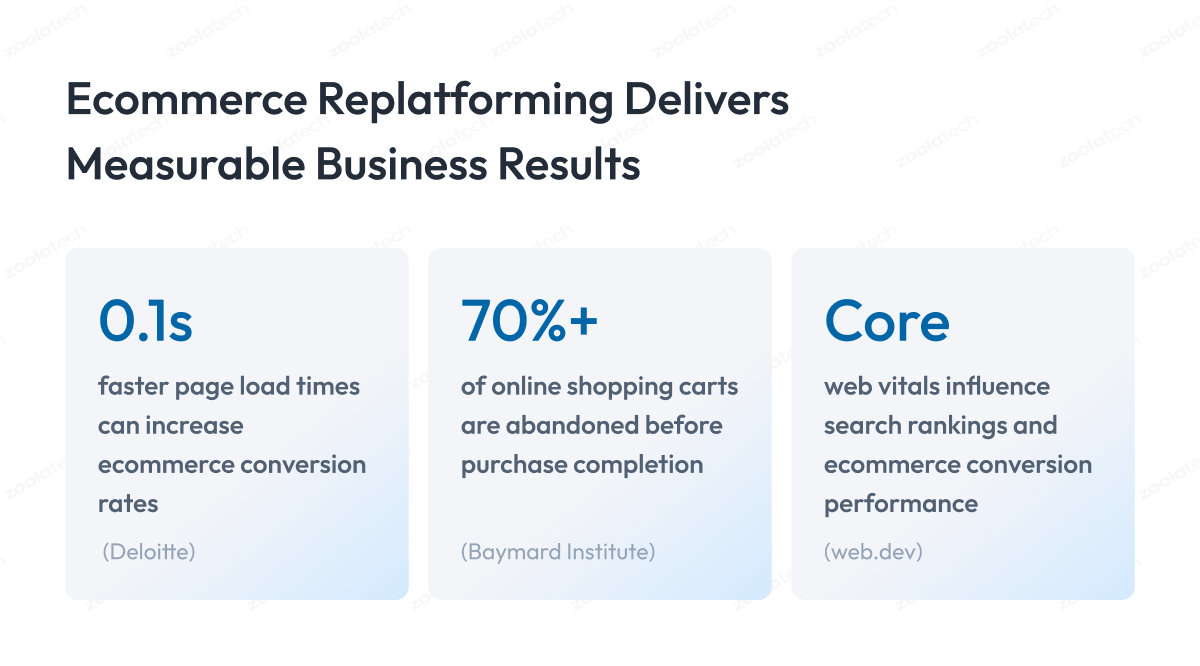
- Performance ceilings: the current platform cannot hit Core Web Vitals, so pages stay slow and shoppers leave.
- Scalability limits: traffic spikes on sale days cause slowdowns or outages that cost real revenue.
- High maintenance cost: aging code needs constant patching, which drains the engineering budget.
- Integration friction: connecting new tools means brittle custom work instead of clean APIs.
- Slow innovation: shipping a simple feature takes weeks because the architecture resists change.
Ecommerce replatforming vs migration, refactoring, and rehosting
These terms overlap but mean different things. Replatforming changes the platform and architecture. Migration moves data and content. Each carries a different risk level.
| Approach | What Changes | Risk Level | Typical Use Case |
| Replatforming | Platform and architecture | High | Growth, modernization |
| Migration | Data and content movement | Medium | Platform switch |
| Refactoring | Codebase modernization | Medium | Technical debt |
| Rehosting | Infrastructure only | Low | Cloud migration |
What ecommerce migration actually involves
E-commerce migration moves far more than products. It moves the whole ecommerce ecosystem to a new platform. Each item below needs mapping, then validation against the source:
- Customer data: accounts, addresses, hashed passwords, consent flags, and loyalty balances.
- Product catalog: SKUs, variants, attributes, images, and category trees.
- Order history: past orders, statuses, invoices, and returns.
- CMS and SEO assets: pages, blogs, metadata, URLs, and redirects.
- Integrations: payments, tax, shipping, ERP, OMS, and PIM connections.
- Analytics: tracking tags, goals, and historical reporting.
Signs You Should Consider Replatforming
Most teams wait too long to consider replatforming. The current ecommerce platform slowly drags on growth. The signs are usually clear once you look.
1. Performance and customer experience signals
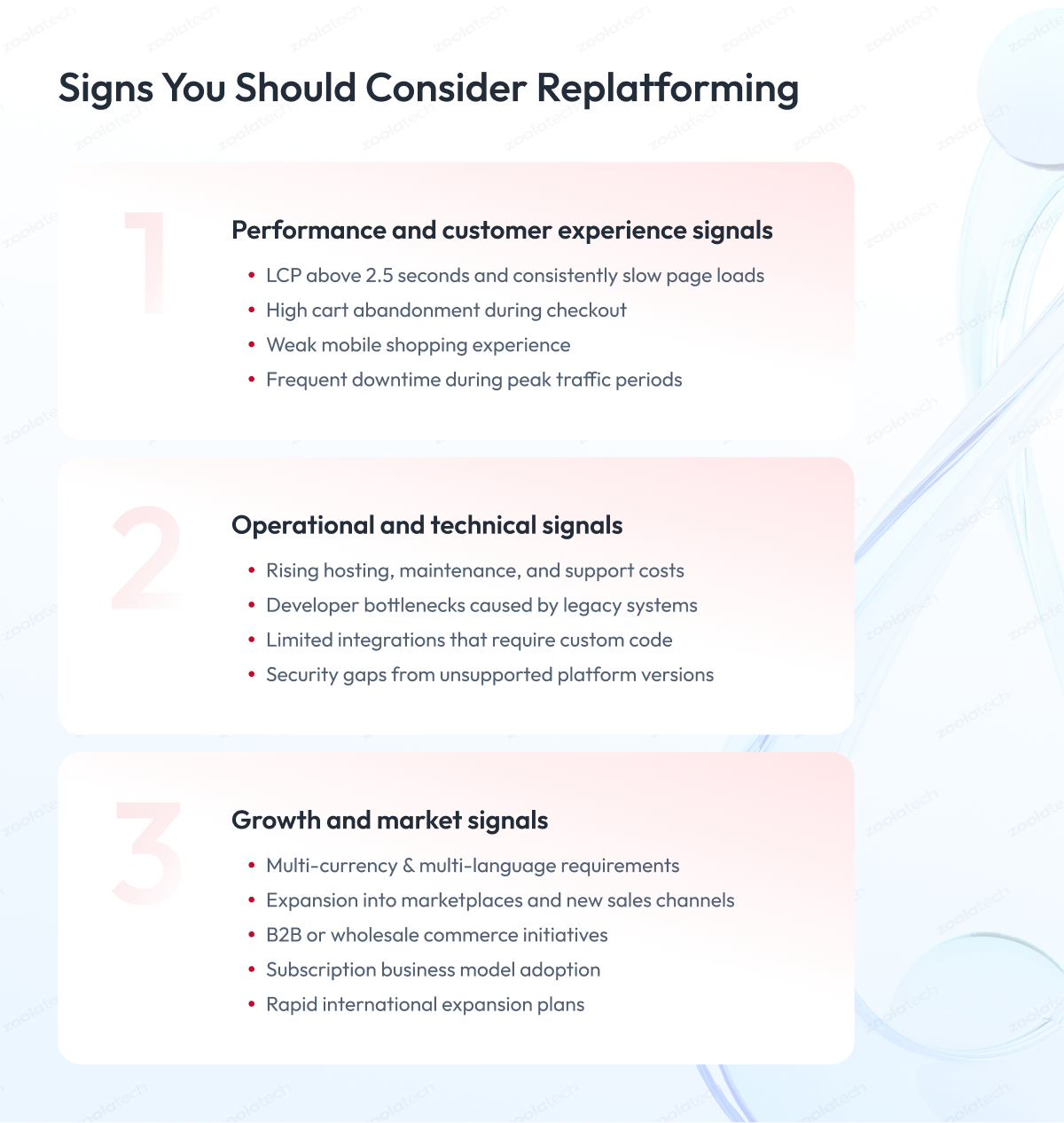
Slow pages quietly kill conversions. Google measures speed through Core Web Vitals. The headline metric is Largest Contentful Paint (LCP), the time to render a page’s main content. The other vitals track interactivity and visual stability.
- LCP above 2.5 seconds: pages feel slow and buyers drop off before they convert.
- High cart abandonment: a clunky checkout pushes ready shoppers away at the final step.
- Weak mobile experience: most traffic is mobile, so a poor layout erases sales.
- Frequent downtime: an outage during a peak event can wipe out a day of revenue.
Measure your pages with a free tool like GTmetrix. Test mobile and desktop separately.
2. Operational and technical signals
Old platforms get expensive to run. Developers spend time firefighting, not building. These signals point at the stack itself:
- Rising run cost: hosting and maintenance climb while performance stays flat.
- Developer bottlenecks: a small team spends its days patching, not shipping features.
- Limited integrations: every new tool needs fragile custom code to connect.
- Security gaps: an unsupported platform version exposes customer data to known vulnerabilities.
3. Growth and market signals
Some triggers come from the business, not the tech. These are quick to scan:
- Multi-currency and multi-language needs
- New marketplaces and sales channels
- B2B, wholesale, or subscription models
- Rapid international expansion
If several signals apply, it is time to make the switch.
Benefits of Ecommerce Replatforming
The benefits of ecommerce replatforming reach the whole business. A modern ecommerce platform improves speed, scale, and experience. It also speeds up future change.
Performance and conversion
Faster pages convert more shoppers. Speed gains tie directly to revenue. The wins compound:
- Faster load: a modern stack hits Core Web Vitals and speeds every page.
- Smoother checkout: fewer steps and saved details lift completion rates.
- Higher conversion: small speed gains turn into measurable revenue per visitor.
Scalability and reliability
A new ecommerce platform handles seasonal peaks. Cloud-native design reduces downtime. Quick wins here include:
- Elastic scaling for traffic spikes
- Stable performance under load
- Fewer outages during sale events
Customer experience and personalization
Modern ecommerce platforms personalize the shopping experience. They let teams ship new features fast. The payoff shows up as:
- Personalization: tailored content and offers raise relevance and loyalty.
- Better discovery: stronger search and navigation help shoppers find products.
- Faster features: new functionality ships in days, not quarters.
Agility and lower cost
A modern stack speeds up every release. It cuts the cost of maintaining legacy systems. Over time it improves total cost of ownership and supports business growth.
Risks and Common Mistakes in a Replatforming Project
A replatforming project carries real risk. Most failures trace to planning, not technology. Large transformations miss their goals often, and only about 30% succeed.
The risks below derail most replatforming projects:
- Budget overruns
- Delayed launches
- Downtime at cutover
- Data loss or corruption
- SEO and traffic loss
- Integration failures
- Vendor lock-in
- Weak change management
The pattern is not unique to commerce. Large IT projects routinely overrun budget and schedule, as McKinsey’s project research documents.
The cost of getting it wrong is concrete. A slow or broken site loses measurable sales.
The most common mistakes
Each mistake has a clear cause and a clear fix:
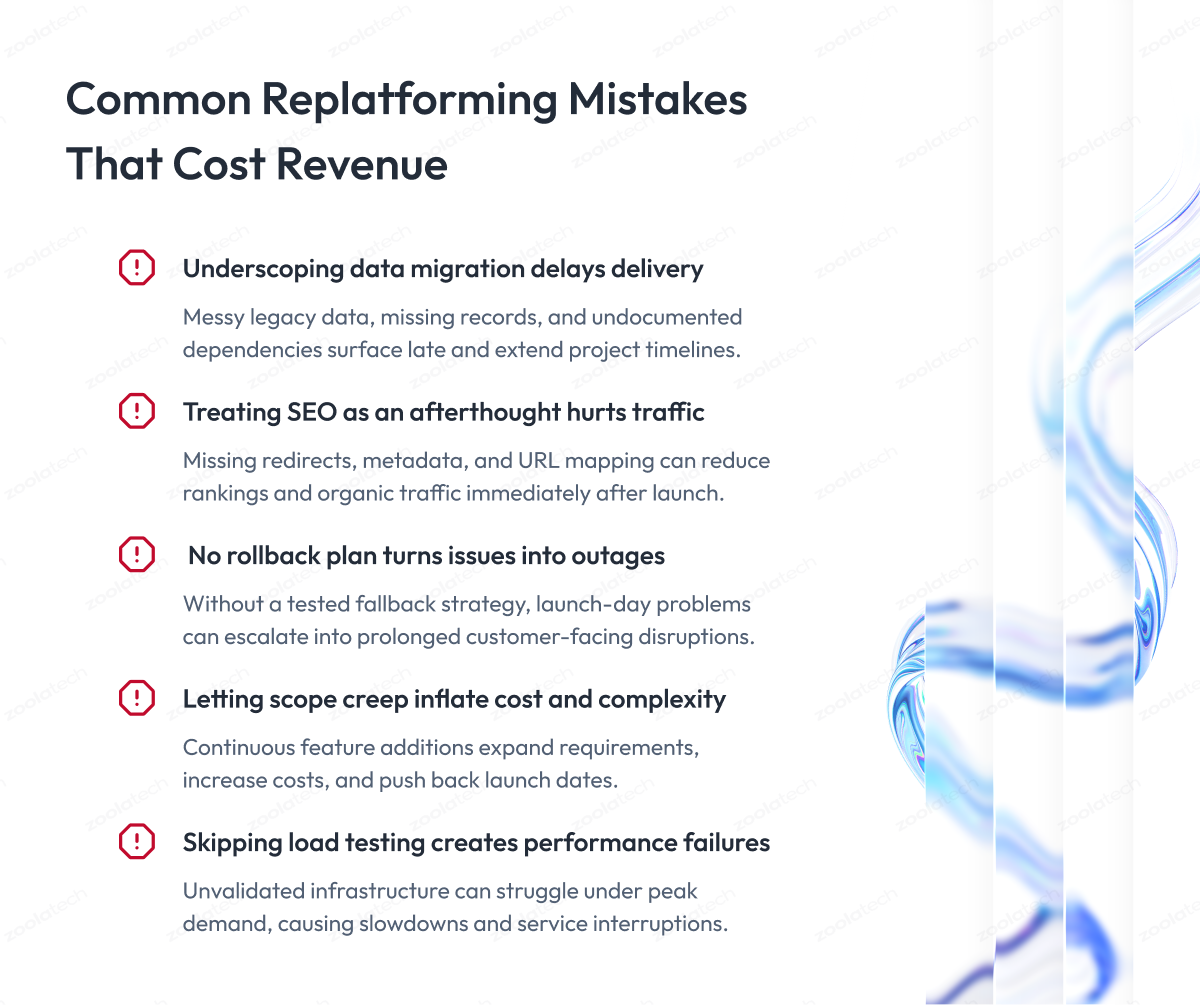
- Underscoping data migration: teams find messy legacy data late, which blows the timeline.
- Treating SEO as an afterthought: missing redirects drop rankings and traffic overnight.
- No rollback plan: a failed launch with no fallback turns a glitch into a full outage.
- Letting scope creep: every “small” addition delays launch and inflates cost.
- Skipping load testing: the new site crashes on its first big sale day.
A replatforming risk register
A risk register keeps the project honest. It names each risk, its likelihood, its impact, and its mitigation:
| Risk | Probability | Impact | Mitigation |
| SEO loss | High | High | Full redirect mapping |
| Downtime | Medium | High | Blue-green deployment |
| Data loss | Medium | High | Multiple validation passes |
| Budget overrun | High | High | Phased delivery and contingency |
| Integration failure | Medium | High | Early integration testing |
| Scope creep | High | Medium | Governance framework |
| Vendor lock-in | Medium | Medium | API-first architecture |
How to de-risk the move
Most replatforming risk is removable with discipline. Spread the work across three windows. Each practice below has a specific job.
Before cutover
- Map every redirect first: crawl the old site, build a one-to-one 301 map, and test it in staging.
- Validate data in passes: run dry migrations, reconcile record counts, and spot-check orders, prices, and customer data.
- Freeze code and content: lock changes during the migration window so source and target stay in sync.
- Load test at peak scale: simulate your busiest sale day and confirm Core Web Vitals hold under load.
During cutover
- Use blue-green deployment: keep two live environments and switch traffic instantly, with a fast switch back.
- Lower DNS TTL early: drop the TTL days ahead so any rollback propagates in minutes, not hours.
- Run a soft launch: route a small share of traffic first, then ramp up once checks pass.
- Rehearse the rollback: test the fallback to the old platform end to end before launch day.
After launch
- Monitor for two weeks: track crawl errors, 404s, conversion, and revenue every day.
- Keep the old site warm: hold the previous environment ready until the new one is stable.
- Triage issues same-day: fix broken redirects and errors fast, before rankings slip.
Monolithic, Headless, and Composable Commerce
Architecture is the biggest decision in any replatform. It shapes cost, speed, and flexibility. Weigh these criteria before choosing:
- Budget and total cost of ownership
- In-house engineering maturity
- Time to market
- Customization and content complexity
Monolithic and SaaS
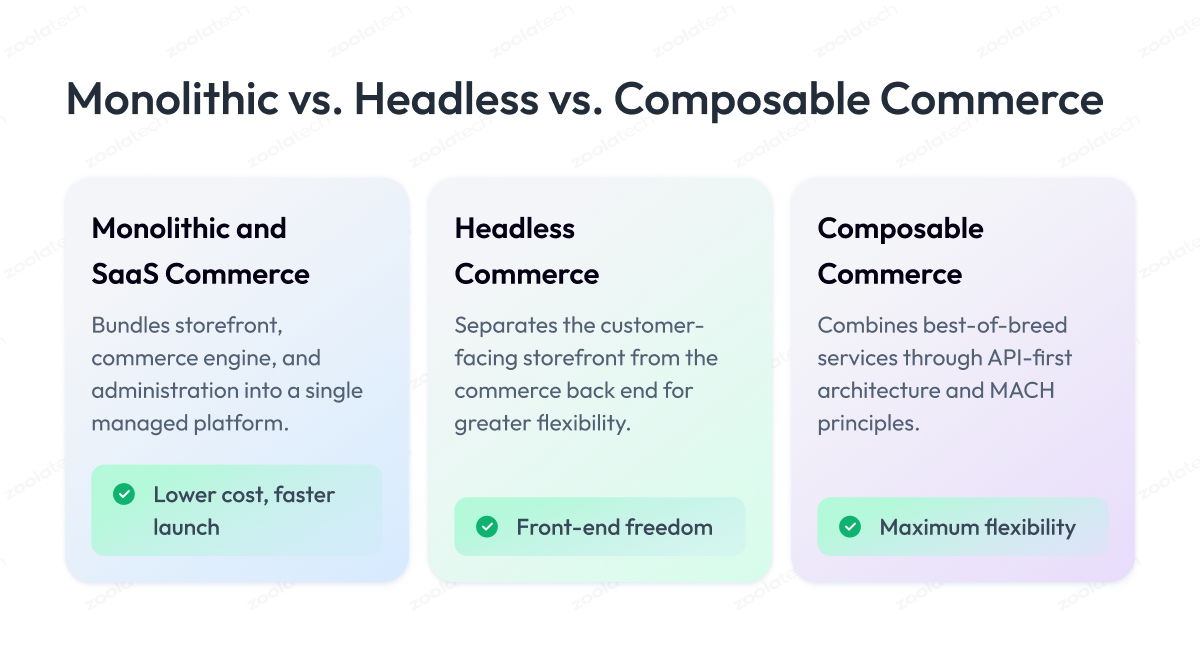
A monolithic SaaS platform bundles everything together. Shopify and BigCommerce are common examples. The trade-offs:
- Lower cost, faster launch: everything ships in one managed package.
- Simple to run: one vendor handles updates and hosting.
- Limited flexibility: deep customization fights the platform.
Headless commerce
Headless splits the front end from the back end. It suits brands that want design control. The trade-offs:
- Front-end freedom: build any storefront on any framework.
- Omnichannel reach: one back end serves web, app, and in-store.
- Higher effort: you build and maintain the front end yourself.
Composable commerce and MACH
Composable commerce assembles best-of-breed services. It follows MACH: microservices, API-first, cloud-native, and headless. Adoption keeps growing. The trade-offs:
- Best-of-breed: pick the strongest service for each function.
- API-first integration: clean connections across the ecommerce ecosystem.
- More complexity: orchestration and governance need senior engineers.
How to Choose the Right E-Сommerce Platform
Choosing the right ecommerce platform starts with your goals. Match the platform to your ecommerce needs, not the hype. Check each criterion against real evidence:
- Total cost of ownership: license, build, integration, and run cost combined.
- Performance: proven Core Web Vitals at your real traffic levels.
- Extensibility: clean APIs and a genuine app marketplace.
- Ecosystem: mature partners, agencies, and third-party tools.
- Security: PCI scope, certifications, and a fast patch cadence.
- B2B and global: pricing rules, RFQ, multi-currency, and tax support.
Common ecommerce platforms compared
The list compares common ecommerce platforms. Names are for reference only:
| Ecommerce Platform | Type | Best Known For |
| Shopify Plus | SaaS | Fast launch, low cost |
| Adobe Commerce (Magento) | Monolithic | Deep customization |
| Salesforce Commerce Cloud | SaaS | Enterprise B2C and B2B |
| BigCommerce | SaaS, headless-ready | Flexible SaaS |
| commercetools | Composable | API-first commerce |
| Spryker | Composable | Complex B2B and B2C |
| SAP Commerce | Monolithic | Large SAP estates |
| Medusa | Headless, open source | Developer control |
The Ecommerce Replatforming Process, Step by Step
The ecommerce replatforming process works best in phases.
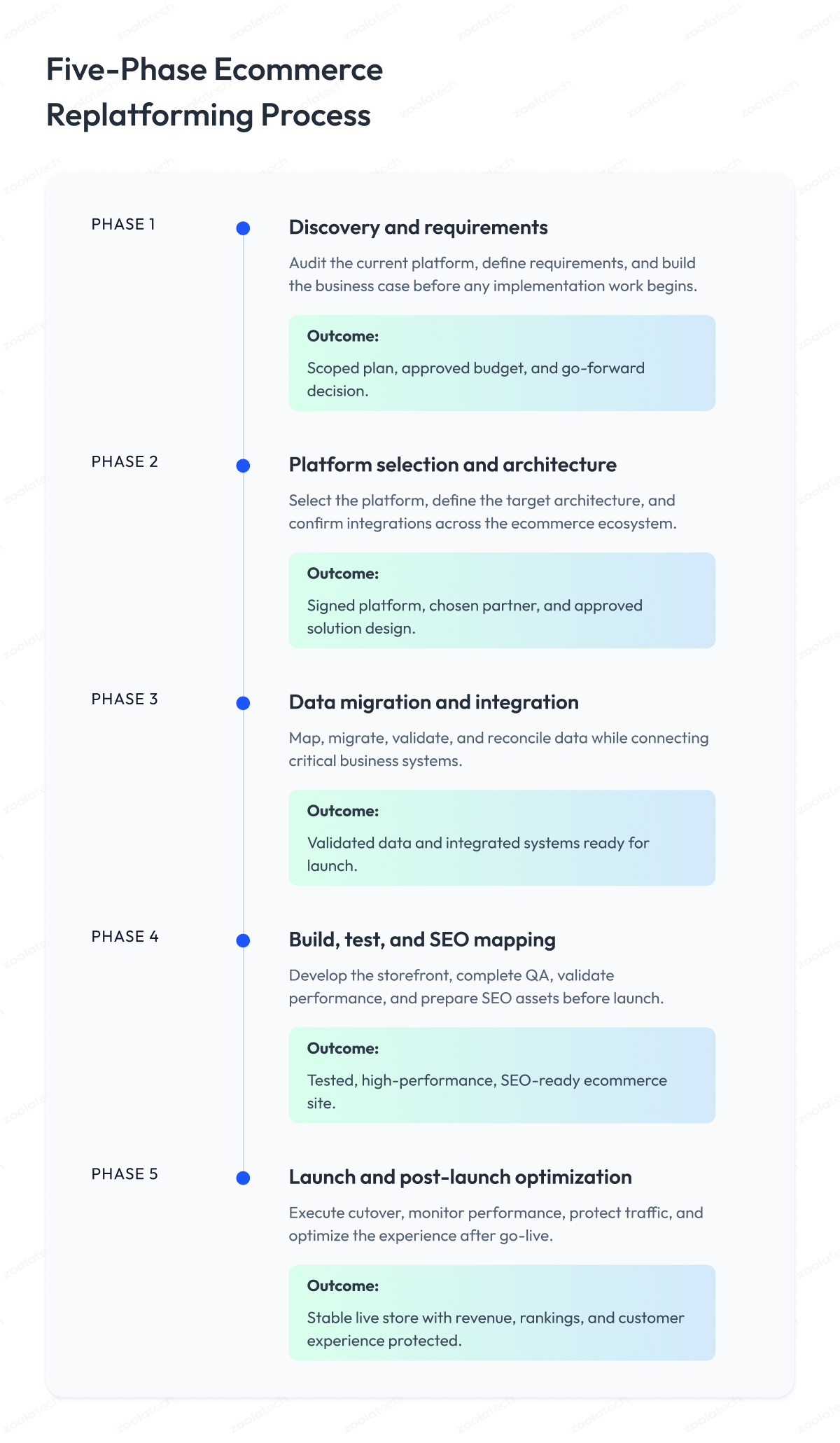
Each phase has clear deliverables, owners, and an outcome. You move on only when the outcome is met. This reduces risk and downtime.
| Phase | Focus | Typical Duration | Outcome |
| 1. Discovery | Audit and requirements | 2 to 4 weeks | Scoped plan and backlog |
| 2. Selection | Platform and architecture | 2 to 6 weeks | Signed platform and design |
| 3. Migration | Data and integration | 4 to 12 weeks | Validated, connected data |
| 4. Build and test | Build, QA, and SEO | 6 to 16 weeks | Tested, SEO-ready site |
| 5. Launch | Cutover and post-launch | 1 to 2 weeks plus | Stable, live store |
Phase 1: Discovery and requirements
Start with a full current-state audit. Capture every page, integration, and data source. This phase scopes the whole project.
- Current-state audit: catalog all pages, data, integrations, and traffic by source.
- Technical and SEO audit: record URLs, rankings, structured data, and crawl issues.
- Requirements backlog: turn stakeholder needs into a scored, prioritized list.
- Business case: confirm goals, budget, and success metrics before any build.
Outcome: a scoped plan, an approved budget, and a clear go decision.
A clear RACI (responsibility assignment matrix) keeps roles defined:
| Role | Responsibility |
| Executive sponsor | Funds and approves the project |
| Ecommerce director | Owns business outcomes |
| Product owner | Manages scope and backlog |
| Engineering lead | Owns build and architecture |
| SEO lead | Protects traffic and rankings |
Phase 2: Platform selection and architecture
Pick the platform and design the architecture. Confirm integration points across the ecommerce ecosystem. Lock scope before any build starts.
- Architecture blueprint: define the stack, services, and data flows end to end.
- Vendor selection: score platforms and partners against weighted criteria.
- Solution design: map features, content model, and integration points.
Outcome: a signed platform, a chosen partner, and an approved design.
Phase 3: Data migration and integration
Data migration is the highest-risk step. Map every field from the old platform. Then integrate and validate.
- Field-level mapping: map every product, customer, and order field to the new schema.
- Integration build: connect ERP, OMS, PIM, payments, and tax.
- Validation passes: reconcile counts and spot-check data until parity holds.
Outcome: validated, reconciled data and connected systems, ready to load.
Phase 4: Build, test, and SEO mapping
Build the new ecommerce website in sprints. Prepare SEO work early, not at launch. Test against real scenarios.
- QA and UAT: test functionality, checkout, and edge cases with real users.
- Redirect and SEO mapping: finalize the 301 map, canonicals, and metadata.
- Performance testing: confirm Core Web Vitals and load capacity at peak.
Outcome: a tested, fast, SEO-ready site approved for launch.
Phase 5: Launch, cutover, and post-launch
Treat the cutover like a runbook. Follow a fixed sequence on launch day:
- Freeze content and code changes.
- Run a final data sync and validation.
- Switch DNS or routing to the new platform.
- Verify redirects, checkout, and payments.
- Monitor errors and traffic in real time.
- Trigger the rollback plan if key checks fail.
After launch, stabilize the store fast:
- Monitor traffic, rankings, and revenue daily.
- Fix redirect and error issues same-day.
- Tune performance and conversion over the first weeks.
Outcome: a live store with traffic, rankings, and revenue protected.
Data Migration and SEO Preservation
Data migration and SEO decide whether traffic survives. Most lost revenue comes from broken URLs. The migration process must protect rankings.
The URL migration playbook
Run these steps in order, before launch:
- Crawl the old site for a complete URL inventory.
- Map each old URL to its new destination.
- Apply 301 redirects for every changed URL, per Google’s redirect guidance.
- Review canonicals and internal links.
- Submit updated XML sitemaps.
- Validate structured data and metadata.
Useful tools for this work include Screaming Frog, Google Search Console, GA4, and a rank tracker like Ahrefs or Semrush.
A redirect map keeps the work clear:
| Old URL | New URL | Redirect type |
| /old-category | /new-category | 301 |
| /old-product | /new-product | 301 |
| /old-blog-post | /new-blog-post | 301 |
Managing traffic loss and recovery
Some traffic dip after launch is normal. Strong redirect work limits the loss. What to do in the first weeks:
- Expect a short dip: rankings wobble for a few weeks after the move.
- Watch crawl errors: fix 404s and redirect chains the same day.
- Track key URLs: monitor top revenue pages daily.
- Use Change of Address: apply Google’s tool when the domain changes.
B2B Ecommerce Replatforming
B2B ecommerce replatforming has unique demands. B2B buyers now expect self-service, per Gartner. The platform must handle complex pricing and accounts.
B2B-specific requirements
These features separate B2B from B2C. Each one earns its place:
- Contract pricing: every account sees its own negotiated prices.
- Custom catalogs: buyers see only the products they are approved to order.
- RFQ workflows: large orders move through quote and approval steps.
- ERP integration: stock, pricing, and credit sync in real time.
- Multi-account structures: one buyer manages many sub-accounts and roles.
B2B success metrics
Measure B2B replatforming on real outcomes. These are the leading signs:
- Self-service adoption rate
- Quote-to-order conversion
- Repeat purchase rate
- Sales-cycle length
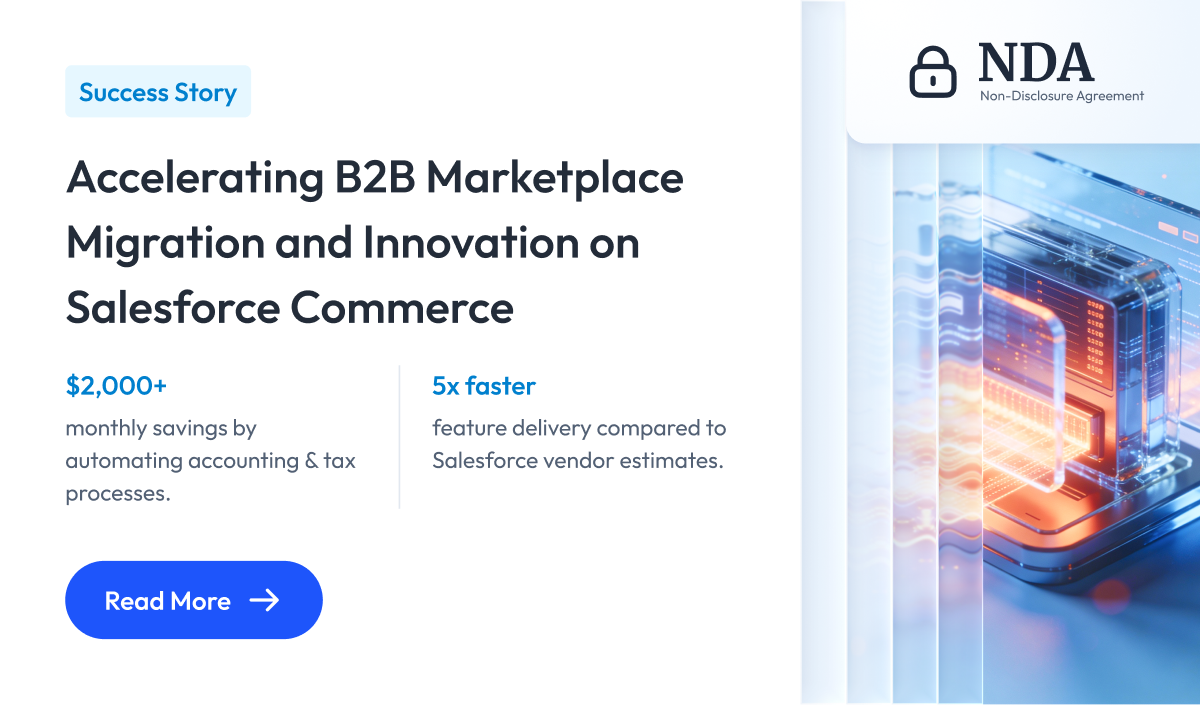
Zoolatech’s B2B Salesforce Commerce migration shows this pattern in practice.
Ecommerce Replatforming Costs and Timeline
Cost and timeline depend heavily on scope. A small online store differs from an enterprise build. Treat them as planning guides.
Cost by business size
Cost rises with complexity and integrations. Composable builds cost more than SaaS:
| Segment | Estimated Range |
| SMB | $20k to $100k |
| Mid-market | $100k to $750k |
| Enterprise | $750k to $5M+ |
Timeline by business size
Timelines follow the same pattern:
| Business Size | Typical Duration |
| SMB | 2 to 4 months |
| Mid-market | 4 to 8 months |
| Enterprise | 6 to 18 months |
The hidden costs to budget for
License price is only part of the cost. These hidden costs catch teams out:
- Data cleanup: messy legacy data takes far longer than expected.
- Integration rebuilds: old connectors rarely move across as-is.
- Training and change: staff need time to learn the new platform.
- Parallel running: two systems cost double during the overlap period.
Your Ecommerce Replatforming Checklist
This ecommerce replatforming checklist keeps the project complete. Work through each group before launch.
Strategy
- Business goals and KPIs documented
- Executive sponsor secured
- Budget and contingency approved
Platform
- Requirements scored in an RFP matrix
- Architecture model chosen
- Vendor and partner selected
Data
- Full data inventory completed
- Migration mapping documented
- Multiple validation passes planned
SEO
- URL inventory crawled
- 301 redirect map complete
- Sitemap and structured data ready
- Analytics and tags migrated
Launch
- UAT signed off
- Load and performance tested
- Rollback plan approved
- Monitoring and alerts active
Working With an Ecommerce Replatforming Consultant or Agency
Most successful migrations use outside help. A consultant or agency adds proven experience. The right partner reduces risk and downtime.
What a good agency provides
A strong partner covers the full lifecycle. Expect each of these:
- Discovery: workshops that turn goals into a clear, scoped plan.
- Platform evaluation: an unbiased, scored vendor comparison.
- Migration planning: a phased plan for data, SEO, and integration.
- Implementation and QA: build, test, and launch support.
- Post-launch: monitoring, tuning, and ongoing optimization.
How Zoolatech approaches migration services
Zoolatech delivers ecommerce migration services for retailers. The focus is low-risk migration and measurable outcomes. What that looks like:
- Senior-heavy delivery squads
- Composable and platform expertise
- Governed data migration and SEO
See our ecommerce migration services for the full delivery model.
Ecommerce Replatforming in Action: Real-World Examples
Real outcomes prove the value of replatforming. The example below shows a full B2B replatforming. It followed a clear migration process from audit to launch.
Zoolatech B2B Salesforce Commerce migration
The challenge
A US B2B marketplace ran on a custom PHP and Laravel platform. The legacy stack limited scale and slowed new features. Daily operations leaned on hours of manual work. Native Salesforce B2B could not cover several key workflows.
- Legacy bottlenecks: the PHP and Laravel system constrained scalability and slowed B2B feature launches.
- Manual workload: accounting, order approvals, account matching, and payments took hours each day.
- Salesforce B2B gaps: real-time shipping, tax automation, media delivery, and custom approvals were unsupported.
- Vendor slowdowns: the incumbent Salesforce vendor struggled to meet timelines.
What Zoolatech did
Zoolatech moved the marketplace to Salesforce Commerce Cloud. A hybrid agile team reverse-engineered the existing build first.
The team used Salesforce out-of-the-box where it fit, and custom-built where it did not. CI/CD and short feedback loops sped up every release.
- Finance automation: integrated Bill.com and Avalara to automate invoices, bills, tax, and reporting.
- Custom shipping tracker: built real-time shipment tracking and customer notifications in two weeks.
- One-click order approval: token-based email approval for manufacturers, with no login required.
- Account matching: automated user-to-business account linking during registration.
- Self-service payments: an early-payment portal, prototyped in one day and live in four.
- Media optimization: offloaded images to AWS CloudFront to bypass Salesforce delivery limits.
- Data migration engine: automated pipelines moved all customers, orders, and products with full integrity.
Results achieved
| Metric | Result |
| Feature delivery | 5x faster than vendor estimates |
| Deployment speed | 2x faster with CI/CD |
| Accounting savings | $2,000+ per month |
| First upgrade | Delivered within two weeks |
Measuring a Successful Ecommerce Replatforming Project
A successful ecommerce replatforming project shows in metrics. Track revenue, experience, and operations together.
| Category | Metric | Why it Matters |
| Revenue | Conversion rate, AOV, RPV | Direct business impact |
| Experience | Core Web Vitals, page speed | Drives conversion and SEO |
| Experience | Bounce rate | Signals friction |
| Operations | Deployment frequency | Shows new agility |
| Operations | Cost per order | Tracks efficiency |
| Operations | Support tickets | Reveals quality issues |
Define each KPI so teams measure the same thing:
- Conversion rate: the share of visits that end in a purchase.
- Revenue per visitor: total revenue divided by sessions.
- Core Web Vitals: Google’s scores for speed and stability.
- Deployment frequency: how often you safely ship changes.
Conclusion
Ecommerce replatforming is rarely about the platform alone. It is won on process, data migration, and SEO. Skipping that discipline is what loses revenue.
Brands that succeed plan in phases. They protect data and rankings from day one. They measure outcomes, not just the launch.
The choice is not only which platform to buy. It is whether to run a disciplined replatforming project. Retailers that do will grow faster and switch with confidence.
Questions You May Have
How long does ecommerce replatforming take?
It takes 2 to 4 months for SMBs and 6 to 18 months for enterprises.
How much does ecommerce replatforming cost?
Costs range from about $20k for SMBs to several million for enterprise builds.
What are the biggest risks of replatforming?
SEO loss, downtime, and data loss are the biggest risks, all preventable with planning.
Will replatforming hurt my SEO?
Not if you map redirects, keep URLs clean, and update sitemaps before launch.
What is the difference between migration and replatforming?
Migration moves data and content, while replatforming also changes the platform and architecture.
What is B2B ecommerce replatforming?
It is moving a B2B store to a new platform that supports contract pricing, RFQ, and ERP integration.