








Every unit sitting in your warehouse is cash you already spent, waiting to turn back into revenue. That one fact makes ecommerce inventory management one of the most financially consequential systems you operate, and one of the easiest to get wrong.
Sell too cautiously, and you run out of stock, losing the order and often the customer for good. Buy too aggressively, and your capital freezes inside unsold goods and dead stock.
Both failures usually trace to the same root cause: no dependable process for knowing what to reorder, when, and across which channel.
The cost is enormous. Global retail inventory distortion, the combined loss from empty shelves and excess stock, runs to about $1.77 trillion a year, according to IHL Group’s 2025 inventory distortion study, and stockouts account for the larger share.
We made this guide so your stock and your cash stay out of that figure. It covers everything you need to know about inventory management for ecommerce, including the core methods, the KPIs and formulas to track, how to read the software market without the sales spin, and the decision underneath it all: build, buy, or integrate.
By the end, you will know which approach protects your margin, fits your catalog and channels, and is ready to take to a vendor or engineering team.
What is Ecommerce Inventory Management?
Before we go deep, let’s pin down what the term actually means, because it gets used loosely, and it helps to know we are talking about the same thing
Ecommerce inventory management is the process of tracking and controlling stock across all online sales channels in real time, so you always know what you have, where it is, how quickly it sells, and when to reorder.
The goal is to meet demand without selling units you do not have, which causes a stockout, or tying up cash in goods that barely move, which is overstock. Strong inventory management for ecommerce business owners keeps those two failures in balance.
Ecommerce vs. traditional retail inventory
Inventory management in ecommerce is harder than in a normal shop, and the simplest way to see why is to compare the two. Online shopping changes three basic things.
First, where the stock lives. In a shop, all the stock is in one place, and you can see it on the shelf. Online, the same stock has to be sold through several channels at once: your website, Amazon, and other marketplaces, so one pool of inventory is shown in many places.
Second, how you know the count. In a shop, you can walk over and look. Online, nobody sees the shelf, so everyone relies on a number in a system, and that number has to stay correct in real time. If it says “3 left” when the truth is zero, you accept an order you cannot ship.
Third, how fast it changes. A shop sells at the pace of people walking in. Online, orders can arrive from every channel at the same second, so the count moves much faster and has to be updated everywhere at once.
| What changes | Traditional retail inventory | Ecommerce |
| Where stock lives | One location, visible on the shelf | One pool sold across many channels |
| How you know the count | Walk over and look | A number in a system, kept accurate in real time |
| How fast it moves | Pace of walk-in shoppers | Orders from every channel at once |
That is the whole difference. Same goal as a shop: keep the right amount of stock, but you are managing it blind, across many channels, at high speed. That is why ecommerce needs a system to watch for you.
Why it matters for cash flow, margin, and customer experience
That system is worth the effort, and the benefits of effective inventory management show up in three concrete ways: healthier cash flow, protected margin, and customers who come back.
The cash flow gain is the biggest one. Inventory is where most of your working capital sits, and it stays locked there until the product sells. Hold the right amount, and that money comes back faster, freeing cash for ads, suppliers, and your next order instead of leaving it frozen on a shelf.
Margin is the next payoff. Carrying only what you need keeps storage, insurance, and obsolescence low, and spares you the end-of-season markdowns that quietly eat your gross margin. Every unit you avoid overbuying is margin you keep instead of discounting away.
Customer experience is where the work becomes visible. An accurate count means the “in stock” on your site is real, so the orders you confirm are orders you can ship. That reliability is what turns a first purchase into a repeat one.
Each of these rests on the same thing: a stock count you can trust, kept up to date in real time. That accuracy is the foundation on which the rest of your ecommerce build sits, and the next section looks at what makes it so hard to maintain.
Common Ecommerce Inventory Management Challenges
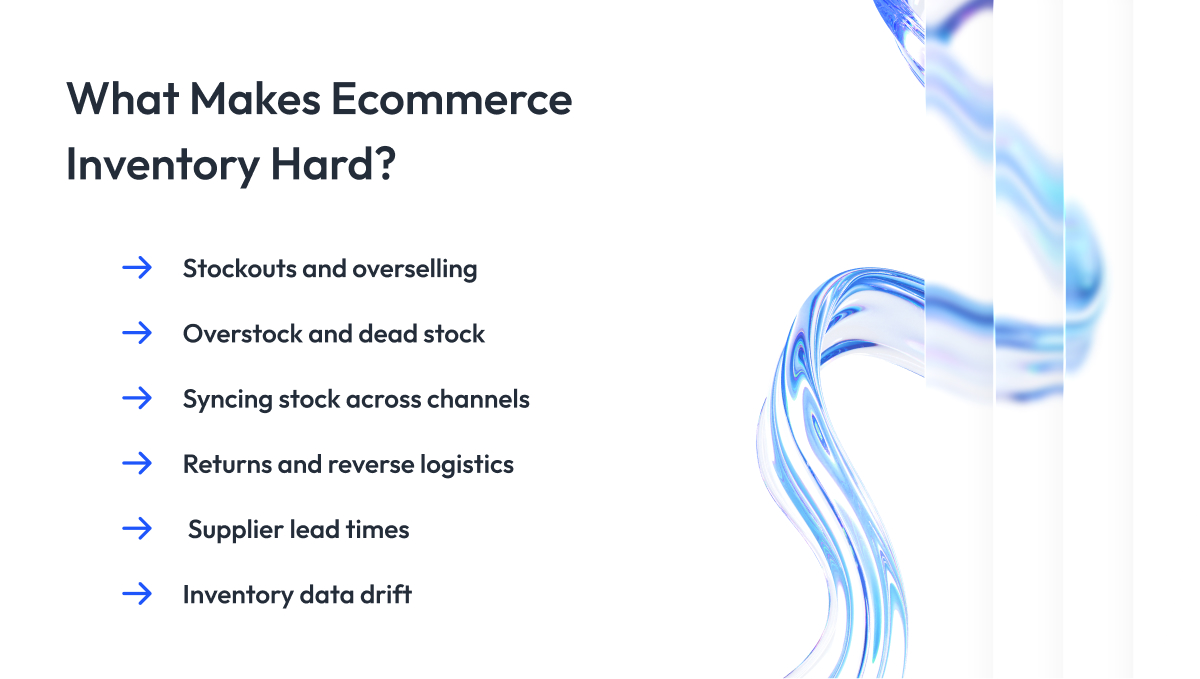
Knowing why inventory management in ecommerce is hard is the first step to fixing it. Most problems with inventory management ecommerce teams face come from the same place: stock moving faster than the systems meant to track it.
1. Stockouts and overselling
Here everything is simple. A customer wants to buy, and you have nothing to sell. The damage is the lost sale and the lost customer, who buys elsewhere and may not return.
Overselling is the sharper version of the same problem. You sell the same unit twice because two channels did not sync fast enough, so you confirm an order you cannot fill and then have to cancel it. A plain stockout disappoints a shopper. A canceled order breaks a promise you already made.
2. Overstock and dead stock
The opposite mistake is buying too much. Excess stock ties up cash, runs up storage and insurance, and ages into dead stock that you can only move at a discount, if at all.
This usually starts with a reasonable fear. Nobody wants to run out of stock, so it feels safe to over-order. That instinct is how warehouses fill with product that sells slowly and quietly drags down margin for months.
3. Keeping stock in sync across channels
When you sell on your site, Amazon, and other marketplaces from a single pool of stock, every sale has to update all channels within seconds. Miss that window, and two customers buy the last unit.
The difficulty grows with each channel and warehouse you add. Three sales platforms and two fulfillment locations mean six places that must all show the same truth at the same moment, which is why multichannel sync is one of the hardest parts of the job.
4. Returns and reverse logistics
Returns run the supply chain backward, and ecommerce return rates are far higher than in traditional stores. Every returned item has to be received, inspected, and then restocked, refurbished, or written off.
Until that happens, the unit is in limbo. It is not on the shelf and not really gone, and if your system guesses wrong about its state, your available count is wrong the moment it matters most.
5. Supplier lead times and reliability
Your reorder timing is only as good as your supplier’s word. When a shipment that usually takes three weeks takes six, the safety stock you sized for three weeks runs out, and you stock out through no fault of your own forecast.
Recent tariff changes have made this harder going into 2026, pushing up landed costs and adding delays at customs.
6. Inventory data that drifts out of sync
Underneath every challenge above is one quiet failure: the count in your system slowly stops matching the stock on your shelf. Miscounts, unrecorded damage, returns in limbo, and lagging channel updates each add a small error, and those errors compound.
This is not a rare edge case. We have seen enterprise retailers running at around 60% inventory accuracy before the data was brought under control, far below what reliable fulfillment needs.
Closing that gap is exactly the work behind a Fortune 500 inventory accuracy turnaround, where accuracy exceeded 90% once the underlying data platform was rebuilt. The next section covers the methods that keep that count trustworthy in the first place.
Core Inventory Management Methods and Techniques
A trustworthy count tells you what you have today. These stock management methods are how you decide what to do with it: which units to sell first, which products to watch closely, and when to place the next order. You will not use all of them. You pick the few that match your catalog and your product sales.
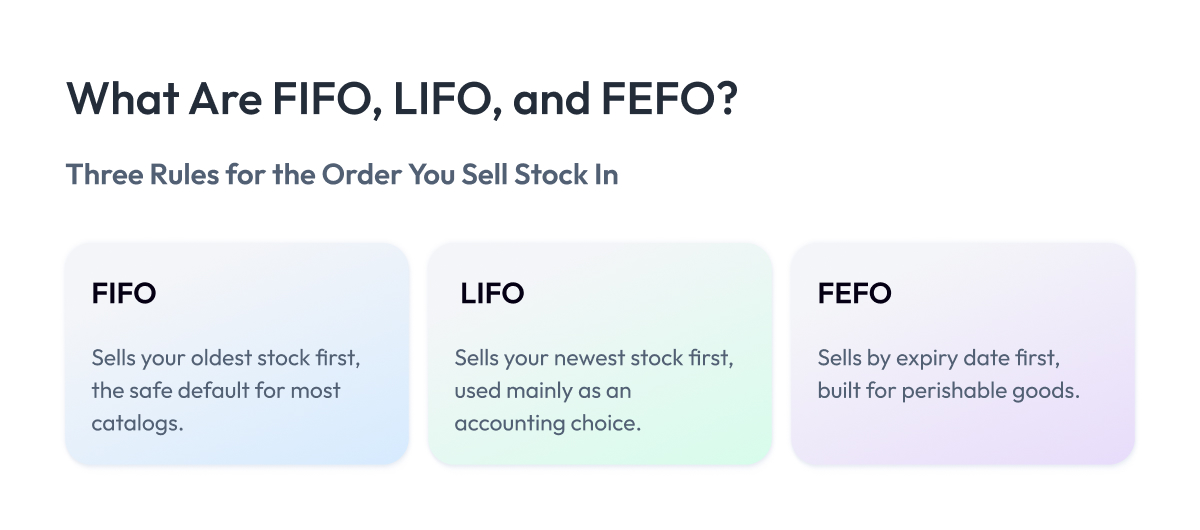
FIFO, LIFO, and FEFO
These three rules decide the order in which you sell what you have. The differences may seem small, but they affect your costs and waste.
FIFO (first in, first out) sells your oldest stock first, keeping inventory moving in the order it arrived.
FEFO (first expired, first out) sells by expiry date instead of arrival date, so the unit that will go bad soonest leaves first.
LIFO (last in, first out) sells the newest stock first. It is rarely used for physical handling and shows up mainly as an accounting choice in some regions to lower taxable profit when costs are rising.
When to use:
- FIFO for almost any non-perishable catalog, as a safe default.
- FEFO for anything with a shelf life, like food, supplements, or cosmetics.
- LIFO only where your accountant recommends it for tax treatment under rising costs.
When not to use:
- FIFO when products expire, since the arrival order ignores expiry dates.
- LIFO is a picking rule in the warehouse that leaves older stock to age out.
ABC (and XYZ) analysis
Once your catalog grows past a few dozen products, you cannot watch them all equally. ABC analysis addresses that by ranking SKUs according to the value they generate.
A few items are the roughly 20% of products that drive about 80% of revenue, so they earn the tightest control.
C items are the low-value long tail you can manage loosely, and B items sit in between.
XYZ analysis adds a second lens, which is how predictable demand is. X products sell steadily, Y products move with the season or promotion, and Z products are erratic. Crossing the two axes tells you how much planning each SKU deserves.
When to use:
- Apply it to large catalogs where attention has to be prioritized.
- Use it to decide how often to count and how tightly to forecast each tier.
- Lean on it to set different safety-stock rules for high- and low-value SKUs.
When not to use:
- Skip it for small catalogs of twenty or thirty SKUs you can already watch individually.
- Hold off on opening brand-new stores until you have enough sales history to rank products.
Just-in-time (JIT)
Just-in-time inventory (JIT) means timing orders so stock arrives right before you need it, holding as little as possible in between. It cuts inventory holding to a minimum, freeing the cash and storage space that idle stock would otherwise consume.
The trade-off is that it removes your buffer. With nothing held back, one late shipment turns straight into a stockout.
A modified version of JIT inventory is what most ecommerce brands actually run, holding a smaller inventory on some products while keeping a cushion on others.
When to use:
- Run it when lead times are short and dependable enough to count on.
- Apply it to fast-moving products with steady, predictable demand.
- Use it under tight storage or cash constraints that make holding stock expensive.
When not to use:
- Avoid it when supplier lead times are long or unreliable, especially overseas.
- Stay away from it for seasonal or volatile products where demand can spike without warning.
- Skip it on bestsellers where a stockout costs more than the carrying cost saved.
Reorder points and safety stock
This is where method turns into arithmetic. A reorder point is the stock level that should trigger your next order.
Safety stock is the extra cushion underneath it, there to cover demand spikes or a supplier running late.
The formula is short:
Reorder point = (average daily sales × lead time in days) + safety stock
Say you sell 20 units a day, restocking takes 10 days, and you hold 50 units of safety stock. Your reorder point is (20 × 10) + 50 = 250, so the moment stock drops to 250, you place the order.
When to use:
- Set it for any product you reorder regularly and do not want to run out of.
- Apply it to SKUs with a known sales rate and a measurable supplier lead time.
When not to use:
- Skip it for one-off or discontinued products you will not reorder.
- Hold off on brand-new SKUs with no sales history yet to estimate daily demand.
Demand forecasting
A reorder point assumes you know your average daily sales. Demand forecasting is how you estimate that figure when sales are anything but average, which online they usually are.
Historical forecasting projects forward from your past sales numbers.
Collaborative forecasting adds context that the data cannot see on its own, pulling in input from sales and marketing about what is coming.
Machine learning goes furthest. Models trained on your sales history learn seasonality, trends, and outside signals, then forecast demand down to the individual SKU.
When to use:
- Pick historical forecasting for steady products with a clean sales history.
- Use collaborative forecasting when a launch, promotion, or event will break from the past.
- Turn to machine learning for large catalogs, seasonality, and many demand signals at once.
When not to use:
- Avoid machine learning before you have accurate, consistent sales data to train on.
- Skip heavy forecasting on a tiny catalog you can plan by hand.
Serious forecasting now runs on a proper retail data and analytics platform rather than a spreadsheet, and it is where AI is reshaping inventory work, which we cover later in this guide.
Forecasts and reorder points are only as good as the numbers behind them, so the next section covers the KPIs and formulas that tell you whether your inventory is actually working.
Inventory KPIs and Formulas Every Ecommerce Brand Should Track
The methods above tell you what to do. KPIs tell you whether it is working.
Inventory KPIs are the metrics that show whether your stock is converting into profit efficiently. The core ones are inventory turnover, days inventory outstanding, sell-through rate, the cash conversion cycle, GMROI, carrying cost, and shrinkage. Together, they answer three questions: how fast stock sells, how long your cash stays tied up in it, and how much margin each dollar of inventory earns.
The table below is a quick reference. After that, we explain each one in plain language with an example, so you can implement them immediately.
| KPI | What it answers | Formula | How to read it |
| Inventory Turnover | How many times stock sells per year | COGS ÷ average inventory | Higher is leaner; varies by category |
| Days Inventory Outstanding | Days stock sits before selling | (average inventory ÷ COGS) × 365 | Fewer days is better |
| Sell-Through Rate | Share of received stock sold | units sold ÷ units received × 100 | Higher means stock matches demand |
| Days Sales Outstanding | How fast you collect cash | (accounts receivable ÷ revenue) × 365 | Fewer days is better |
| Days Payable Outstanding | How long you take to pay suppliers | (accounts payable ÷ COGS) × 365 | More days frees cash, within terms |
| Cash Conversion Cycle | Days cash is locked before returning | DIO + DSO − DPO | Lower, even negative, is strongest |
| GMROI | Margin earned per dollar of inventory | gross margin ÷ average inventory cost | Above 1.0; the higher the better |
| Carrying Cost | Annual cost of holding stock | annual holding cost ÷ average inventory value × 100 | Keep as low as possible |
| Inventory Shrinkage | Stock lost to theft, damage, or error | (recorded − actual) ÷ recorded × 100 | Lower is better |
| Reorder Point | Stock level that triggers reordering | (avg daily sales × lead time) + safety stock | Set per SKU |
| Safety Stock | Buffer for spikes or supplier delay | (max daily × max lead) − (avg daily × avg lead) | Sized to variability |
| Economic Order Quantity | Order size that minimizes total cost | √(2DS ÷ H) | The least-cost order quantity |
1. Inventory turnover
What it is: how many times you sell through and replace your entire stock in a year. It is the quickest read on whether inventory is lean or sluggish.
Formula: Inventory turnover = COGS ÷ average inventory
Example: COGS is your cost of goods sold, which is what the stock you sold actually cost you. If yours is $2,000,000 for the year and your average inventory is worth $400,000, turnover is 5. You cycle through your whole stock five times a year. A higher number means inventory is moving briskly, a low one means cash is sitting on shelves.
2. Days inventory outstanding (DIO)
What it is: the same idea as turnover, expressed in days. It answers how long an average item sits before it sells.
Formula: DIO = (average inventory ÷ COGS) × 365
Example: take the turnover of 5 from above and divide 365 by it, and you get about 73 days. So, on average, a product sits for roughly two and a half months before selling. The fewer days, the faster your stock becomes cash.
3. Sell-through rate
What it is: the share of the stock you received that has actually been sold in a given period, usually a month. It is how you spot what is selling and what is stuck.
Formula: Sell-through rate = (units sold ÷ units received) × 100
Example: if you received 500 units and sold 350, your sell-through is 70%. A high rate means you bought the right amount, a low one means too much stock relative to demand. This is more honest than raw sales volume because a “bestseller” you massively overbought can still have poor sell-through.
4. Days sales outstanding (DSO)
What it is: how quickly you collect the money customers owe you. For most direct-to-consumer stores, it is near zero, since cards charge instantly, but it matters if you sell wholesale on invoice terms.
Formula: DSO = (accounts receivable ÷ revenue) × 365
Example: accounts receivable is money billed but not yet paid to you. If buyers owe you $100,000 against $1,000,000 in revenue, DSO is 36.5 days, so you wait about 36 days on average to get paid. Fewer days mean cash returns sooner.
5. Days payable outstanding (DPO)
What it is: the mirror of DSO. It measures how long you take to pay your own suppliers.
Formula: DPO = (accounts payable ÷ COGS) × 365
Example: accounts payable is what you owe suppliers but have not paid yet. Stretching this number, within the terms you agreed, lets you hold onto cash longer. The catch is that paying too slowly can strain supplier relationships, so it is a balance, not a number to maximize blindly.
6. Cash conversion cycle (CCC)
What it is: the number a CFO watches, because it ties the three above together into a single answer, how many days your cash is locked up before it comes back.
Formula: CCC = DIO + DSO − DPO
Example: say stock takes 60 days to sell (DIO), you collect from customers in 20 days (DSO), and you pay suppliers in 30 days (DPO). Your CCC is 60 + 20 − 30 = 50 days. For 50 days, your money is stuck before it returns as cash. Shorten any of the three, and you free up cash without selling a single extra unit. A negative CCC, where suppliers fund your stock before you pay them, is the strongest position of all.
7. Gross margin return on investment (GMROI)
What it is: a sharper question than turnover, for every dollar tied up in inventory, how much gross profit you get back.
Formula: GMROI = gross margin ÷ average inventory cost
Example: if you earn $300,000 in gross margin on average inventory costing you $200,000, GMROI is 1.5. You make $1.50 in margin for every dollar invested in stock. Anything above 1.0 means the inventory is paying for itself; below 1.0 means it is losing money. It is especially useful for comparing products that turn at different speeds but carry different margins.
8. Carrying cost (holding cost)
What it is: the true annual cost of keeping stock on hand, as a percentage of its value. It bundles together storage, insurance, obsolescence, and the opportunity cost of tied-up cash.
Formula: Carrying cost % = (annual holding cost ÷ average inventory value) × 100
Example: if holding your stock costs $60,000 a year and that stock averages $300,000 in value, your carrying cost is 20%. As a rule of thumb, carrying costs typically range from 20% to 30% of inventory value per year.
9. Inventory shrinkage
What it is: the gap between the stock your system says you have and what is actually on the shelf, lost to theft, damage, or miscounting. It is a direct measure of how much you can trust your count.
Formula: Shrinkage % = ((recorded inventory − actual inventory) ÷ recorded inventory) × 100
Example: if your records show 1,000 units but a physical count finds 980, shrinkage is 2%. Every shrinkage point is stock you paid for and cannot sell, and a rising figure is often the first sign of a process or theft problem.
10. Reorder point
What it is: the stock level that should trigger your next order. We introduced it in the methods section; here it is again with its full formula.
Formula: Reorder point = (average daily sales × lead time in days) + safety stock
Example: if you sell 20 units a day and restocking takes 10 days, you need 200 units just to cover the wait, plus your safety stock on top. With 50 units of safety stock, your reorder point is (20 × 10) + 50 = 250, so you place the order the moment stock hits 250.
11. Safety stock
What it is: the buffer you hold underneath the reorder point to cover demand spikes or a supplier running late. It is what keeps bad timing from turning into a stockout.
Formula: Safety stock = (max daily sales × max lead time) − (average daily sales × average lead time)
Example: if you sometimes sell 30 units a day with a 14-day lead time, but average 20 units over 10 days, your safety stock is (30 × 14) − (20 × 10) = 220 units. That cushion covers your worst-case scenario instead of just your average one.
12. Economic order quantity (EOQ)
What it is: how much to buy in a single order to minimize your combined ordering and holding costs. Order too often, and ordering costs pile up; order too rarely, and holding costs do.
Formula: EOQ = √(2DS ÷ H), where D is annual demand in units, S is the cost of placing one order, and H is the cost of holding one unit for a year.
Example: with a demand of 10,000 units, a $50 order cost, and a $4 holding cost per unit, EOQ is √(2 × 10,000 × 50 ÷ 4) = 500 units per order. That is the point where the two costs balance.
Tracking all of this by hand works until it does not. Past a certain catalog size, brands move this reporting onto live dashboards to make better inventory decisions, the practical first step into business intelligence for ecommerce.
With the numbers in view, the next question is which tool should produce them, which is where inventory software comes in.
Ecommerce Inventory Management Software
Across the ecommerce clients we work with, the same handful of tools comes up again and again, along with the same question: which one is right for us?
This section covers the software most brands actually use to manage inventory, the features that matter, and how to tell the categories apart, so you can judge any tool against your own needs instead of a vendor’s pitch.
First, definition.
Ecommerce inventory management software, also written as inventory management software ecommerce in some searches, is a system that tracks inventory levels across all your channels, plus orders and sales, from one place and automates routine decisions related to them. Some sellers prefer all-in-one ecommerce software with inventory management, while others use a separate dedicated tool.
A good one keeps counts accurate in real time, syncs every sales channel, flags when to reorder, and feeds the KPIs from the last section without manual spreadsheets.
The category ranges from free tools built into your store platform up to enterprise systems that run an entire operation.
Must-have features
Tools vary, but a capable inventory management software for ecommerce should cover these basics. If one is missing, you will feel it within months of growth.
- Real-time stock tracking. Counts update the instant a sale, return, or restock happens, so every channel shows the same truth.
- Multichannel sync. Your website, marketplaces, and POS all draw from a single stock pool, which prevents overselling.
- Automated replenishment. The system watches reorder points and either alerts you or drafts the inventory replenishment purchase order itself.
- Demand forecasting. It projects future inventory needs using historical data and trends, so buying is based on evidence, not guesswork.
- Reporting and analytics. The KPIs that matter, such as turnover and sell-through, are calculated for you and displayed on a dashboard.
- Integrations. It connects cleanly to your store platform, accounting, shipping, and any 3PL you use.
- Scalability. It keeps performing as your SKU count, order volume, and channel list grow, instead of slowing down.
How to choose
The best ecommerce inventory management software is the one that fits your channels, your team, and your budget, not the one with the longest feature list. Put plainly, the best inventory management software for ecommerce is whatever keeps your counts accurate at your scale. Walk through this checklist of inventory management needs before committing.
- Channel integrations. Confirm it connects directly to every sales channel and marketplace you actually use.
- Real-time accuracy. Check how fast stock updates propagate, since a few minutes of lag is enough to oversell at volume.
- Ease of use. A tool your team avoids because it is confusing will not keep your data clean.
- Scalability. Make sure its pricing and performance still work at three times your current order volume.
- Automation and reporting. Look for automated reordering and the KPI reports you need built in, not bolted on.
- Total cost of ownership. Add setup, per-order fees, and add-ons to the monthly price, because the sticker rarely tells the whole story.
- Support and onboarding. Strong onboarding and responsive support decide whether you succeed in the first 90 days.
- Accounting integration. Verify it syncs with your accounting system so that COGS and inventory value stay correct without double-entry.
Platform-native vs. dedicated IMS vs. ERP
Most brands move through three stages of tooling as they grow, and knowing which stage you are in saves both time and money during migrations.
Platform-native tools are ecommerce software with inventory management built into Shopify, BigCommerce, Wix, or WooCommerce on WordPress. They are free with your store and fine at the start, when you sell on one channel with a small catalog. Their limits show up fast, though, because they rarely handle deep forecasting, supplier management, or proper COGS tracking, and they struggle once you add channels.
You can compare what each platform includes in our guide to the popular ecommerce platforms.
A dedicated inventory management system for ecommerce is the next step, and this is the inventory management system ecommerce brands most often graduate to. These are purpose-built tools with advanced inventory features that sync many channels, automate replenishment, manage suppliers, and forecast demand, which is exactly where native features run out. Most growing multichannel brands land here.
An ERP is the final stage for larger operations. It folds inventory into one system alongside finance, purchasing, and fulfillment, giving you a single source of truth across the whole business. The trade-off is cost and a serious implementation effort, so an ERP earns its place only when the complexity is real.
The software market by business type
The tools below are grouped by the kind of business they fit because the right pick depends entirely on your size and channel mix. Use this to place yourself in a category first, then shortlist within it.
| Solution type | Example tools | Best for | Strengths | Limits | Price band |
| Platform-native | Shopify, BigCommerce built-in | Solo and early single-channel | Free, zero setup | No forecasting or supplier tools | Free |
| Entry IMS | Zoho Inventory, inFlow | Small multichannel sellers | Affordable, easy onboarding | Thin automation at scale | $30 to $200/mo |
| Maker and light manufacturing | Katana | Brands that produce goods | Tracks materials and production | Less suited to pure resale | $100 to $400/mo |
| Multichannel operations | Cin7, Linnworks, SkuVault, Brightpearl | Mid-market, many channels | Deep sync, 3PL, automation | Cost and onboarding effort | $200 to $1,000/mo |
| DTC with fulfillment | ShipBob | DTC outsourcing fulfillment | Inventory plus shipping in one | Tied to their network | Usage-based |
| Forecasting add-on | StockTrim | Brands needing better forecasts | Demand forecasting focus | Not a full inventory system | Entry to mid |
| ERP-grade | NetSuite, Fulfil | Large or omnichannel operations | Inventory, finance, fulfillment unified | High cost and setup | $1,000+/mo |
Free and native options are a real starting point as long as you treat them as stage one and plan to graduate when channels multiply.
The harder question is what to do when no single product fits, when your channels, catalog, or processes outgrow what any tool offers off the shelf. That decision is the next section.
Build vs. Buy vs. Integrate: Choosing the Right Inventory Architecture
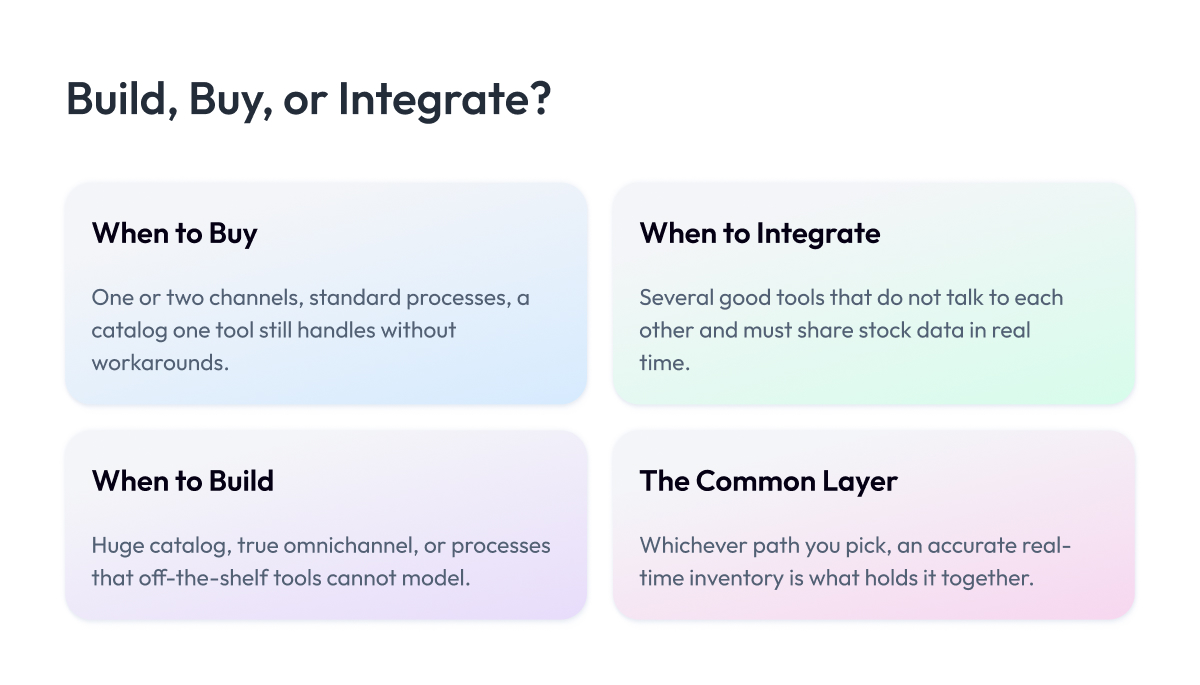
Most guides stop at “pick a tool.” That advice only holds when a single tool can do the whole job. Past a certain size, the real decision is architectural and central to your inventory management strategy: do you buy something off the shelf, integrate several systems into one workflow, or build to fit. This is the question we get pulled into most often, and the honest answer depends on how complex your operation actually is.
The choice has three paths:
- Buy. A ready-made tool runs your inventory. Fastest and cheapest to start.
- Integrate. You connect your existing systems so that stock data flows between them in real time.
- Build. You create a custom ecommerce inventory solution or extend your ERP when no product fits how you work.
Most brands start by buying and move along this path only as complexity forces them. Here is how to tell which stage you are in.
When off-the-shelf is enough
For most businesses, buying is the right call, and there is no prize for over-engineering. If you sell a manageable catalog through one or two channels and your processes look like everyone else’s, a dedicated tool will cover you well past your current size.
Stay with off-the-shelf as long as these hold true:
- One product still handles all your channels without heavy workarounds.
- Your team is not manually exporting and re-importing data between systems.
- Nothing about your fulfillment is unusual enough for the tool to fight you.
While those are true, custom work would cost money and time for little gain.
When you need integration
The need to integrate shows up when you rely on several good tools that do not talk to each other. Your store, your warehouse management systems, your accounting, and your 3PL each hold a piece of the truth, and stock data has to move between them fast enough to stay correct everywhere.
How you connect them matters more than it sounds. There are three common patterns:
- Direct integration. One system is wired straight to another. Simple and fast, but every new connection is one more thing to maintain.
- iPaaS (middleware). A layer that sits between your systems and routes data between them. Scales better across many connections, though it can add a step of delay.
- Event-driven. Every sale or stock change emits an event that updates the others immediately. The strongest pattern occurs when connections multiply.
That delay in the middle option is the catch. If sync timing lags, your channels drift out of stock accuracy in exactly the moments that matter.
Event-driven integration avoids it by pushing changes the instant they happen, which is how large operations keep inventory accurate across many channels at once.
It is also the backbone of the connected commerce work we cover in our ecommerce integration with ERP guide.
When to build a custom IMS or extend your ERP
Building is the right move in a narrower set of cases, but when it fits, nothing else does. It tends to make sense when:
- Your catalog is enormous, with SKU complexity that no boxed tool handles well.
- Your channel mix is genuinely omnichannel, spanning online, in-store, and wholesale channels.
- Your processes are a competitive advantage that off-the-shelf tools cannot model.
It is common enough that experienced sellers on community forums describe outgrowing every tool they tried and ending up building their own ERP and inventory system to match how they actually operate.
The build does not always mean starting from scratch. Often, the better path is to extend an ERP you already run, adding the custom inventory logic you need on top of a stable financial core, which maintains a single source of truth while fitting your process.
This is also where modernizing an aging system pays off, the work behind our legacy modernization practice.
We have done this at scale. For a global jewelry retailer with more than 7,000 points of sale across 60-plus countries, our team built an event-driven integration hub on Kafka that gave the brand omnichannel inventory management and real-time stock inventory visibility across every market. That is the kind of problem a custom architecture exists to solve, and the kind no boxed product reaches.
Real-time inventory and OMS as the backbone
Underneath all three paths lies one requirement: an accurate, real-time inventory. No matter which path you take, the system is only as good as the freshness of its stock count. Real-time inventory is the foundation on which everything else depends.
In larger operations, the piece that holds this together is the order management system. An OMS sits between your sales channels and your fulfillment, deciding what to promise customers and where to ship from, and it depends on knowing your inventory in real time to do either well. If you are weighing how these connect, our guide to the order management system for ecommerce goes deeper on where the OMS fits.
The right architecture sets the ceiling on how well everything above it can run. With that foundation in place, the next shift reshaping this whole area is artificial intelligence.
How AI Is Changing Ecommerce Inventory Management
AI is shifting inventory work from reacting to predicting. Instead of you reading reports and deciding, models read the data and act, which is the biggest change to the field in years.
AI solutions for ecommerce inventory management use machine learning to forecast demand, set stock levels, and automatically trigger reorders, with far greater accuracy than manual planning. Four shifts matter most in 2026.
- Demand sensing. Models read live signals like sales, weather, and trends to adjust forecasts daily, not quarterly.
- SKU and region-level forecasting. Predictions get specific, down to one product in one warehouse, so you stock the right items in the right place.
- Automated replenishment. The system drafts purchase orders the moment stock and forecast cross a threshold.
- Agentic AI. A newer step, where AI agents handle the routine reorder cycle on their own and flag only the exceptions for a human.
The gains are real. AI-driven forecasting is widely reported to cut errors and lift planning accuracy well beyond traditional methods.
This is not only for enterprises. Any growing ecommerce business, including smaller brands and startups, now reaches the same forecasting with affordable tools, and agencies layer it onto the stores they manage, so the capability scales both down and up.
The engineering behind it, training models on clean sales data, is what our AI agent development and retail analytics work focuses on.
Forecasting tells you what to stock. The next section is about getting it to the customer across every channel at once.
Multichannel and Omnichannel Ecommerce Inventory Management
Understanding how multichannel inventory works matters because it is the difference between scaling to new channels smoothly and drowning in oversold orders and cancellations. The job is to run every channel from a single stock pool, so a sale anywhere updates everywhere instantly.
Multichannel ecommerce inventory management keeps stock synced across every place you sell, your website, marketplaces, and stores, from a single source of truth.
Omnichannel goes one step further, connecting online and physical stock so a customer can buy in one place and pick up or return in another.
A few patterns make this work:
- Single source of truth. One master stock record feeds every channel, so none of them can oversell the others.
- Distributed inventory. Stock sits in several warehouses or locations, and the system tracks each separately.
- Multi-warehouse routing. Orders are filled from the location closest to the customer, cutting delivery time and cost.
- BOPIS. Buy online, pick up in store, which only works when online and store inventory share the same live count.
The hard part of multichannel ecommerce inventory management is keeping every channel accurate in real time, which is why omnichannel sellers lean on event-driven sync rather than scheduled updates.
We go deeper into the operating side of this in our omnichannel retail strategy guide and the retail POS integration work that ties stores into the same stock pool.
Tightly linking ecommerce and inventory management across every channel is what makes this work. Once stock flows cleanly across channels, the next step is the habits that keep it that way.
Ecommerce Inventory Management Best Practices
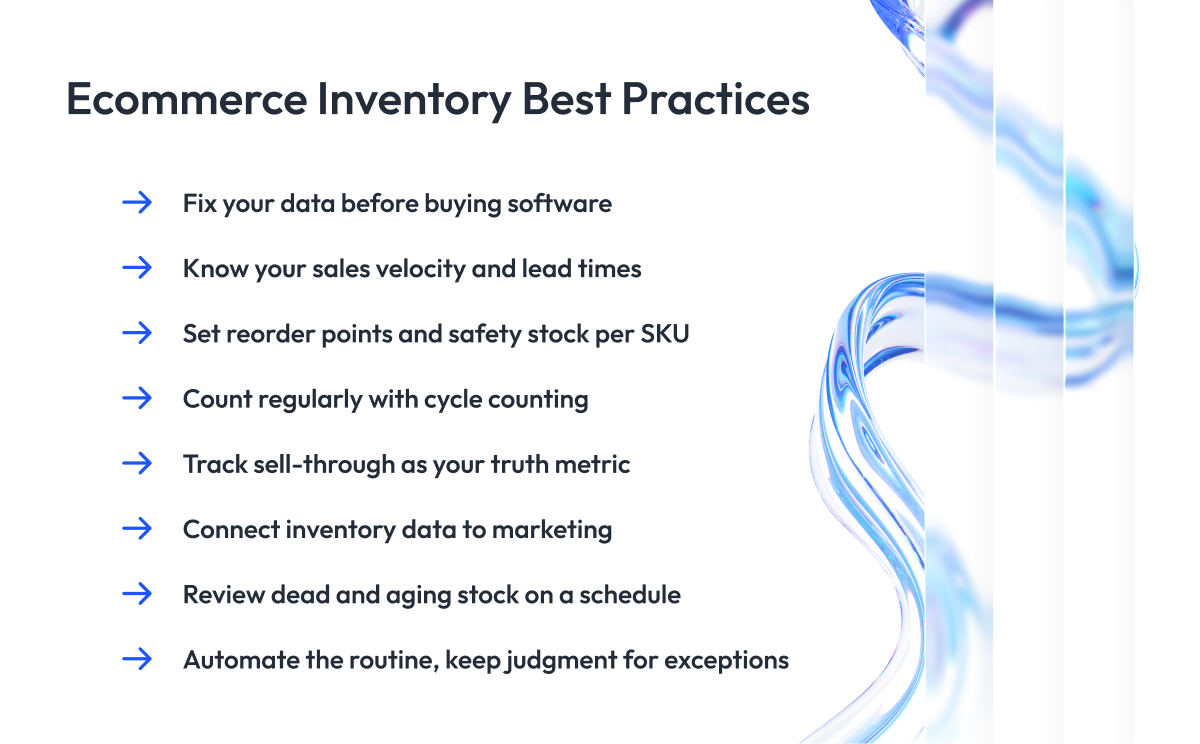
The practices that separate brands with clean inventory from brands that are always firefighting are not complicated. Experienced sellers agree that the biggest upgrade is rarely fancier inventory management tools. It is trustworthy data, and a few disciplines are applied consistently.
- Fix your data before buying software. A tool built on inaccurate counts just automates the errors faster. Accurate stock data is the upgrade that matters most, ahead of any new system.
- Know your sales velocity and lead times. How fast each product sells and how long suppliers really take are the two numbers every reorder decision rests on. Track them per SKU.
- Set reorder points and safety stock for every active SKU. Replace gut-feel reordering with the formulas from earlier, so restocks trigger on evidence and you keep enough inventory without overbuying.
- Count regularly with cycle counting. Instead of one disruptive annual count, check a small slice of stock often. It catches drift early and helps you improve inventory accuracy year-round.
- Track sell-through as your truth metric. Raw sales volume hides overbuying. Sell-through, the share of received stock that actually sold, tells you what to reorder and what to stop.
- Connect inventory data to marketing. When marketing knows the real stock levels, you avoid promoting items that are about to sell out and can push slow movers before they age into dead stock.
- Review dead and aging stock on a schedule. Set a recurring check to discount or clear what is not moving, before the carrying cost quietly eats the margin.
- Automate the routine, keep judgment for exceptions. Let the system handle counting and reorder alerts, so your team spends attention on the decisions that software cannot make.
None of these needs an enterprise budget. They need consistency, which is what cost-effective inventory management comes down to and what keeps the count accurate enough for everything else in this guide to work. The next section covers the mistakes these practices are designed to prevent.
Common Ecommerce Inventory Management Mistakes to Avoid
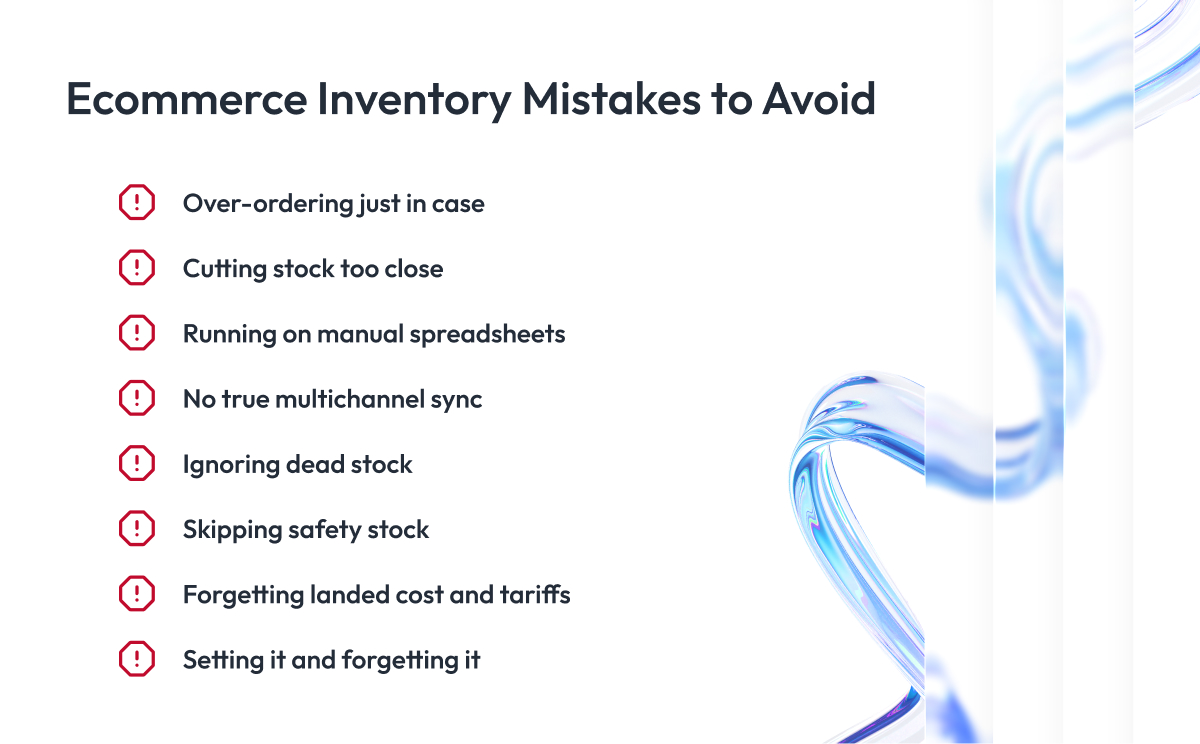
Strong inventory management for ecommerce business depends on avoiding a few traps, and the same mistakes keep showing up across brands. Here are the ones that do the most damage, so you can catch them before they cost you.
- Over-ordering “just in case.” Fear of stockouts pushes brands to overbuy, tying up cash and filling warehouses with stock that ages into dead inventory.
- Cutting stock too close. The opposite reflex is running lean to save cash, then stocking out the moment demand ticks up. Both extremes come from having no real process underneath the decision.
- Running on manual spreadsheets. Spreadsheets break the instant you add channels or volume. They lag, get edited incorrectly, and cannot sync in real time.
- No true multichannel sync. Treating each channel as its own island is how you oversell the same unit twice and cancel orders you already confirmed.
- Ignoring dead stock. Stock that stopped selling does not fix itself. Left alone, it quietly absorbs storage cost and capital month after month.
- Skipping safety stock. Without a buffer, one late shipment or demand spike becomes an immediate stockout, even when your average math looked fine.
- Forgetting landed cost and tariffs. Pricing off the unit cost alone, while shipping, duties, and 2025-2026 tariff changes go untracked, quietly erodes the margin you thought you had.
- Setting it and forgetting it. Reorder points and forecasts drift as demand shifts. Numbers set once and never revisited slowly stop matching reality.
Avoiding these is mostly about having a system and a routine in place. Once you do, the question becomes how to put that system in place, which is what the next section walks through.
How to Implement an Ecommerce Inventory Management System
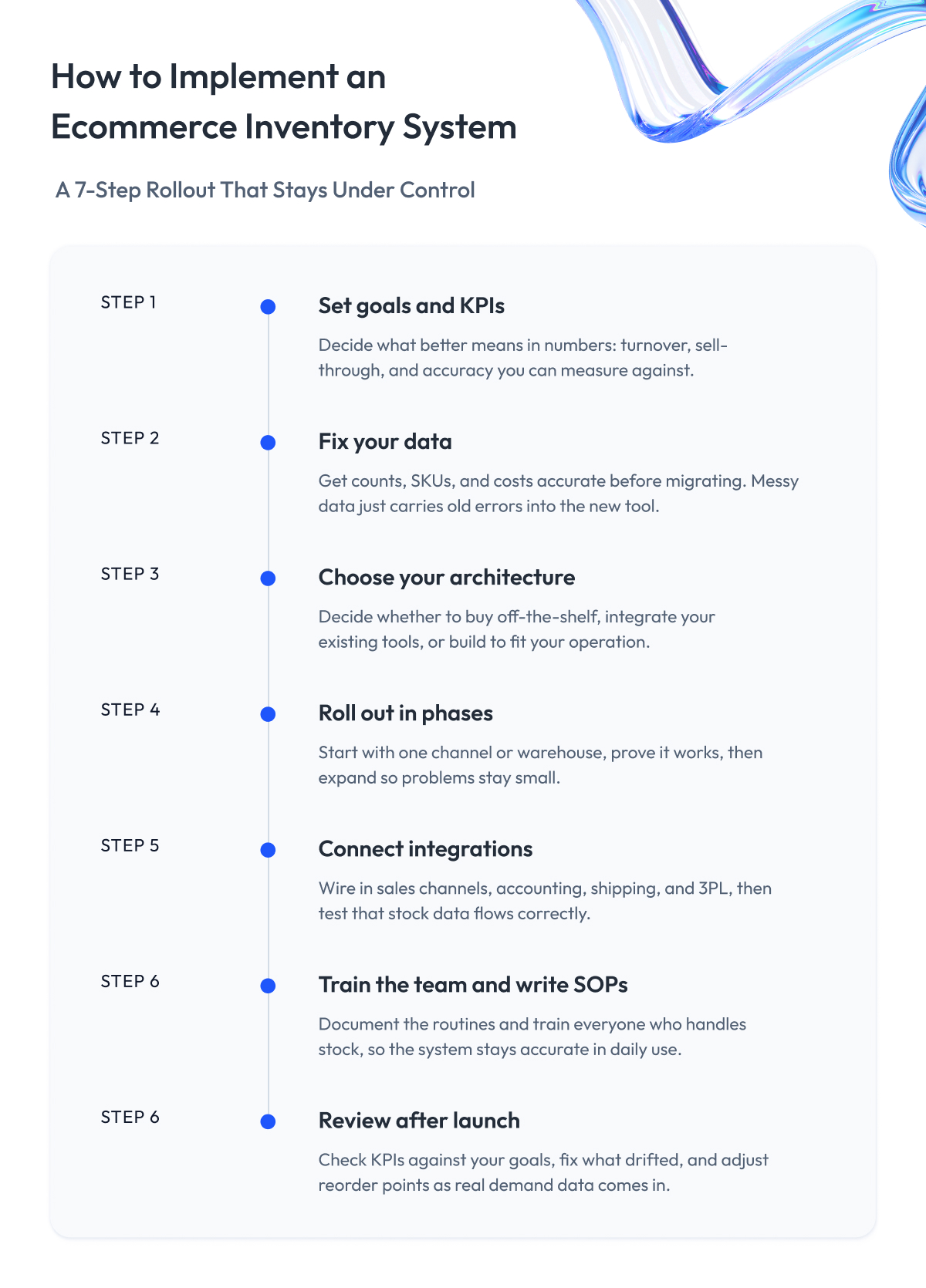
Knowing the mistakes is one thing. Putting a working ecommerce inventory management system in place is another, and rushing it is how most of those mistakes creep back in. Here is the sequence that keeps a rollout under control.
Step 1 – Set your goals and KPIs. Decide what “better” means in numbers, like turnover, sell-through, or accuracy, so you can tell whether the new system actually worked.
Step 2 – Clean your data before migrating. Counts, SKUs, and costs have to be accurate going in. Migrating messy data just carries old errors into the new tool.
Step 3 – Choose your architecture. Decide whether to buy off-the-shelf ecommerce with inventory management included, integrate your existing tools, or build, using the framework from earlier in this guide. This single choice shapes everything that follows.
Step 4 – Roll out in phases. Start with one channel or warehouse, prove it works, then expand. A staged rollout contains problems while they are still small.
Step 5 – Connect your integrations. Wire in your sales channels, accounting, shipping, and any 3PL, then test that stock data flows correctly between all of them.
Step 6 – Train the team and write SOPs. A system only stays accurate if people use it consistently, so document the routines and train everyone who handles stock.
Step 7 – Review after launch. Check your KPIs against the goals from step one, fix what drifted, and adjust reorder points as real demand data comes in.
The step most brands underestimate is the people side. New software changes daily habits, and a rollout succeeds or fails based on whether the team adopts it, so treat change management as part of the project from day one.
If your operation is complex enough that this becomes an engineering project, that is the work our retail software development team takes on. With the system in place, the last piece is the tools and templates to get you started today.
What Store Owners Actually Struggle With
One more thing we wanted to add to this guide is the real problems store owners run into, in their own words. We went through many forums and seller communities and identified the issues that come up most in inventory management ecommerce work.
“My numbers are always a little off.” The most common complaint is that the count in the system never quite matches the shelf. A few units go missing here, a return gets logged wrong there, and over time, nobody fully trusts the numbers anymore.
“I found out I was out of stock from an angry customer.” Plenty of sellers say they only noticed a problem after someone bought an item that was already gone. By then, the order was placed, and they had to send the bad-news email and cancel it.
“I have too much of the wrong thing and not enough of the right thing.” Owners describe warehouses full of unsold products, while the items people actually want keep running out. Their money is stuck in the wrong boxes.
“Every channel shows something different.” Sellers on several platforms talk about the headache of one channel saying five in stock and another saying zero, with no easy way to know which is right.
“Tax and shipping costs ate my profit.” A surprising number mention being caught off guard by the full cost of a product once duties, shipping, and recent tariffs were added in. The margin they planned for was not the margin they got.
These are the frustrations that wear owners down, and for many, they pile up until running the business no longer feels worth it.
It does not have to go that way.
If you are facing any of these right now, our team can help you fix the problem and build a dependable plan for what comes next, so your store has room to grow instead of just survive.
That help comes from years of ecommerce work and the systems we have built for the clients who trust us with theirs.
Final Word
If you have read this far, you already understand that good ecommerce inventory management comes down to a stock count you can trust and a process that keeps it that way. Everything else in this guide, the methods, the KPIs, the software, the build-or-buy decision, sits on top of that.
Nobody fixes all of it at once, and you do not need to. The brands that get inventory under control tend to do it gradually, fixing one weak spot at a time until accurate stock data becomes the normal state instead of the goal. So the most useful move after reading this is to find the single place your numbers drift most today and start there, then let each fix make the next one easier.
As you grow, some of these problems stop being process problems and become engineering ones, like syncing inventory across many channels in real time or building a system that fits how you operate.
That is the work we have done for retailers and ecommerce brands for years, and whenever you reach that point, we are happy to take a look and think it through with you. Thank you for reading, and good luck with your inventory management!
Questions You May Have
What is ecommerce inventory management?
It is the process of tracking and controlling stock across all your online sales channels in real time, so you always know what you have, where it is, and when to reorder. The goal is to meet demand without stocking out or tying up cash in goods that barely sell. When done well, it keeps your counts accurate across your website, marketplaces, and warehouses.
How do I manage inventory across multiple sales channels?
You connect your inventory on every channel to one central stock pool, so a sale on any channel updates all the others within seconds. This single source of truth is what stops you from overselling the same unit twice. Most multichannel sellers rely on a dedicated inventory tool or an integration layer to keep that sync accurate in real time.
What is the best ecommerce inventory management software in 2026?
There is no single best ecommerce inventory management software, because the right pick depends on your catalog size, channel mix, and budget. Small sellers do well with entry tools like Zoho Inventory or inFlow, growing multichannel brands lean on systems like Cin7 or Linnworks, and large operations move to ERP-grade platforms like NetSuite. Match the tool to your stage instead of chasing the longest feature list.
Is there free ecommerce inventory management software?
Yes. Free ecommerce inventory management software usually comes built into your store platform, such as the inventory features in Shopify or BigCommerce. These cover the basics for a single channel and a small catalog. They tend to run out of room once you add channels or need forecasting and supplier management.
Does Shopify or BigCommerce have built-in inventory management, and where is the limit?
Both include native inventory tracking that handles stock levels and basic low-stock alerts for one storefront. The limit appears with deeper needs like demand forecasting, supplier management, accurate COGS tracking, and syncing many channels at once. At that point most brands add a dedicated inventory management system for ecommerce on top of the platform.
What are the most important inventory KPIs to track?
The core ones are inventory turnover, days inventory outstanding, sell-through rate, and the cash conversion cycle, which together show how fast stock sells and how long cash stays tied up in it. GMROI and carrying cost show how much margin your inventory earns. Start with turnover and sell-through, then add the rest as you grow.
How do you calculate a reorder point?
Multiply your average daily sales by your supplier lead time in days, then add your safety stock. For example, selling 20 units a day with a 10-day lead time and 50 units of safety stock gives a reorder point of 250. When the stock drops to that level, you place the next order.
When should an ecommerce brand build a custom inventory system instead of buying one?
Building, or extending your ERP, makes sense when your catalog is very large, your operation is genuinely omnichannel, or your processes are unusual enough that no off-the-shelf tool fits. For most brands, buying or integrating existing tools is faster and cheaper. The custom route pays off once that complexity becomes a competitive advantage worth protecting.
How has ecommerce changed ERP and inventory management?
Ecommerce pushed inventory management toward real-time, multichannel, and event-driven systems, because stock now changes by the second across many channels. Traditional ERP setups built for periodic batch updates often need integration or modernization to keep up. This is why connecting ecommerce and inventory management with an ERP has become such a common engineering project.
How is AI used in ecommerce inventory management?
AI solutions for ecommerce inventory management use machine learning to forecast demand, set stock levels per SKU, and trigger reorders automatically with more accuracy than manual planning. Newer agentic AI can run the routine reorder cycle on its own and flag only the exceptions for a person. It scales to brands of any size, from startups using affordable tools to enterprises with custom models.
How much does inventory management software cost?
Inventory management software ecommerce pricing runs from free native tools to enterprise systems above $1,000 a month. Entry tools cost roughly $30 to $200 a month, mid-market multichannel platforms $200 to $1,000, and ERP-grade systems more than that, plus setup. Include per-order fees and onboarding costs when comparing the true total.
What is the difference between an IMS and an OMS?
An inventory management system (IMS) tracks what stock you have and where it sits, while an order management system (OMS) decides how to fulfill each order and where to ship it from. The IMS keeps the count accurate, and the OMS uses that count to promise and route orders. Larger operations run both, with the OMS sitting on top of live inventory data.