



This is the next article in our series on AI-ready data, and today we look at AI-ready data architecture.
Every company creates data in many places. Customer records are in the CRM and payments in the billing system. Contracts are usually in a shared folder that only the legal team opens. On the other side are the people and the AI models that need this data to do their work.
An AI-ready data architecture is the plan that connects these two sides into one shared system, where every model and every team draws from the same data instead of building its own path to it. It defines how data moves from the systems where it is created to the models that use it, and how it is stored and prepared along the way. It also sets who can use which part of it.
The difficult part is that most enterprises never planned this path for AI. They design data platforms for reports, so when the business asks for its first AI solution, for example, an AI assistant that answers customer questions, the team builds a separate path to the data for that project. The next project does the same. A year later, there are three copies of the same customer data, and nobody can say which one the assistant is quoting.
Most clients who come to us with a stalled AI program show exactly this pattern, and it’s why we wrote this article as the blueprint for the whole platform.
We start with what an AI-ready data architecture is and how it differs from the setup you have today. Then we walk through the seven layers of our reference blueprint, the design decisions behind it, which layers each AI workload needs, and the anti-patterns that stop platforms from scaling.
By the end, you will be able to draw the target architecture for your first AI workload, name the layers you are missing, and know the order to add them in.
What Is an AI-Ready Data Architecture?
The intro gave you the general idea. To work with the term and to follow the seven layers later in the article, you need the fuller version and an example.
An AI-ready data architecture is the complete design of a data platform that models and agents can use directly. It sets which systems the data comes from and how the platform collects, stores, and prepares it. It defines how meaning gets attached so a machine can interpret the data, how a model finds what it needs, and how the result reaches the people and applications that use it. At every step, a defined owner decides who can use each piece of data, and a record shows where it came from.
An airport baggage system is a good way to picture it. Bags arrive from dozens of airlines at different check-in desks. They go onto belts and into one sorting hall. Each bag passes a scanner and gets a tag that says where it is going. If a bag goes missing, staff can search for it by description. At the end, each bag comes out on a carousel, and only its owner can take it. The system logs every scan along the way, so the airport can always say where a bag has been.
An AI data platform works the same way. Data arrives from systems like the CRM and billing, and from the folders where documents are kept. It moves through pipelines into a single storage, passes quality checks, and every field gets a description of what it means. An AI assistant that answers questions from your documents can search them by meaning. Models and dashboards pick up what they need, and each one sees only the data its owner permits.
How it differs from a traditional analytics architecture
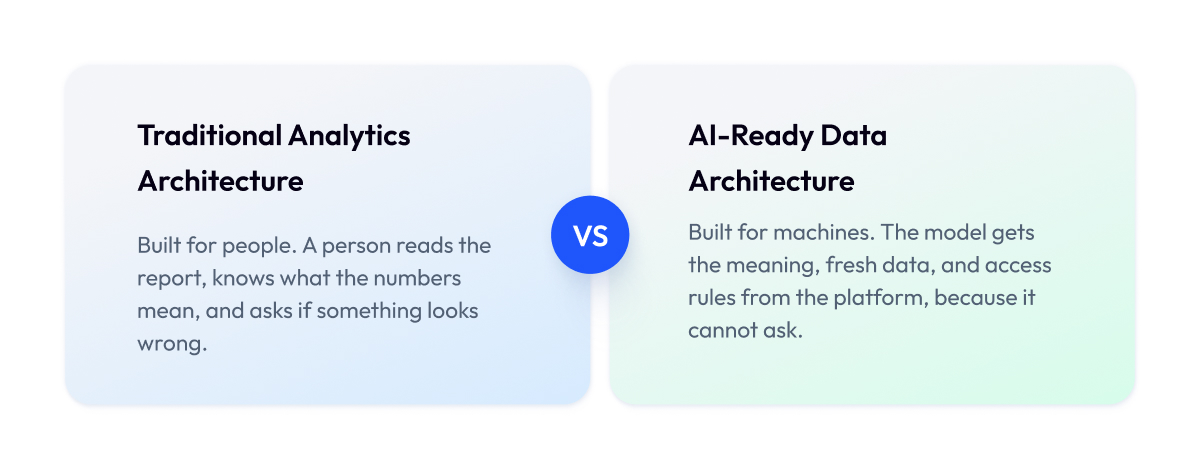
The difference comes down to who reads the data at the end. A traditional analytics architecture delivers tables to a person, and that person fills in the context on their own. An AI-ready data architecture delivers data to a machine. The machine has no context to add, so the architecture must carry the meaning and freshness itself, and enforce access rules.
| Dimension | Traditional Analytics Architecture | AI-Ready Data Architecture |
| Consumer | A person reading a report | A model or agent acting on the data |
| Data types | Structured tables | Tables plus documents, events, images |
| Meaning | Known to analysts, rarely written down | Defined once in a semantic layer |
| Freshness | Daily or hourly refresh | Matched to the decision, up to real time |
| Search | Filter rows by value | Search by meaning across documents |
| Access | Role-based at the report level | Enforced per query, including for AI assistants |
| Traceability | Known to the data team | Every record traced back to its source |
Your platform may already cover some of the right column. Many enterprises we work with have solid storage and access controls and are missing only the meaning and search layers. The seven-layer blueprint in the next sections shows exactly which parts you have and which you still need.
This article assumes your data can support AI in the first place. If you have not checked that yet, run the data readiness assessment first, because a good architecture cannot fix data that is missing or wrong at the source.
What Breaks Without an AI-Ready Data Architecture
Before we describe the seven layers, it helps to see what happens when a company runs AI on a platform that was never designed for it. Each layer in the blueprint prevents a specific problem, so once you know the problems, the layers stop looking like an abstract diagram and start looking like fixes.
We see four problems most often. They show up in almost every stalled AI program we review, and in every case the model worked as expected. The trouble sat in the data platform around it.
| Problem | What You See | Why It Happens |
| Conflicting definitions | Two systems disagree on what a customer is | Meaning is kept in people’s heads, never written down for machines |
| Silent quality decline | Model gets worse each quarter with no alerts | Nobody checks data on the way to the model |
| Stale data | Model decides on yesterday’s numbers | Refresh rate was set for reports, never for the decision |
| Data that cannot be joined | Records from different sources do not match | Each project stores data in its own shape |
Here is what each of the four looks like in practice:
- Conflicting definitions. Three systems count customers three different ways, and the model learns a mix of all three.
- Silent quality decline. A source system renames a field, and the model receives empty values for months before anyone notices.
- Stale data. A fraud check runs on last night’s data and approves a card that was stolen this morning.
- Data that cannot be joined. Each system stores customer IDs in its own format, so the model never sees the full customer picture.
Each of these problems has a fix, and every fix is one of the seven layers in the blueprint. The next section walks through them in order.
The Reference Architecture: Seven Layers of an AI-Ready Data Platform
An AI-ready data architecture has seven layers, and each layer has one job. Data enters at the bottom, from the systems that create it, and leaves at the top, through the applications and models that use it. Between those two points, the platform stores the data, prepares it, records its meaning, and makes it searchable.
We call this the Zoolatech AI-Ready Data Architecture Blueprint, and we use it with clients as the reference AI-ready data platform architecture to see which layers they have and which are missing. The diagram shows all seven, and the table under it lists what each one does.
| Layer | Job | Typical Components |
| 1. Sources | Where data is created | CRM, ERP, billing, apps, documents, event streams |
| 2. Ingestion and streaming | Moves data in, on a schedule or continuously | Batch jobs, CDC, message brokers |
| 3. Unified storage | Keeps all data in one governed place | Lakehouse, open table formats, catalog |
| 4. Processing and features | Checks, transforms, computes model inputs | Transformation jobs, feature store |
| 5. Semantic layer | Defines business meaning once | Metrics layer, entity definitions |
| 6. Retrieval | Finds data by meaning | Embeddings, vector index |
| 7. Serving | Delivers data to people and models | APIs, BI tools, model endpoints, agents |
Below is each layer in turn. For each one, we describe what it does, the components you usually find there, and what goes wrong when it is missing or weak.
1. Sources and operational systems
Every layer above depends on this one. Sources are the systems that create data as a side effect of running the business. The CRM records a new lead, the billing system issues an invoice, the warehouse app logs a shipment, and the support desk closes a ticket. Documents count too, from contracts and policies to product manuals and meeting notes.
Typical components. Databases behind business applications, SaaS tools, file shares, and event streams from websites and mobile apps.
What breaks here. Ownership. When nobody in the business is responsible for a source, questions about it go unanswered, and the data team ends up guessing what a field means or why it stopped updating. This layer needs a named owner for every system that feeds the platform.
2. Ingestion and streaming
This layer moves data from the sources into the platform. It can do that in batches on a schedule or continuously as events happen. A third option reads a database’s change log directly, called change data capture. The key design choice is to separate the systems that produce data from the ones that consume it, so a change on one side does not force a change on the other.
Typical components. Batch loaders and change data capture tools, plus a message broker like Kafka when data has to move continuously.
What breaks here. If this layer runs once a night, no model downstream can decide on anything newer than yesterday. The Zalando real-time customer data pipeline we built exists because a nightly batch was too slow for personalization. Our article on AI data pipelines covers the mechanics of running these pipelines, from reruns to monitoring, so here we focus on the architectural role.
3. Unified storage
Once data is in, it needs one place to live. The unified storage layer holds structured tables, documents, images, and event history together, under one catalog that knows what sits where. Most enterprises we work with build this as a lakehouse, which combines the low cost of a data lake with the table structure and governance of a warehouse.
Typical components. Object storage with an open table format on top, Iceberg or Delta being the common choices, and a catalog that tracks every table. We wrote a separate guide on the lakehouse approach for enterprise retailers for those who want the detail.
What breaks here. Structured data lands in a warehouse, documents stay in a file share, and events sit in a separate log store. Each is fine on its own, but a model that needs all three has to pull from three systems with three access models, and the join never quite works.
4. Processing and features
Raw data is rarely in the shape a model needs. This layer checks it, fixes what can be fixed, and computes the inputs a model reads, for example, “orders in the last 30 days” for a churn model. Time matters more here than anywhere else. Events arrive late, history gets corrected, and a definition that was true last year may have changed, so every calculation has to know which version of the truth it is using.
Typical components. Transformation jobs and data quality checks, and for prediction models a feature store that serves the same computed inputs to training and to production.
What breaks here. The model trains on one version of a number and runs on another. Someone counts “last 30 days” from midnight in training and from the current hour in production, and the model quietly gets worse. A feature store with one definition per input removes that gap.
5. Semantic layer
This is the layer most platforms skip, and it is the one we spend the most time on. The semantic layer is where the business writes down what its data means. What a customer is, when an order counts as complete, how revenue is calculated, which regions belong to which sales team.
The business stores each definition once, and every dashboard, model, and assistant reads it from there.
Typical components. A metrics layer that holds the definitions and a data catalog that describes every field and links records across systems.
What breaks here. Business logic scatters. Half of it ends up in a dashboard, half in someone’s notebook, and slightly differently in an export a team built last year. A model trained on any one of those learns a private version of the truth.
6. Retrieval
Models that answer questions from documents need a way to find the right document by meaning, since nobody types the exact phrase that appears in a policy. The retrieval layer converts documents into embeddings, which are numeric representations of what a piece of text is about, and stores them in an index that can find the closest matches to a question.
This is how an AI assistant works in practice. The platform embeds and indexes the documents ahead of time. When a question comes in, it embeds it the same way, pulls the closest text chunks, and hands them to the model along with the question. The model answers from that context. This pattern is called RAG.
Typical components. An embedding model, a vector index (pgvector or a dedicated vector database), and a link back to the source document for every piece of text, so the assistant can show where an answer came from.
What breaks here. Someone sets up the index as a side project, wired directly to a document folder, with no connection to the rest of the platform. It works for the pilot. Six months later it holds outdated documents and ignores who is allowed to read what.
7. Serving and applications
The top layer is where data leaves the platform. Dashboards read from it, applications call it through APIs, prediction models fetch their inputs from it, and AI agents use it to decide and act. Every consumer goes through this layer, and each gets only the data it is allowed to see.
Typical components. Data APIs and BI tools on the human side, model endpoints and agent interfaces on the machine side.
What breaks here. Consumers bypass the layer. A team connects a dashboard straight to a source database, or an agent gets direct access to storage, and the access rules stop applying. Once one consumer bypasses the platform, others follow.
That is the full blueprint. Some things in it, such as who may see what and where each record came from, apply to every layer at once instead of living in one of them. The next section covers those.
The Cross-Cutting Planes: Governance, Lineage, and Cost
Three things in the blueprint belong to no single layer. Who may use the data, where each piece came from, and what it costs to run. These apply to every layer at once, so we call them planes, and adding them at the end is the most expensive mistake we see in this kind of build.
| Plane | What It Means | What It Looks Like in Practice |
| Governance | Who may use which data, and for what | An assistant checks the asker’s permissions before it answers |
| Lineage | Where each piece of data came from and what changed it | Any answer or forecast can be traced back to its source |
| Cost | What each layer and each consumer costs to run | Budgets and alerts per team and per pipeline |
Governance and permission access
An AI assistant that ignores access rules will happily quote a salary document to anyone who asks. That is why governance has to work on every request, including requests from AI, and why it matters most at the retrieval layer. Before retrieval pulls a single piece of text, it checks what the person asking is allowed to see.
Lineage and observability
Lineage records every step a piece of data takes from its source to the model. Observability watches those steps and raises an alert when something changes. Sooner or later, every AI team gets asked “why did the model say that,” and with lineage in place, the answer takes minutes.
Cost guardrails
AI workloads consume compute in bursts. An unwatched platform can double its bill in a quarter without anyone deciding to spend more, so each layer and each consumer needs a budget and an alert attached to it. In one retail engagement, reviewing cloud costs across the data platform cut spend without changing what the business received.
With the layers and the planes in place, the blueprint is complete. The next question is which choices inside it matter most, because you can build the same seven layers in very different ways.
The Design Decisions That Matter Most
When you build the seven layers, you have to make a handful of choices along the way. Which kind of storage to use, for example, or whether data moves in batches or continuously. These are the design decisions of an AI-ready data architecture. Two companies can follow the same blueprint and end up with very different platforms because they answered these questions differently.
Six of these choices shape the platform more than all the others. Each one trades something away, so the point is to know what you are paying for before you decide. The table sums up how we make each call with clients. Most enterprises start with the default, and the last two columns show when the alternative is worth the price.
| Decision | Default Choice | Switch To | When | What It Costs You |
| Storage | Warehouse | Lakehouse | Documents and events matter, AI is the main consumer | More engineering to run |
| Data movement | Batch | Streaming | Decisions happen while a user waits | 24/7 systems and new skills |
| Document search | None | Vector store | AI has to search documents by meaning | One more system to govern |
| Model inputs | Tables | Feature store | Several models share the same inputs | Another system to run |
| Data formats | Open | Proprietary | One vendor already runs everything for years | Locked to that vendor |
| Ownership | Central team | Federated | Many domains, each with its own owners | Shared standards to maintain |
Two of these come up in almost every conversation, so they deserve a few more words.
Do you need a vector store? Only if your AI has to search meaning instead of filtering rows, which means documents, tickets, contracts, and transcripts. Forecasting and reporting use cases get nothing from it. Teams that add one early usually end up with a second copy of their documents that nobody governs, and that is the most common anti-pattern in the next section.
Do you need a feature store? A feature store keeps computed model inputs in one place so training and production read the same numbers. One model and one team can get by with a well-organized set of tables. The picture changes once three or four models share inputs and different people maintain them, because small differences in their calculations start showing up as model errors.
One more note on formats, because it shapes every later decision.
Open table formats let you change your query engine or your cloud vendor without rewriting the storage layer. We push clients toward them in almost every cloud engagement, because switching away from a proprietary format later is a migration project in itself.
These six choices shape the platform. Which layers you can skip entirely depends on what your AI is supposed to do, and that is next.
AI-Ready Data Architecture for Enterprises by Workload: BI, Prediction Models, RAG, and Agents
You do not need all seven layers for every AI project. What you need depends on what the AI is supposed to do. A dashboard uses a few layers, an AI agent that acts on its own uses all of them, and most workloads sit somewhere in between. So before you build, review your workloads and see which layers they will use.
An AI-ready data architecture for enterprises usually has to serve several of them at once, so we group workloads into the same four types as in the AI-ready data guide. Dashboards and analytics show numbers to people, and prediction models learn from history to forecast what happens next. Then there are document assistants, also called RAG, which answer questions from your own documents. The fourth type, AI agents, goes a step further and acts on its own, such as issuing a refund or updating an order.
The matrix shows which layers each type needs, using the same scale as in the guide. Critical means the workload fails without it, Helpful means it works better with it, and Optional means you can skip it for now.
| Layer | Dashboards | Prediction Models | Document Assistants | AI Agents |
| Sources | Critical | Critical | Critical | Critical |
| Ingestion, batch | Critical | Critical | Critical | Critical |
| Ingestion, streaming | Optional | Helpful | Helpful | Critical |
| Unified storage | Helpful | Critical | Critical | Critical |
| Processing and features | Helpful | Critical | Helpful | Critical |
| Semantic layer | Helpful | Critical | Critical | Critical |
| Retrieval | Optional | Optional | Critical | Critical |
| Serving with access rules | Helpful | Helpful | Critical | Critical |
| Lineage plane | Helpful | Helpful | Critical | Critical |
The semantic layer is critical for everything except dashboards, which is why we treat it as the first layer to add on most projects. AI agents are the other row worth a close look. An agent that reads stale data or bypasses access rules takes the wrong action instead of showing the wrong number, and nobody is there to catch it, so on agent projects we usually find the platform has to be finished before the agent can go live.
Read the matrix from the column for your first workload. Whatever is marked Critical and missing from your platform is your build order, and that is what the anti-patterns and the final section are about.
Anti-Patterns That Kill Scale
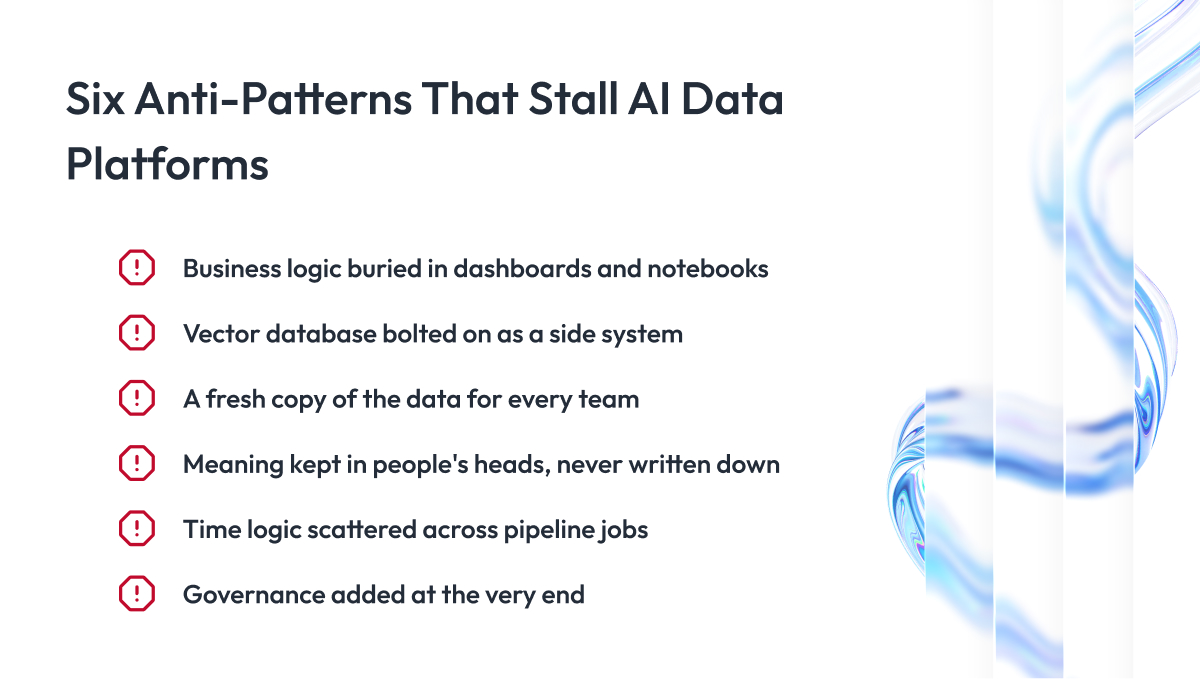
An anti-pattern is a shortcut that works today and creates a bigger problem later, and an AI-ready data architecture collects them faster than most systems because every team builds on it. We include this section because most of the stalled platforms we review had all the right layers, and what broke them was one of these shortcuts, taken under deadline pressure and noticed only a year later when several teams already depended on it.
Six of them come up again and again, and if you know them in advance, they are cheap to avoid.
| Anti-Pattern | What You See | Fix |
| Business logic in dashboards and notebooks | Two reports show different revenue for the same month | Move definitions into the semantic layer |
| Vector database added as a side system | Assistant quotes old documents, ignores permissions | Connect retrieval to unified storage and governance |
| A fresh copy of the data for every consumer | Storage bill grows, copies disagree | One storage layer, consumers read through serving |
| Meaning kept in people’s heads | New team member needs a month to read a table | Written definitions in the catalog |
| Time logic scattered across jobs | Backfills produce different numbers than the original run | One place that handles late data and versions |
| Governance added at the end | Access rules exist for reports but not for AI | Permission checks on every layer from day one |
The most expensive one is the third. Each team copies the customer table for its own model, and within a year there are four versions, each slightly different, and every fix has to be made four times.
All six have the same fix. Give each job one home in the platform, such as definitions in the semantic layer and access checks in serving, and make every team use that home instead of building its own.
Cloud and Hybrid AI-Ready Data Architecture
An AI-ready data platform can run on premises, in the cloud, across several clouds, or in a hybrid environment. For most enterprises, the main choice is between cloud and hybrid because it affects data residency, access to existing systems, scalability, and cost.
Cloud works best when most data can move to one environment and AI workloads need flexible compute. Hybrid makes sense when some data or systems must stay on-premises because of regulation, latency, or existing infrastructure.
| Question | Cloud | Hybrid |
| Data residency | Data stays in the selected cloud region | Sensitive data can remain on premises |
| Unstructured data | Documents and files live with the rest of the platform | Some files stay local and approved data moves to the cloud |
| Compute | Capacity scales with demand | Cloud compute supports selected workloads |
| Cost | Pay for storage, compute, and data transfer | Existing infrastructure stays in use, but integration adds cost |
| Best fit | New platforms and changing AI workloads | Residency rules, legacy systems, or low-latency requirements |
Data residency is usually the first constraint. If regulated or sensitive data cannot leave a specific environment, hybrid may be the better fit.
Unstructured data matters too, especially for RAG. In the cloud, documents can live in the same governed storage layer as other data. In a hybrid setup, teams must decide what stays local and what can move.
There is no single best option among AI-ready cloud data architecture solutions. The right choice depends on where data can live, where core systems run, and how much complexity the team is ready to manage. Good solutions for AI-ready cloud data architecture start with those constraints.
How to Build an AI-Ready Data Architecture From What You Already Have
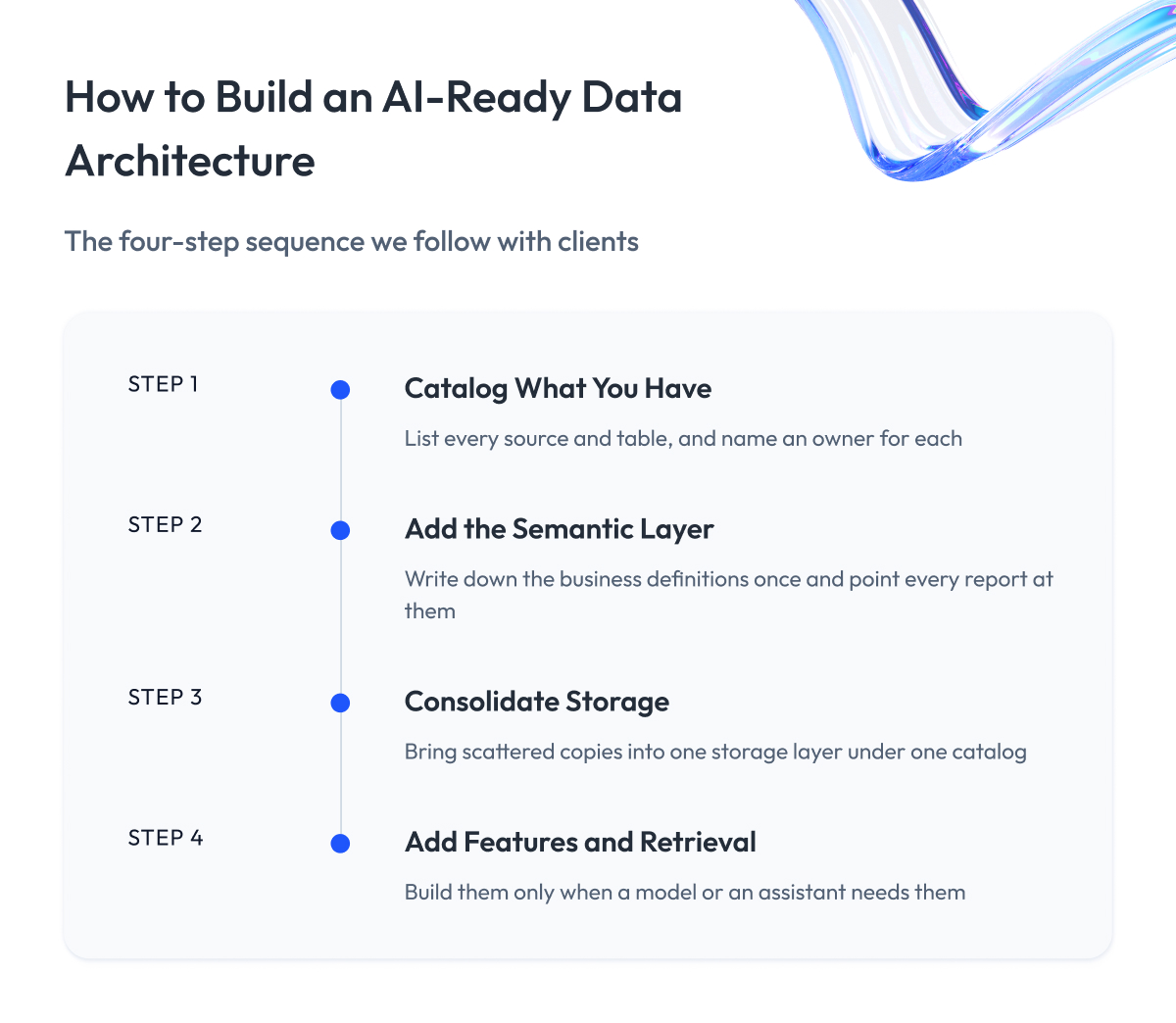
Almost nobody builds this platform from zero. You already have sources and some form of ingestion, plus a warehouse or a lake, so the question is how to add the missing layers without breaking what works. The order matters because every downstream layer depends on meaning being defined once, and this is the sequence we follow with clients.
Step 1 – Catalog what you have
List every data source and table, assign an owner to each, and add the reports that read from them. It costs the least of the four steps, and without it the rest is guesswork.
Step 2 – Add the semantic layer
Write down the definitions the business already uses, starting with the ten that appear in the most reports: customer, active customer, order, revenue. Store them in one place and point the existing dashboards at it. From here on, every new model reads the same definitions.
Step 3 – Consolidate storage
Bring the scattered copies into one storage layer under one catalog. Expect this to be the largest piece of work, and the point where a partner helps most. For a Fortune 500 client, we replaced scattered systems with a single cloud data platform that reporting and AI now draw from.
Step 4 – Add features and retrieval as workloads need them
Add a feature store when the second prediction model appears, and a retrieval layer when the first document assistant appears. Both connect to the storage and the semantic layer you already built, so each one is a matter of weeks.
How to tell the architecture is right
You do not need a full audit to check the result. Four signs tell you the platform works:
- A new AI use case starts from existing data and needs no new copy.
- Every metric has one definition, and two reports never disagree.
- An assistant answers only from documents the asker is allowed to read.
- When a model gives a strange answer, you can trace it to the source record the same day.
If any of the four fails, the missing layer is usually easy to name from the blueprint.
Build it yourself or bring in a partner
Enterprises with a data team of ten or more people usually run steps one and two themselves. Most bring in AI-ready data architecture partners for steps three and four, because consolidating storage and setting up retrieval are one-time projects that require skills the team will not use again for years.
When you look at partners for AI-ready data architecture, ask each one to show a platform they built that serves reporting and AI from the same storage. A vendor that has only ever built the reporting side will not know where retrieval and access checks belong.
Our data analytics services team runs all four steps, and we usually start with a two-week review of what you already have.
Final Word
Designing an AI-ready data architecture takes serious work. You have to catalog what you own, argue about definitions the business has avoided settling for years, and consolidate storage while the reports keep running.
But this stage is worth the effort.
A platform built layer by layer, with meaning defined once and access checked on every request, turns each new AI project into a few weeks of work on top of what exists. A platform assembled from shortcuts turns each new project into a rebuild, and the cost shows up as a stalled AI program that nobody can explain to the board.
Use the blueprint as a map. You do not have to build all seven layers this year. Take the column for your first workload, mark what is critical and missing, and build only that, in the order above.
And if you would like an experienced team beside you, we are ready to review your current platform against the seven layers, show you where the gaps are, and help you build the path to an AI-ready data architecture before the next project starts.
Questions You May Have
What is AI-ready data architecture in simple terms?
AI-ready data architecture is the design of a data platform in which models and agents can find, join, interpret, and trust data without a person explaining it first.
How is it different from a traditional data architecture?
A traditional architecture delivers tables to a person who adds context, while an AI-ready data architecture carries meaning, freshness, and access rules because a machine has no context to add.
What layers does an AI-ready data architecture have?
It has seven layers: sources, ingestion and streaming, unified storage, processing and features, a semantic layer, retrieval, and serving, with governance, lineage, and cost applied across all of them.
Do we need a vector database?
Only if your AI has to search documents by meaning, as a document assistant does, and forecasting or reporting workloads get nothing from it.
Warehouse or lakehouse for AI?
A lakehouse fits when documents, events, and images matter and AI is the main consumer, while a warehouse is enough when the data is tables only, and the team works in SQL.
Where should business logic live?
In the semantic layer, defined once and read from there by every dashboard, model, and assistant, instead of being rewritten in each report and notebook.
Do we need a feature store?
A feature store pays off once three or more prediction models share the same inputs and different people maintain them, and before that, a well-organized set of tables does the job.
Can one architecture serve both BI and AI?
Yes, and it should, because both read from the same storage and definitions, and AI workloads add retrieval, features, and streaming on top of what BI already uses.
Is there an AI-ready data architecture framework we can follow?
Yes, the seven-layer blueprint in this article is the AI-ready data architecture framework we use with clients, and you apply it by taking the column for your first workload and building only what is marked critical.
How do you build AI-ready data architecture step by step?
Catalog what you have, add the semantic layer, consolidate storage, and then add features and retrieval as workloads need them, in that order.
Does an AI-ready data architecture for enterprises differ from one for a smaller company?
The layers are the same, but an AI-ready data architecture for enterprises has to serve several workloads and business domains at once, which makes the semantic layer and federated ownership far more important.