



Quick Summary
- AI-ready data is data a machine can use without a person supplying context, which means the values, the metadata, the semantics, and the governance all have to hold together.
- Five attributes decide it, quality, meaning, freshness, traceability, and access, and a weakness in any one of them shows up directly in the AI output.
- The bar rises with the workload, from dashboards where a human catches oddities to agents that act on their own and need strict access rules plus a record of every action taken.
- Score each attribute 0-3 against your specific use case and aim for at least 70% of the maximum on the attributes marked critical before the project starts.
- Buying Snowflake, Databricks, or Fabric covers storage, connectors, and tooling, but deciding which data matters, writing down the meanings, and naming owners stays your work.
AI-ready data is data that an AI system can use right away and produce a result you can trust. It is accurate, up to date, understandable to a machine, and available to the people and systems that need it.
We see the gap every month when clients come to us with a request to put AI into a business process, and the conversation moves fast until we ask about the data behind it. Where does it live, who owns it, and what does each field mean? The answers get uncertain, even in companies whose enterprise data passes every traditional data quality check.
That is why we wrote this guide.
Here we explain what AI-ready data is and how it differs from high-quality data, why it matters for AI outcomes, and which five attributes decide readiness.
We show how requirements change from one type of AI workload to another, walk you through the Zoolatech AI-Readiness Scorecard, and cover what usually blocks companies and what to fix first.
After that, we lay out the steps to prepare data for AI, the foundation and architecture behind it, how to judge when data is ready enough, and where platforms and industry specifics come in.
By the end, you will be able to score your own data against a concrete use case, name the first thing to fix, and decide whether to do the work in-house or with a partner.
What Is AI-Ready Data?
The short definition at the top of this article is enough to get the idea, but to work with the term, you need to see what sits inside it. So here is the full AI-ready data definition.
AI-ready data is data that has been systematically prepared, evaluated, managed, and governed to meet the needs of a specific AI initiative, including the metadata and semantics a machine needs to interpret it correctly.
The key word is “specific,” because readiness exists only in relation to a use case, and the same dataset can be ready for one AI use case and unusable for another.
That last point is what separates AI-ready data from data your analysts already trust.
Traditional checks look at data through human eyes, and a human fills in the context without noticing. An analyst sees a column called status with values like 3 and knows from experience that 3 means “shipped.” An AI model sees a number with no meaning attached, and it will happily build a forecast or an answer on top of that guess.
In practice, readiness sits on four layers that have to work together:
- Data. The values themselves have to be complete, accurate and current, so the model learns from what is happening in the business today rather than from gaps and stale records.
- Metadata. Every field needs a description of what it is, where it came from, and when it was last updated, so people and AI systems can judge whether they can trust it.
- Semantics. The meaning of values and the relationships between entities have to be spelled out, so AI systems can understand a customer, an order, or a contract the way your business does.
- Governance. Someone owns the data, access rules are defined, and it is transparent how the data is used and which parts may feed AI at all, which is what turns basic records into governed data.
When we help clients prepare data for AI via our data analytics services, most of the work lands on the second and third layers, because that is where enterprise data is usually weakest.
Since readiness depends on the task, a natural question follows. If your data quality is already under control, why does AI still struggle with it? The next section answers that.
AI-Ready vs. High-Quality Data: The Context Gap AI Can’t Fill Itself
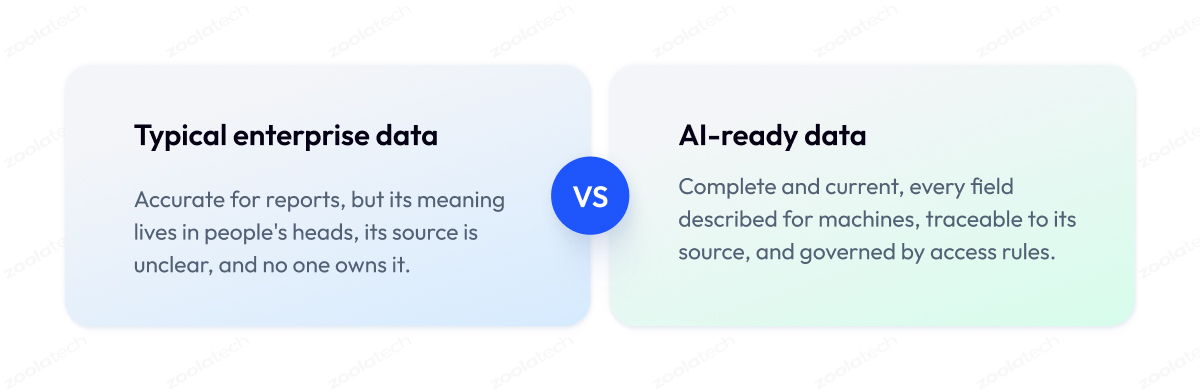
The main difference between AI-ready data and high-quality data is the audience. Quality programs make sure a human can trust the numbers, while AI-ready data also has to be understood by a machine with no human in the loop, and that requires descriptions of what the data means, where it came from, and how fresh it is, which classic quality programs never had to provide.
This is why so many AI projects stall in companies that have invested heavily in data quality management. Their reports are trusted, their dashboards match, and by every traditional data management metric, the warehouse looks fine.
So when the first AI model gives wrong answers, the model gets the blame, and the team spends weeks tuning it or switching vendors while the actual cause sits untouched in the data.
The cause is context. When an analyst reads a report, they add years of knowledge to it without noticing. For example, they know two systems define an “active customer” differently, so they adjust for it in their head. AI models are trained on the data exactly as it is stored, with none of that knowledge, so even the best AI learns from both definitions at once and treats them as the same thing.
The table below shows where traditional checks stop and where AI requirements begin.
| Dimension | Traditional Data Quality Checks | What AI Additionally Requires |
| Accuracy | Values match the source system | Known errors marked so the model can skip them |
| Completeness | Required fields filled in | Examples of every situation the model will face |
| Consistency | Same format in every table | Same meaning in every system and every year |
| Timeliness | Refreshed on schedule | Refreshed as fast as the decision needs |
| Semantics | Rarely checked | Meaning of each field written down for machines |
| Lineage | Known to the data team | Every record traceable back to its source |
| Access | Role-based permissions | Rules for each AI use, personal data protected |
Clean data is still the necessary first layer, and no amount of descriptions or traceability can fix poor data quality in the source records. Trustworthy AI needs both layers, and most enterprises still have work to do on the second.
Now that the gap is visible, the next section covers what it costs when it goes unaddressed.
Why AI-Ready Data Matters
AI-ready data matters because modern AI and automation have moved from experiment to expectation. Over the last few years, most large companies have launched at least one AI pilot, and the ones that made it into production almost always had one thing in common. Their data was ready for the job before they chose the model.
The models themselves have become a commodity. GPT, Claude, Gemini, and strong open-source models are available to everyone for roughly the same price, so a competitor can buy the same intelligence you can. What they cannot buy is your data, and even the most advanced AI cannot make up for data that is not ready, so that is where the difference between two companies now comes from.
In practice, poor data breaks AI outcomes in three ways:
- Wrong answers that look right. A generative AI assistant built on internal documents will quote an outdated policy if three versions of it sit in the knowledge base, and it will do so with full confidence.
- Quality that fades over time. A demand forecast accurate at launch gets worse a quarter later because a source system changed and nobody updated the pipeline the model depends on.
- Errors nobody can trace. When a customer complains about a wrong figure, the team spends a week tracing where it came from because they never recorded the path from source to AI output.
Together, these problems stall AI adoption before it proves any value, and they explain why so many companies run five pilots and ship none. Getting data ready for AI first is the foundation of AI success, because it turns AI from a series of experiments into a capability the business can rely on.
The next section breaks that readiness down into five attributes you can check and fix one by one.
What Makes Data AI-Ready: The Five Core Attributes
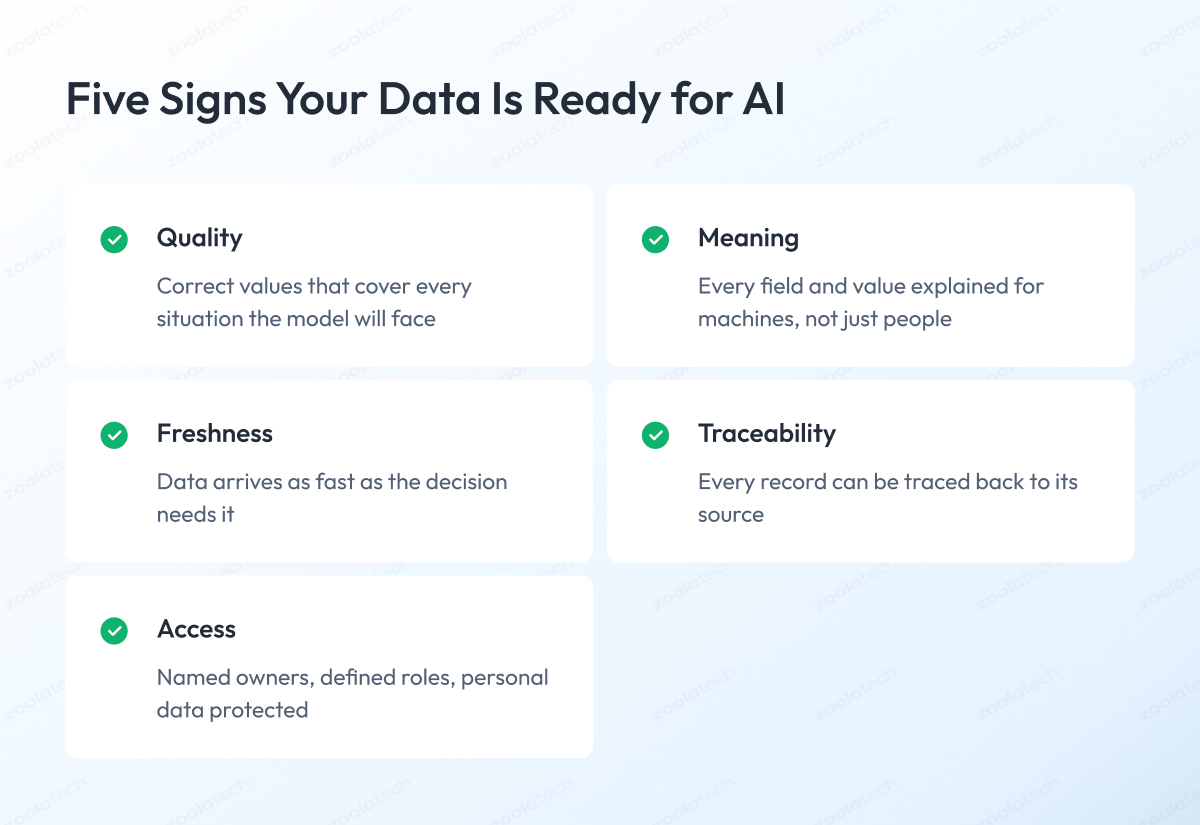
Five attributes decide what makes data AI-ready:
- Quality
- Meaning
- Freshness
- Traceability
- Access
If your data is strong on all five for the task you have in mind, it is ready, and if it is weak on any of them, that weakness will show up in the AI outputs. These same five attributes form the base of the readiness scorecard later in this article.
1. Quality
Quality means the values are correct and the data covers every situation the AI system will face once it is live. A model can only learn from what it has seen, so high-quality data with gaps is still a problem. For example, a returns prediction model trained on data that skips the holiday season will look fine all year and fail in December.
2. Meaning
This attribute answers one question about every field and every document. What does it mean?
A column called “amount” is useless to a model until someone writes down the currency and whether tax is included. The same goes for unstructured data such as contracts or support tickets, which need labels and descriptions before an AI system can use them.
This information lives in data catalogs, where both data scientists and AI systems can find it, and an empty catalog is a sure sign the data has not been prepared for AI.
3. Freshness
Freshness is how recent the data is and how fast it reaches the model. A monthly report is fine with yesterday’s numbers, but a fraud detection system running on yesterday’s data is simply too late.
Real-time data costs more to deliver, so the goal is to match freshness to the decision, and that usually means rebuilding the data pipeline instead of buying a faster model.
4. Traceability
Traceability, or data lineage, is the record of where each piece of data came from and what happened to it on the way. Without it, fixing an AI system is guesswork. When an assistant gives a wrong answer, lineage lets you find the source document in minutes instead of a week.
Data observability tools add to this by watching the data flow and warning you when a source breaks, so you find out before the model does.
5. Access
The last attribute covers who may use data and for what purpose. Robust data governance defines ownership, access rules, and data security requirements. It also separates data that can feed AI from data that cannot, such as personal information that has to be masked first.
An HR assistant that tells anyone their colleagues’ salaries is a governance failure, and no change to the model will fix it. AI-ready governed data closes this door before it opens.
All five attributes apply to every AI initiative, but their weight changes with what you are building. A dashboard and an autonomous agent need very different levels of each, and the next section covers that difference.
Requirements Depend on What You’re Building: From Dashboards to AI Agents
AI-ready data requirements depend on the type of AI you are building, because each type uses data differently and puts pressure on different attributes. A model that predicts demand needs years of history, an assistant that answers from documents needs current versions and labels, and an agent that acts on its own needs strict access rules on top of everything else.
So the first question is never whether your data is ready in general, but what exactly you plan to build with it.
Most AI applications in an enterprise fall into one of four types, and each asks something different from your data.
Dashboards and analytics. Charts and reports people use to make decisions. Data demands are lowest here because a human reads the numbers and can catch anything odd. Yesterday’s data is usually enough.
Prediction models. These are models that learn from your history to predict what happens next, such as demand for a product or the risk that a customer leaves. They need historical data that covers every season and situation, and they need field definitions that stayed stable over the years. If the meaning of “active customer” changed in 2023, the model will quietly mix the two meanings. Our machine learning implementation work usually starts with fixing exactly this.
Assistants that answer from your documents. This type is often called RAG, which simply means the AI searches your documents first and builds its answer from what it finds. Such an assistant depends on things dashboards never needed, such as document structure, labels, and knowing which version of a policy is current. Feed it a folder of unsorted files, and it will answer from the wrong ones. This is the core of most generative AI solutions we build today.
AI agents. An AI agent goes one step further and acts on its own, for example by issuing a refund or updating an order. It needs everything above, plus strict access rules and a record of every action it took, because a wrong action costs more than a wrong answer.
The matrix below puts the five attributes from the previous section against these four types of work.
Zoolatech Workload Requirements Matrix
| Attribute | Dashboards | Prediction Models | Document Assistants | AI Agents |
| Quality | Helpful | Critical | Critical | Critical |
| Meaning | Helpful | Critical | Critical | Critical |
| Freshness | Optional | Helpful | Helpful | Critical |
| Traceability | Optional | Helpful | Critical | Critical |
| Access | Helpful | Helpful | Critical | Critical |
The further AI moves from showing numbers to people toward acting on its own, the higher the demands of AI workloads on your data. This also means the work pays off more than once, because data prepared for the strictest task becomes reusable data products that serve every task before it.
Since the bar depends on the task, you can measure readiness against a specific goal. The next section gives you a scorecard to do exactly that.
Is Your Data AI-Ready? The Zoolatech AI-Readiness Scorecard
The honest answer to “is your data ready for AI” is a number, and here is a simple way to get it. Score your data on the five attributes you already know from this article, from 0 to 3 each, and compare the result with what your AI use case requires.
A number ends the argument where one person insists the data is fine and another insists it is a mess, and it gives you something to show leadership and measure again next quarter.
Use the scorecard below. For each attribute, read both descriptions and honestly place your data between them.
Zoolatech AI-Readiness Scorecard
| Attribute | What 0 Looks Like | What 3 Looks Like |
| Quality | Errors and gaps found by users | Checked automatically, covers all situations |
| Meaning | Fields understood by a few people | Every field described in a machine-readable catalog |
| Freshness | Data updated whenever someone remembers | Update speed matched to each decision |
| Traceability | Nobody can say where a number came from | Every record traceable to its source |
| Access | One shared login, no rules | Clear owners, roles and usage rules |
Now count the result against your task. Go back to the Workload Requirements Matrix, find your project type, and take only the attributes marked Critical for it. Add up your scores on those attributes and compare the sum with the maximum.
Here is an example. You are building a document assistant, and the matrix marks four attributes as Critical: Quality, Meaning, Traceability, and Access. The maximum on four attributes is 12 points. You scored 2, 1, 1, and 3, which gives you 7 out of 12. Our advice from years of data work is to aim for at least 70% of the maximum before the project starts, which in this example means 9 points. At 7, the data needs work first, and the two attributes that scored 1 show exactly where.
Two more checks sit outside the table, and both can stop a project on their own.
The first is security and personal data, meaning you know exactly which records contain personal or sensitive information and how they are masked before AI touches them.
The second is people, meaning someone owns each dataset and can answer questions about it. A data readiness assessment without an owner behind the data produces a score nobody acts on.
Most teams that run this exercise for the first time land between 1 and 2 on Meaning and Traceability, and that matches what we see in client work. The next section covers these common gaps and what to fix first.
Common Barriers to AI-Ready Data and What to Fix First
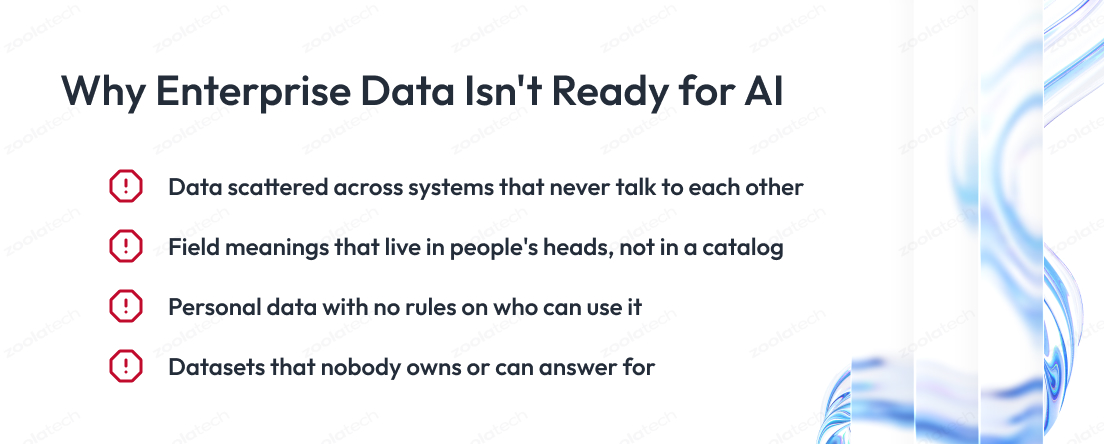
If you ran the scorecard, you likely have low scores in specific places, and they probably point to one of a few familiar problems. The barriers to AI-ready data are almost always structural:
- Data sits in separate systems
- Nobody wrote down what the fields mean
- Personal data has no rules around it
- Datasets have no owner
None of these AI-ready data challenges is exotic, and the good news is that you do not need to fix everything, only what your first AI project runs into.
Here is how each barrier looks in practice and how to fix it.
1. Data spread across systems
Your company stores data across many systems. The customer exists in the CRM, their payments live in the billing system, and their complaints sit in the support tool. Each system knows its own part, and no system knows the whole customer, which is what people mean by data silos. An AI model built on one of them sees a third of the picture, and a model built on all three often treats one person as three different people, because the systems call them differently.
How to fix it. Connect the data sources so the data about one customer, order, or product comes together in one place. This is engineering work, and when some of the systems are old, it usually starts with legacy modernization before any AI enters the picture.
2. Nobody wrote down what the data means
Ask your team what the field “status = 3” means, and someone will know. The problem is that the answer lives in their head. People can pass such knowledge to each other, but an AI model reads the data directly, and for it, every unwritten definition is a guess. In our experience, this is the single most common gap, and it is exactly the Meaning attribute where most teams score low.
How to fix it. Write the definitions down in a data catalog, starting only with the tables your first AI project will use. A few weeks of documentation work here saves months of confusion later.
3. Personal data without rules
Customer data almost always contains personal information, such as names, addresses, or payment details. In many companies, nobody can say exactly which tables hold it and who is allowed to use it. As soon as an AI project touches that data, legal and security teams have to stop it, because they cannot approve what they cannot see.
How to fix it. Map where personal data lives, decide who can use it for what, and mask or remove it where AI doesn’t need it. This is data governance work, and doing it before the project is much faster than doing it during.
4. No owner to ask
Every dataset needs a person who can answer three questions. What is inside, how often is it updated, and can it be trusted? Without that person, every question becomes an investigation, fixes take months, and data teams spend time searching instead of building.
How to fix it. Assign an owner to each dataset your AI project depends on. One name per dataset is enough to speed everything up.
To decide what to fix first, go back to your scorecard results. Take the attributes that are Critical for your project and scored 0 or 1, and fix only those.
Once you know which gaps to close, the next question is the order of the work, and that is what the following section covers.
How to Make Your Data AI-Ready in Six Steps
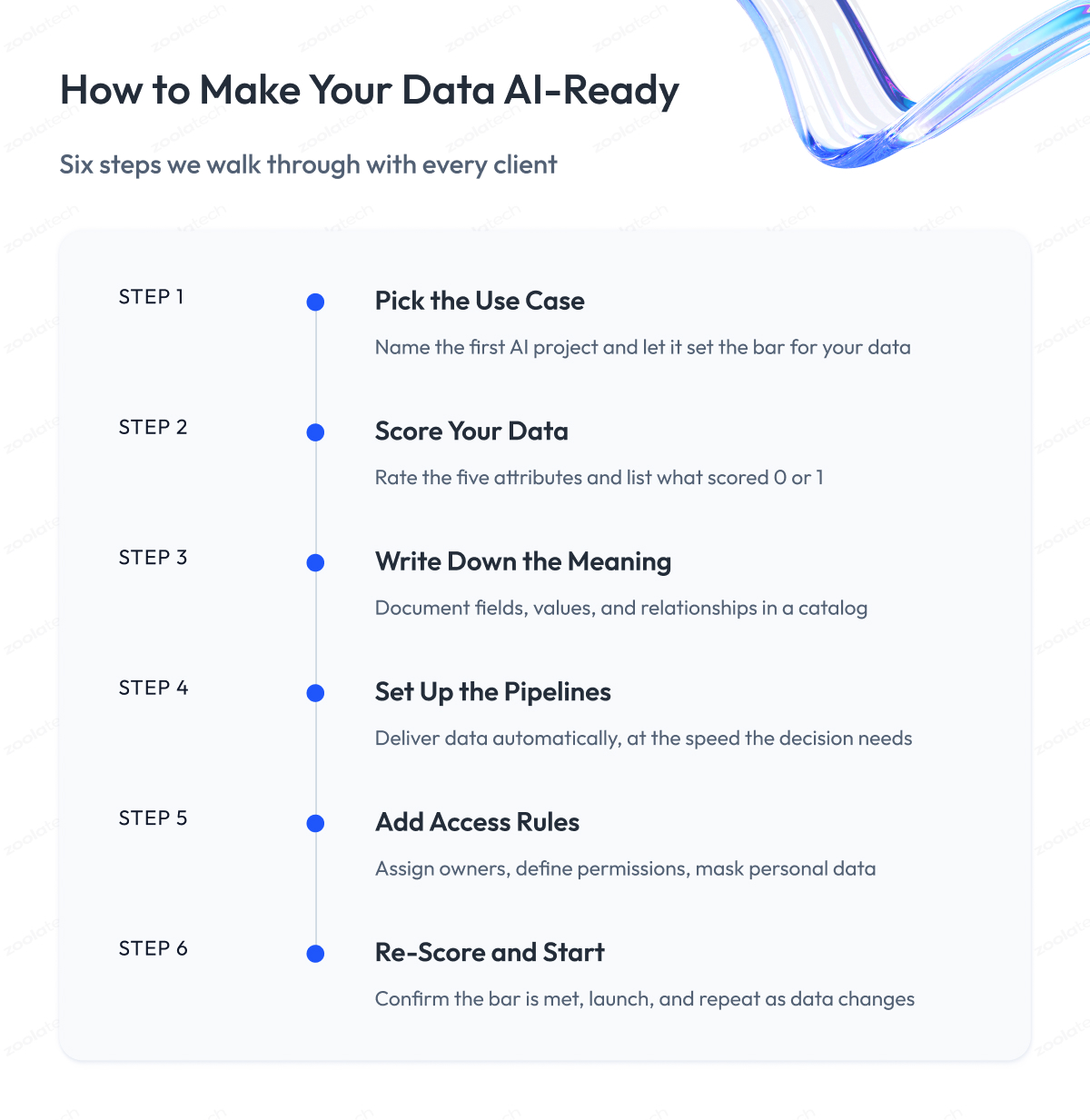
This is the path we walk with our own clients to make data AI-ready, condensed into six steps.
Step 1 – Pick the use case first
Preparing data in general leads nowhere, so every AI-ready data strategy starts by naming the first AI project. The type of project sets the bar for your data, as the Workload Requirements Matrix showed, and it tells you which tables and sources hold the right data for it. Everything else in the process depends on this choice.
Step 2 – Score your data against it
Run the scorecard from this article on the data your use case needs. The attributes marked Critical for your project that scored 0 or 1 become your work list. In our client projects, this step usually takes days, and it replaces months of debate about how good or bad the data really is.
Step 3 – Write down what the data means
Document the fields, values, and relationships in the tables your project will use, and put them in a catalog. This is the step teams most often want to skip, and the one we insist on, because it closes the most common gap we find. The right data management practices for AI start with meaning, long before any tooling.
Step 4 – Set up the pipelines and freshness
Data must reach the model automatically and at the speed the decision requires. To ensure data flows without manual exports, we build or rebuild AI-ready data pipelines, so a change in a source system raises an alert instead of silently breaking the model.
Step 5 – Add the access rules
Assign an owner to each dataset, define who can use it and for what purpose, and mask personal data where AI doesn’t need it. Doing this before launch keeps legal and security teams on your side and saves the project from stopping at the finish line.
Step 6 – Re-score and start the project
Run the scorecard again to ensure your data is ready. When the Critical attributes reach the bar, the AI project starts on solid ground, and the score becomes a habit you repeat throughout the AI lifecycle as data changes. AI-ready data management is ongoing work, and the companies that treat it that way ship their second and third AI projects far faster than their first.
The steps look simple on paper, and the effort behind them depends entirely on the size of your gaps. What makes the work manageable is that it is a normal engineering project with a beginning and an end, and this is exactly how we run it for clients through our data analytics services. Under these steps is the architecture, which we cover in the next section.
The Foundation and Architecture Behind AI-Ready Data
Under every program of scaling enterprise AI, across all its analytics and AI initiatives, sits the same AI-ready data architecture, a five-layer data foundation that works together so readiness survives new sources, new projects, and staff changes.
Here is what each layer does.
AI-Ready Data Foundation: The Five Layers
| Layer | What It Does | Simple Example |
| Storage | Collects data from the whole company in one place | A data warehouse or lakehouse |
| Integration | Moves data in from source systems automatically | Data pipelines from CRM and billing |
| Quality | Checks data on arrival, before models see it | An alert when orders stop coming in |
| Rules | Keeps definitions, owners and usage permissions | A data catalog with field descriptions |
| Access | Delivers data to people and AI systems by their rights | An analyst sees all, a chatbot sees its part |
Two more components join the picture when you move past dashboards. A vector store keeps your documents in a form an assistant can search by meaning, and a feature store keeps ready-made inputs for prediction models so every model uses the same numbers. You add them when the use case calls for them, and the five layers stay the same.
You do not have to build all of this on day one for your data to be AI-ready. A modern data platform grows layer by layer, and cloud tooling has made the start much cheaper than it was five years ago. What matters is that you build AI-ready data once, so every AI project you run draws from this shared foundation instead of preparing its own data from scratch, because that is what makes AI pipelines repeatable and scalable AI possible.
This is also the part of the work we know best from practice. We built a big data analytics platform for a Fortune 500 company that replaced scattered systems with a single cloud platform, and a real-time customer data pipeline for Zalando that processes billions of records a day and feeds personalization that unlocked €4.5M in GMV. Both projects started with data people trusted, but machines couldn’t use.
A platform like this can sound like a huge undertaking, so a fair question follows. How much of it do you need before your data counts as ready? The next section answers that.
When Is Data “Ready Enough”?
Before you start the data preparation work, decide where the finish line is, because you can chase perfect data forever, and you do not need to. The goal is data prepared well enough to build a quality AI solution on top of it, and you already have that finish line in numbers: the 70% threshold from the scorecard.
Perfectionism is genuinely harmful here. Data changes every day, new sources appear, and definitions get updated, so fully ready data is a moving target. Companies that wait for perfect data launch nothing, while companies that ship their first AI project on data that is ready enough learn faster, prove value earlier, and fund the next round of improvements with the results. Readiness is ongoing data work built into everyday data practices, and shipping is part of it.
One caution before you go shopping for data platforms and AI tools. Every platform defines readiness through its own feature set, and if you accept a vendor’s checklist as your definition, readiness quietly turns into a commitment to their product. Judge your data against your use case, then let the tools earn their place.
Platforms, Services and Industry Angles
An AI-ready data platform combines the layers from the architecture section in one place, so you rent storage, integration, and quality tools instead of building each yourself.
The best-known AI-ready cloud data platforms are Snowflake, Databricks, and Microsoft Fabric, and most modern enterprise data runs on one of them. They are a fast way to build the data infrastructure for AI-ready data, but no platform makes your data ready on its own.
Here is what these data platforms actually do. They store data from the whole company and give you the computing power to process it. They ship with connectors that pull data in from popular systems, so integration takes days instead of months. They include tools for quality checks, cataloging fields, and controlling access. In short, they cover the engineering base well, which is exactly why so many companies buy one and then wonder why their data is still unprepared for AI.
The answer sits in the division of work below.
| What a Platform Gives You | What Stays Your Work |
| Storage and computing power | Deciding which data matters |
| Ready-made connectors to systems | Choosing and connecting your sources |
| A catalog tool for descriptions | Writing the actual meanings in |
| Access control features | Setting the rules and naming owners |
| Quality check tools | Defining what counts as an error |
The right column is the readiness work this article described, and it does not disappear with any purchase. A platform holds your answers, and someone still has to produce them, either your team or a partner offering AI-ready data services who does it with you.
Industry adds its own angle.
For financial institutions, AI-ready data means a higher bar across the board, because regulators expect every number to be traceable and every automated decision to be explainable, so Traceability and Access stop being internal goals and become legal requirements.
In retail, the hardest part is AI-ready customer data, because it lives across the online store, physical stores, and the loyalty program, and bringing it together in near real time is where preparation pays back fastest, as our analytics work for retailers shows in practice.
Whatever your industry and platform, the path itself stays the same, and that brings us to the end of this guide.
Final Word
Making your data AI-ready takes patience. You may need to score your data honestly, document fields nobody wrote down for years, untangle systems that never talked to each other, and have uncomfortable conversations about who owns what.
But this work pays for itself.
A model built on prepared data ships once and keeps working, while a model built on unprepared data returns to your team every quarter with new surprises. The gap between companies that scale AI and companies that collect stalled pilots often comes down to preparation far more than to the choice of model or vendor.
Use this guide as your starting point. Pick one use case, run the scorecard against it this week, and let the lowest scores tell you where to begin. A single honest number beats a year of debate about whether your data is good enough.
And if you want an experienced team beside you, we are ready to review your data against your first AI use case, show you where the gaps are, and help you build the path to AI-ready data before the project starts.
Questions You May Have
What is AI-ready data in simple terms?
AI-ready data is data an AI system can use right away and produce a trustworthy result from, because it is accurate, current, described so a machine can interpret it, traceable to its source, and governed by access rules.
What is the difference between AI-ready data and high-quality data?
High-quality data is accurate and complete for people to read, while AI-ready data also carries the meaning, freshness, and lineage a machine needs to interpret it without a human filling in the context.
How do I know if my data is AI-ready?
Score it from 0 to 3 on quality, meaning, freshness, traceability and access, then compare the total on the attributes that are critical for your use case against the 70% threshold from the scorecard in this article.
What are the main characteristics of AI-ready data?
AI-ready data has five characteristics: correct and complete values, documented meaning for every field, freshness matched to the decision, traceability back to the source, and defined ownership and access rules.
How do I get my enterprise data ready for AI?
Pick one use case, score your data against its requirements, document what the fields mean, automate the pipelines, set ownership and access rules, and re-score before the project starts.
Does AI-ready data mean something different for RAG than for prediction models?
Yes, a RAG assistant depends on document structure, labels, current versions, and traceability, while a prediction model depends on long, consistent historical data, so the same dataset can be ready for one and not the other.
Why do AI projects fail because of data?
AI projects fail when data is incomplete, outdated, or undocumented, because the model then produces confidently wrong answers, degrades over time, and cannot be traced back to a source.
Do we need a specific platform to have AI-ready data?
No, platforms such as Snowflake, Databricks, or Microsoft Fabric speed up storage and integration, but the meaning, ownership, and access rules that make data AI-ready remain your team’s work on any platform.
How long does it take to make data AI-ready?
For a single well-defined use case, it usually takes weeks, because you fix only the attributes that scored low for that project instead of cleaning the entire company’s data.
What data does an AI model need to be trained on?
An AI model needs training data that covers every situation it will face in production, with stable field definitions over time and documented meaning for every value it learns from.
Is there an AI-ready data checklist we can start with?
Yes, the five-attribute scorecard in this article works as the checklist: rate quality, meaning, freshness, traceability and access, and start fixing whatever is critical for your use case and scored 0 or 1.
What does an AI-ready data architecture look like?
It has five layers: storage, integration, quality checks, rules and access, plus a vector store for document assistants and a feature store for prediction models when those use cases need them.